Category: XR

  • The predicted downfall of ENGAGE XR

    The predicted downfall of ENGAGE XR

    Decorative image of a messed up 3D printed blue boat.
    Photo by Megan Lee on Unsplash

    Given that it looks like EDUMetaverse is headed to the turf, I might as well get a blog post up prognosticating that ENGAGE XR is going down too. I might as well.  I’m not even early to these thoughts; I heard through the grapevine that ENGAGE XR was laying off folks within the past 12 months.  I did research that and it is true. 

    LinkedIn shows negative 41% employee growth in the past 12 months.

    Capture from LinkedIn as of February 2026 showing a 41% negative employee growth in the past year at ENGAGE XR
    Negative 41% employee growth.

    The Irish Times reported a stock slippage of 8% on January 6, 2025 due to contracts with Middle Eastern partners that had not come through or realized yet.

    Capture of headline from The Irish Times article, Irish virutla reality firm ENGAGE XR's shares slide on sales warning

    By June 2025, there seemed to be further delays and possibly more loss, although this article from Sharecast from 6 months later seems to have the same figures as the January article.  So it is unclear to me if this is more of a tumble or a new tumble.  With the dramatically increasing interest in AI during this time, it would not surprise me at all if the investors were looking elsewhere for returns.

    I had heard “layoffs” but didn’t know of anyone specifically. It appears that Glassdoor did. 😕

    To be clear, I’m not kicking a man when he is down here. I’ve had a beef with ENGAGE XR for years due to their false learning claims using virtual reality.  I’ve written before about their contract with Meta and Stanford University.  I’ve written about their foolish “metaversity” concept. I’ve written about their strange use cases and the evidence that they use to push their snake oil use of VR for learning.

    Capture from inside of the virtual campus of Morehouse College, otherwise known as their metaversity.
    Not aging well? Morehouse College, ENGAGE XR, and the Metaversity

    So this is a case of the chickens coming home to roost. One can advertise all one wants to about how great one’s XR is, but if one is propping up untruths, failure will follow. 

    BTW, in the same bucket with ENGAGE XR is VictoryXR. I might write this out more later. For sure, with the early evidence of what AI is doing to education (impact on learning), it’s going to get ugly. 

    Note: be aware that there is more than one company with the name “Engage” in the virtual reality space. 

  • When Tech Platforms Donate The Resources

    When Tech Platforms Donate The Resources


    [EDIT: This post was originally written in January 2023 and lightly edited in 2025]

    Jeremy Bailenson

    As much as I admire Jeremy Bailenson’s research work (really!) his Communication 166/266 Virtual People course in June 2021 had some real problems. In its defense, it was a first-of-its-kind course, even if it wasn’t the very first course in VR. Depending on how to define VR versus XR, groups of this size, 263, have met synchronously in other platforms.

    Boast Much?

    Bailenson defends: “To the best of my knowledge, nobody has networked hundreds of students
    (with) VR headsets for months at a time in the history of virtual
    reality, or even in the history of teaching.”

    Further, he states:

    The scale of this course is what sets it apart compared to other “in-VR” courses. In addition to having a relatively large number of students enrolled in the course, we also had a large number of sessions taking place in VR over time, many of which were in a networked virtual environment. To our knowledge, prior courses that have used VR in an educational setting have rarely accomplished all three of these criteria.


    Here is a YouTube video, Stanford “Virtual People” class in the Metaverse posted by Bailenson.

    The ENGAGE Platform

    In the video clips, we see the ENGAGE platform.

    Why ENGAGE? It was not deeply explained, here:

    In addition to the headsets, the course also needed software to connect
    the students and teachers. For this, Bailenson said the university
    decided to use the ENGAGE virtual communication system. ENGAGE is used by major companies and educational organizations to hold virtual meetings and events.

    A Big Problem


    I looked at some of the film clips closely. I searched and the early clips appear to be deleted off of YouTube.  I have facilitated small and large events in XR.  

    In the video clips of this course, I can detect that sound appeared to be a somewhat major problem in the platform; getting users to hear, signal that they could hear, or having multiple groups in one space (like a lab) and hear over top of each other.

    The Headsets

    Learners in the course received the Quest 2 headsets.

    “Virtual Reality is becoming mainstream, with more than ten million
    systems being used in the United States alone. This class examines VR
    from the viewpoint of various disciplines, including popular culture,
    engineering, behavioral science, and communication. Each student will receive an Oculus Quest 2 headset, and the bulk of our learning will
    occur while immersed in VR.”

    Each student was given the headset:

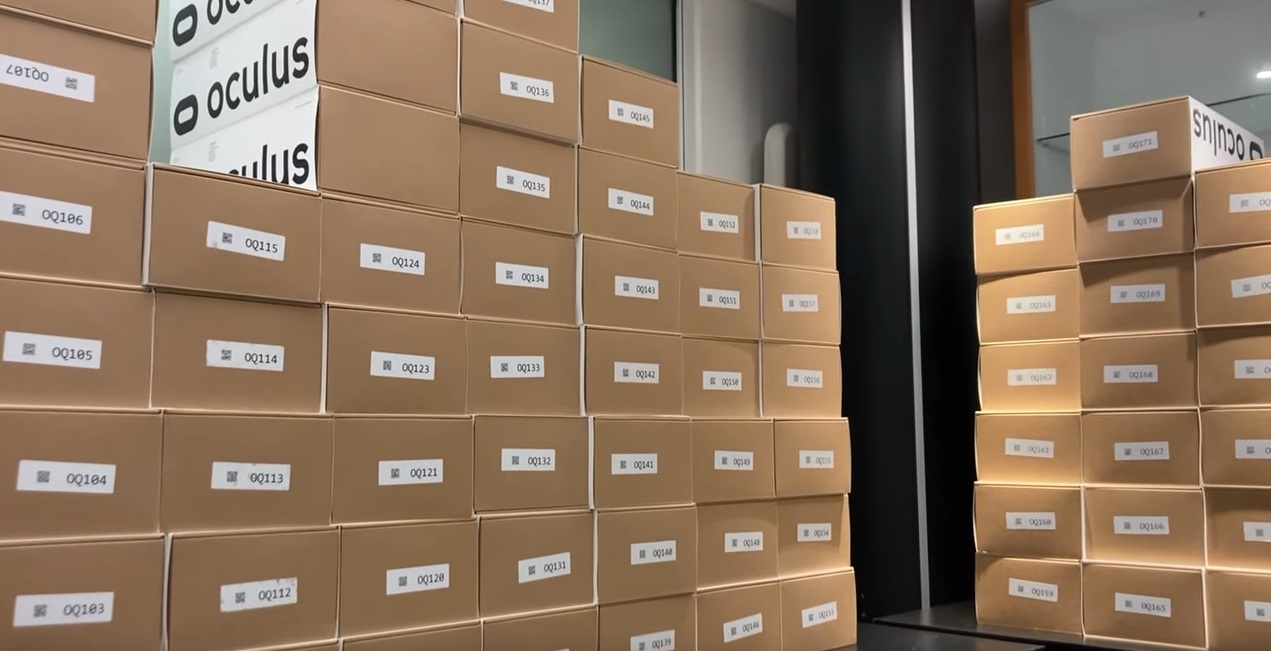
    Each was given an Oculus Quest 2 headset

    According to another course from 2022, headsets were to be returned at the end of the semester:

    Screen capture of a Stanford 2022 course with price of US$3699 saying headset would be provided but must be returned

    Facebook Meta provided a “workaround” for the forced use of Facebook accounts in the headsets:

    The Facebook login requirement had sparked complaints and privacy
    worries, leading some organizations to seek a workaround. Stanford
    University uses Meta’s headsets in its courses on VR, said Jeremy
    Bailenson, the founding director of the institution’s Virtual Human
    Interaction Lab. To ensure student privacy, the lab had to seek Meta’s help in creating anonymized accounts for classroom use.
     

    This article comes right out and says this:

    And money for the project—as well as donated VR headsets for students at
    the participating colleges—comes from Meta, the company that owns
    Facebook.

    The connection between Facebook Meta and Stanford has been documented.

    While the experience was good in that, at the beginning of trying out any new technology, there will be false starts. Said another way, it is good to learn that bringing in 30 learners to one large-ish lab space to teach separate labs of 5 people each won’t work if there is flat sound. That has be learned. I think his course showed that.

    But overall, conducting a course with donated technology and then turning around and saying the learning was great* is a conflict of interest.

    I found a written summary here, but it’s light on conclusions. There a few glimmers, but otherwise, they did seem to hint that the groups versus sound problems that appeared in the video did happen.

    * What does “the learning was great” actually mean?  Bailenson and Han claimed better presence, enjoyment, motivation, and transfer. While I could let you consider if any of those deserve merit, I railed against the conclusions of the course in my The Immersion Delusion post.  This post, being written more than 2 years before I hit publish, focuses on the hype just as the course was starting. Therefore, obviously, this particular post does not hit hard on hype versus results. It only focuses on hype and the conflict of interest of hitting the airwaves with how amazing your course must be, to be a first of its kind, learning about VR in VR, yada yada yada. 

    [EDIT: I decided to publish this post on 12/26/2025. I’ve done quite a deeper dive on that course and the publications around it.  I feel even more confident and I edited this article to come right out and say that Bailenson had a conflict of interest, rather than a “dis-authentic event in research” around the entire course and following publications.]

     
    Learning About VR in VR

    Video of spaces from Victory XR  (Unsure if these were used in the Stanford course or not)

  • My Tron Build Part 1

    Lore, Textures, and Basic Shapes


    Decorative image with text Request Access as key phrases from the TRON movie.

    As promised, I’m starting blog posts about my Hubs/Blender builds. This will be a bit like stepping into a running stream as I’m over 2 years into my learning journey.  I’m not that far in, still working primarily in modeling and I’ve done a little animation and I’m currently learning Grease Pencil (2D).  Plus, I hope that some of my writing will help others.

    What I do in Hubs and with Blender, for now, is pure art

    And that’s a good starting point for this blog because My Tron build, The Grid, was a really fun art study in negative space. In other words, this build had me work on what was not there just as much as what was there.

    Tron

    I don’t remember how me and YouTube started cross-pollinating on Tron. Truly, I’m not that into the movie (you will not believe that by the time this post is done because now, my Tron lore cup runneth over). It might have been this video, Sweet Dreams are Made of These, Epic Tron Version. I just find this song mesmerizing.

    At some point, probably when searching out YouTube Blender tutorials, I ran across this video, Make Tron City in Blender, Real Time Render.

    I watched this, it’s only 39 minutes and the creator is true to his word (mostly) that the build can be made in a short period of time. (There is little sped up footage.) That means a lot when evaluating a Blender tutorial. Many creators speed up time and give building ‘the hand wave’ approach.  However, a close watch will show that this creator, Daniel Grove, made the Tron city three times as there are two different showcased cities (the center building changes) and then the one he builds as his how-to in real time.

    Nonetheless, it looked very simple. I was intrigued to play with bloom.  Making my own textures with Blender was something I had just learned to do. I started.

    Textures

    This video and I think perhaps one by Grant Abbitt on using Grease Pencil Drawing in Blender got me going with using the Drawing tools in Blender and practicing something relatively easy, straight lines. I input a few circles but most of the textures are straight lines with a few angles.

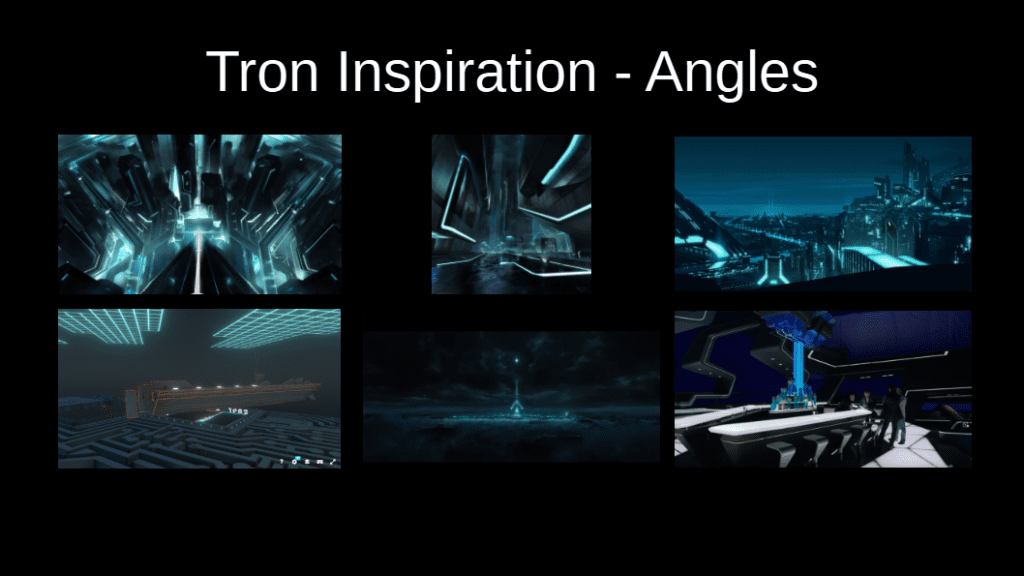
    In my “lit review” of Tron art, angles are a cool element. They are not quite 45 degrees, but they play near there.

    Collage of 6 images showing various angles in Tron fan art or movie captures.  Aesthetic is black with glowing blue grids.
    Inspiration images – note some of these are directly from the Tron movies/books but some are fan art.

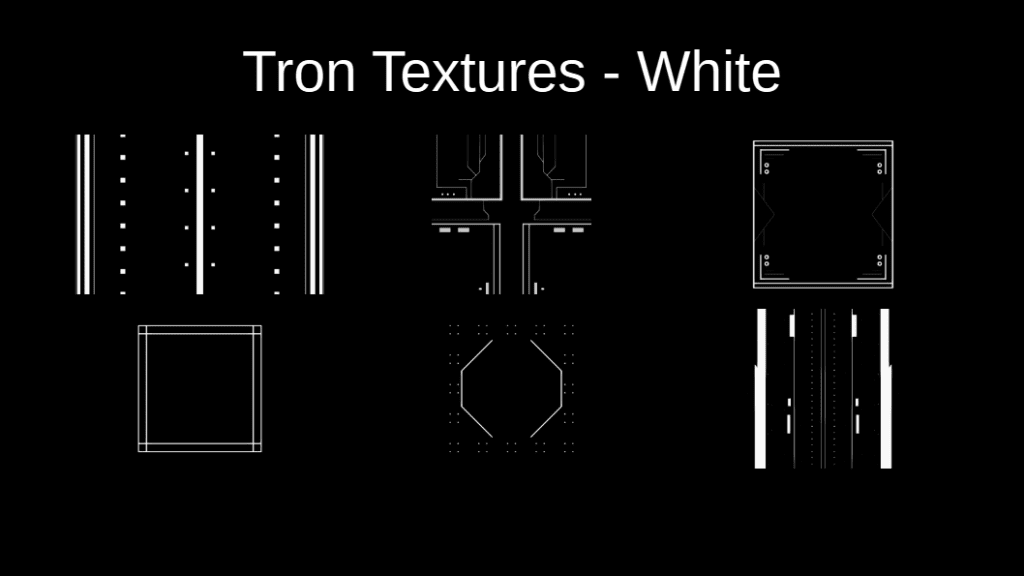
    So I had my first bunch of textures, these were all made in Blender.  Note that they are white on black.

    Collage of 5 textures using straight lines and dashes used to form the textures of a Tron City.
    None of these show up in the final build

    I got the rest of the buildings made (and conceived of my “Halloween twist”), put the textures on and ramped up the bloom.  The tutorial has you build a Color Ramp to turn the white to blue. In Blender, it looked fabulous!  Essentially, I’m done! No, I’m not. I make immersive art.

    I put the build up into Hubs to get inside it for the first time.  

    Nothing. Blackness.  But that’s because my build was unlit– as in completely unlit; no light source.  I had to play with some HDRIs to get the lighting I wanted.

    And, I had bloom off on my own browser. That’s the problem that you can partially see below. It’s not glowing.

    Work in progress. Note that the blue color is working but nothing is glowing.

    So starts the work of translating what is a great scene in Blender to work in the WebXR platform, Hubs. There are LOT more settings to be worked on. In total, lighting took me ~3 days, slowing tweaking each setting and using the Hubs Blender Add-On after every tweak to see if was working towards the effect I wanted.  Plus I had to turn bloom on.  

    Problem

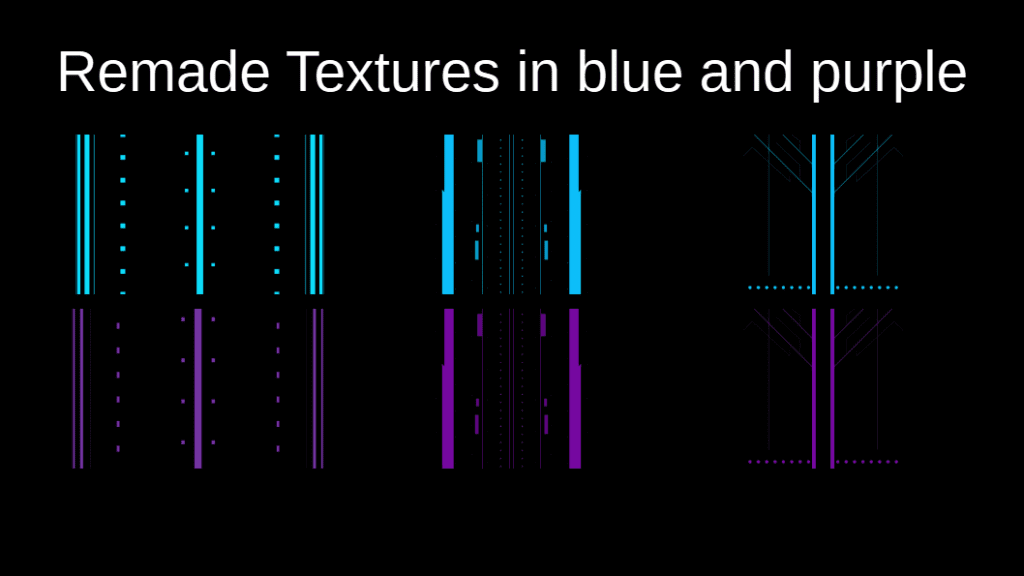
    But of course, Hubs cannot understand the color ramp taught in the tutorial. So now I had to rebuild my entire set of textures in blue on black. Plus by now I know I want a set of purple on black for Halloween. I didn’t quite keep a set of Blender files for each texture, so I had t remake most of them from scratch.  Bummer. That was another two days work.  Plus I had to check for just the right “blue” (HEX 0DC2FF) and “purple” (HEX 7809A4) inside of Hubs. I would reference those 2 HEX codes frequently. In hindsight, the blue worked great. But the purple– even though I tried 3 different purples (a dark, a mid, and a light) was still too dark; it didn’t glow much in general. I’d pick a lighter purple if I did this again.

    Notice how the purple just seems darker.

    At this point I have one of the textures in blue (the road) but I’m still tweaking the bloom. Notice the white in most of the textures. The street lights are glowing from a blue material with emission, not a texture.

    Capture of work in progress from Blender. A cityscape is visible but some elements are white on black while others are blue on black. The blue parts are glowing.
    Only the blue is emissive at this point. I haven’t replaced all of the textures yet.

    In addition to re-texturing, I was adding Flynn’s Hideout (aka apartment or safehouse) and heavily researching Tron lore to determine the purposes for things. I learned a LOT more about Tron that I ever wanted but it was cool to explore a world that was a computer simulation. 

    Collage of images from Tron, Flynn's Hideout. Elements of a glowing floor and ceiling, fireplace, meditation pool, some "bits" (rubic's cube like decorative elements) on the mantel.

    For example, there is a fireplace with a mantel in the hideout. I had to ask “what is fire in the Tron world?” and found that it appears to be blue transparent cubes (Tron Wiki, Flynn’s Safehouse, Trivia). Blue transparent cubes coming up! First, actually made in 3D in Blender. Then I picked a camera viewpoint and rendered one in 2D to be used with Hubs spawner. The result? Close enough. I’m still hesitant with transparency in Blender and Gimp. If I were to make these again, I would not have as many lines.

    Image of a black cube with a glowing blue outline.
    My Tron fire cube

    Design Elements for Flynn’s Hideout

    • Should be spawn location
    • Can see Tron city (The Grid) from an outer deck
    • Includes water or meditation pool
    • Has angled black shiny walls (entire Tron world is black angled shiny rock)
    • There needs to be a book shelf in the back. Books appear to be significant in Tron lore. Books containing “text” might be the only part of the real world that computer programs can attempt to understand. The poorly done ‘do you know Jules Verne’ joke implies that programs struggle with fiction/nonfiction text.
    • No real food, but Flynn does eat. Note: humans are users. Users are self-powered in the Tron world. They are the only entity that is self-powered. That self-empowerment grants them somewhat of a god status in the Grid.  It also allows Flynn to live separate, off the Grid, and beyond the reach of Clu.
    • There should be a bedroom to the side. 
    • The fireplace has objects that seem to bemuse and simultaneously confuse Clu.  I recreated this scene in my video. #CluDoesNotGetTchotchkes
    Image from Tron: Legacy and my video, showing the moment Clu reaches out to the objects on the mantel.
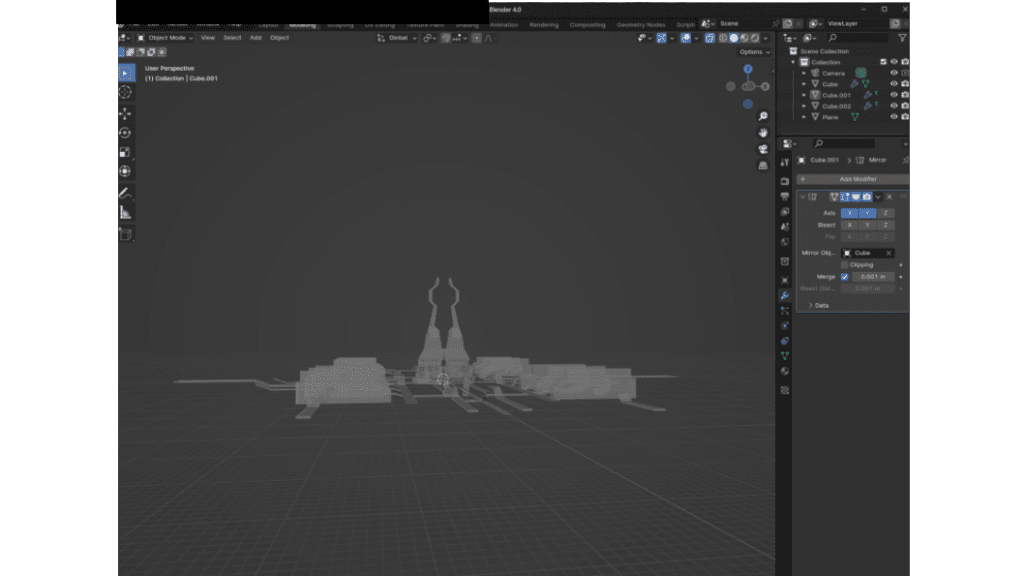
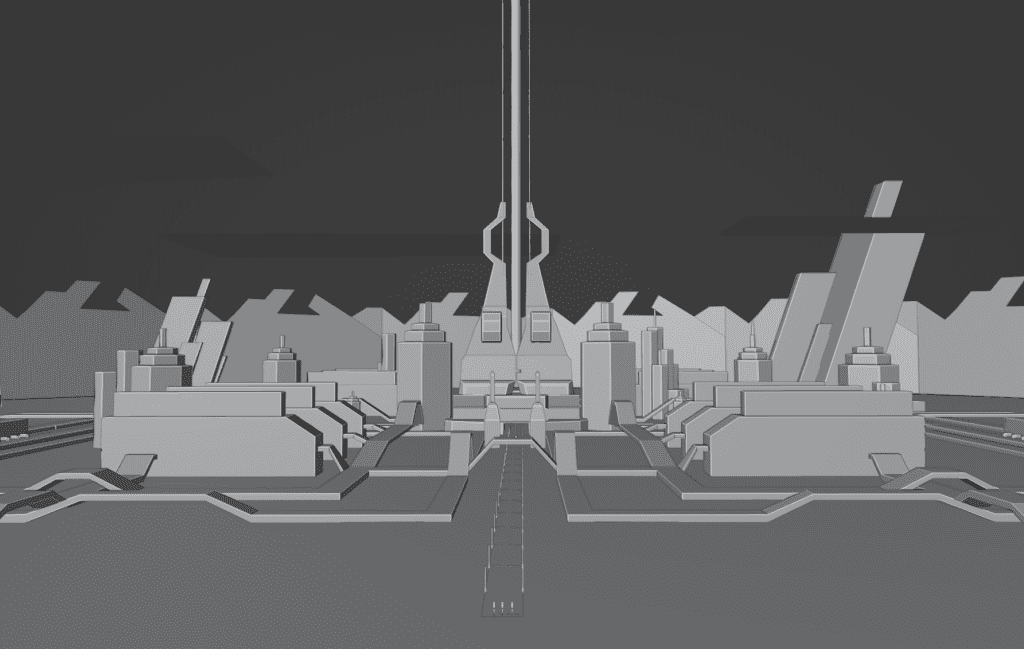
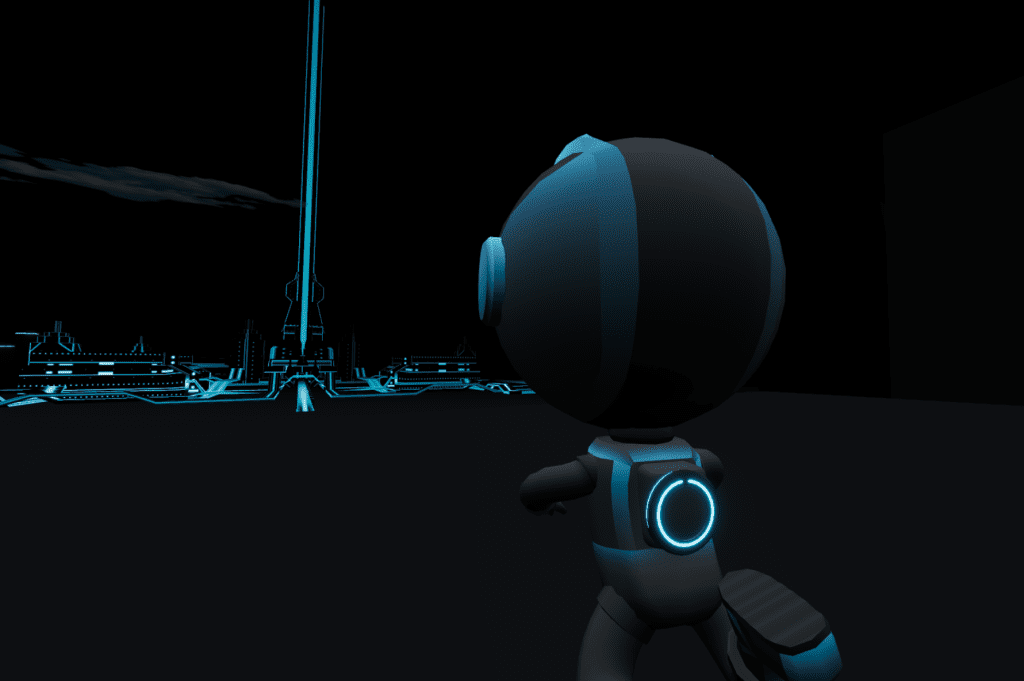
    Capture of Blender 4.0 showing only 3 cube shapes made an entire city.
    Work in progress: Blender screen showing that the basic city is only 3 cubes

    Capture from Blender of the basic shapes of Tron City.

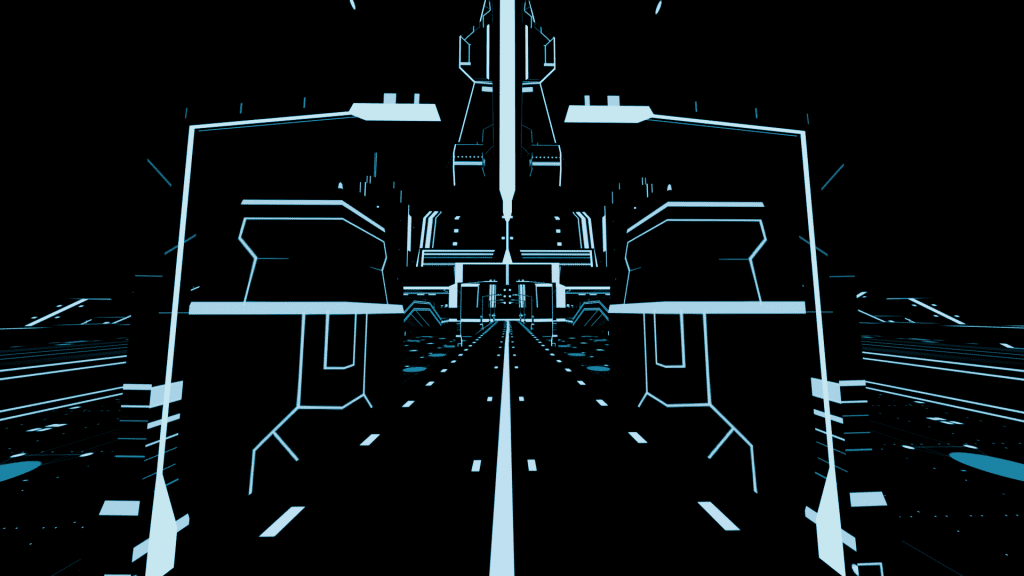
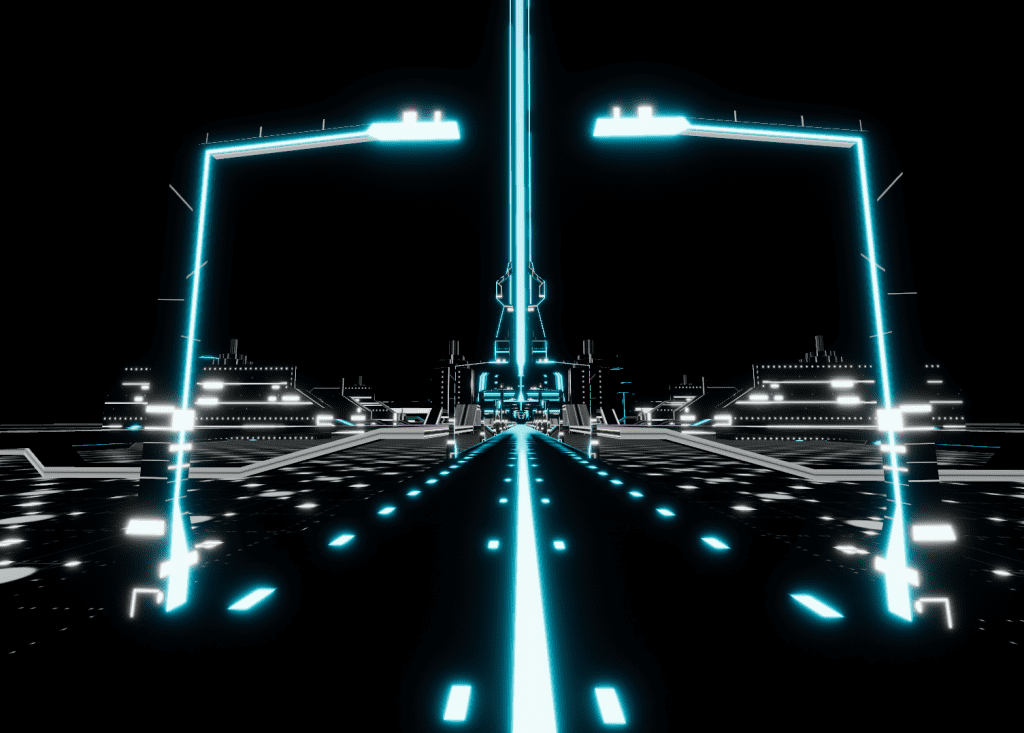
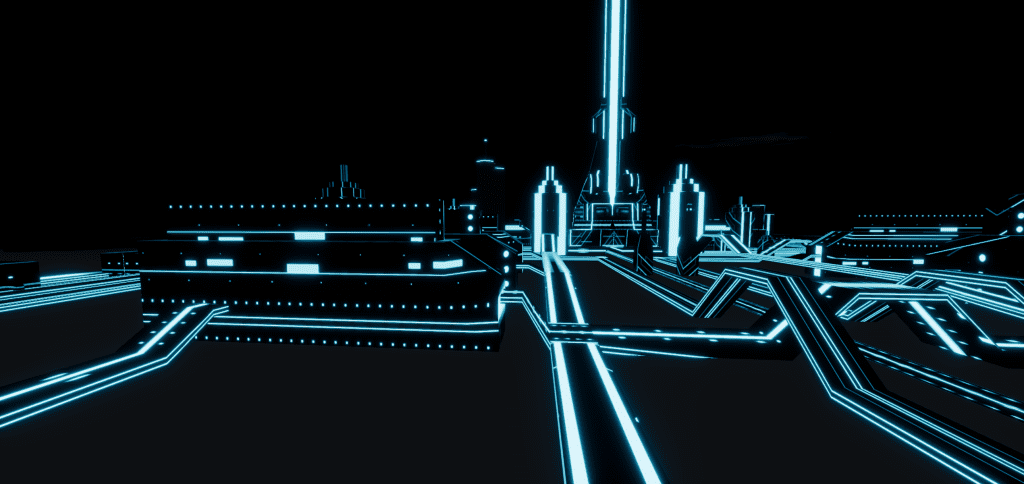
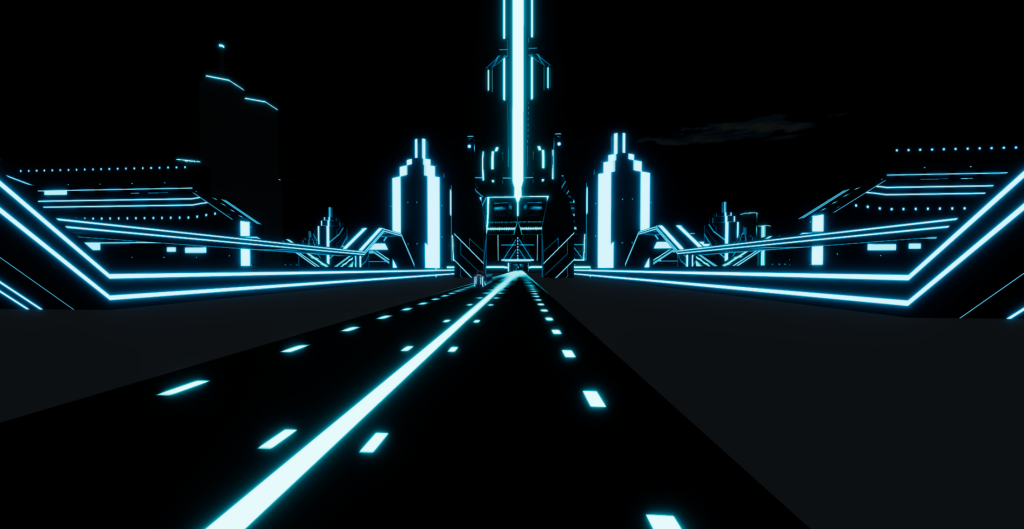
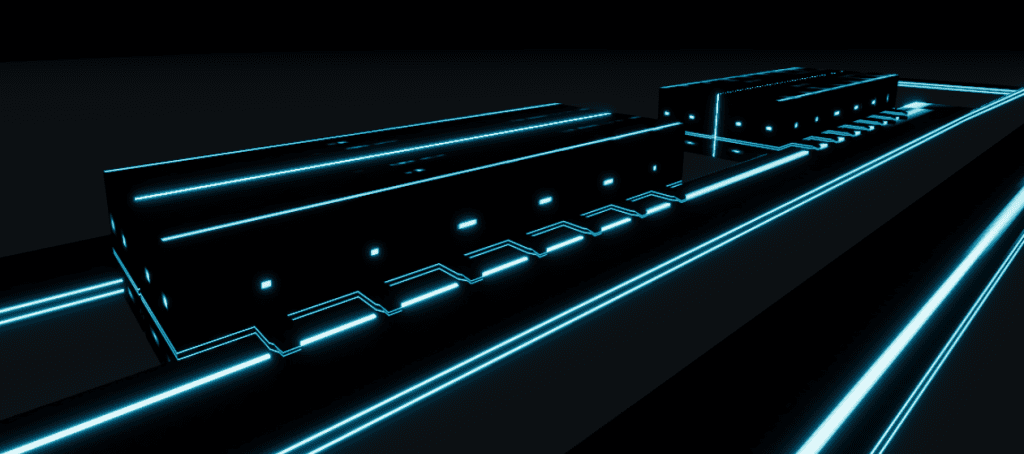
    This series of images shows what I mean by “the textures carry the weight” and the use of negative space is compelling. The textures add what could be windows, doors, or programming through the scene. On the “roads” the textures give a sense of movement. It’s wild that all that busy city is from a few cubes, with the Mirror Modifier and some linear textures.

    Tron City Elements

    • Apparently, it’s always dark and stormy in the Grid. Technically, it can rain and the Grid is rather proud that it can simulate rain. I did not make rain. I added some blue-tinted clouds that float across the scene via my animation. The black rock everywhere is shiny.  Perhaps it is a break in the rain.
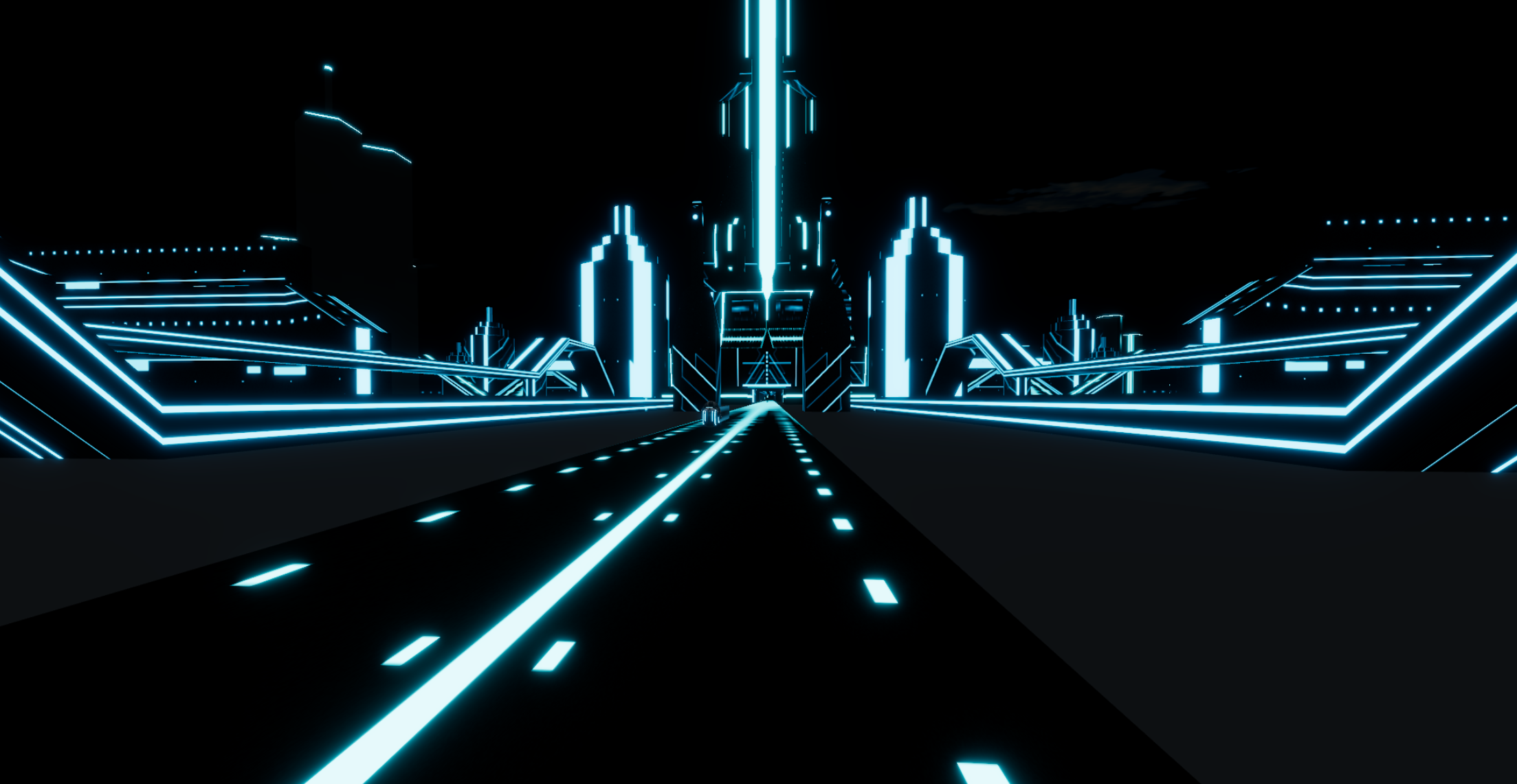
    Capture of Tron City in Hubs. A blue tinted cloud floats above roads with glowing lines.
    It’s always stormy in the Grid
    • I became much more comfortable with the Mirror Modifier in Blender in this build because the tutorial has you create the city with one mirror (i.e. X axis) but I simply added the other horizontal mirror (i.e. Y axis) for things like the roads and you quickly get a much larger symmetrical city!
    • The city is NOT fully symmetrical. I created some extra buildings that I manually placed into the scene. 
    “Ram” buildings- like the computer part.

    The Socket Set


    I created some fun “socket set” Emerald Plaza buildings, like in San Deigo. 


    • I chose not to make the Games stadium.  It’s already a big build and I didn’t need another building complex for my story line. 
    • I thought about having the Solar Sailer arrive at some sort of tethered location at an antennae. I built the building for it to arrive at (per the Tron plot). But I decided that I liked the look of it just sailing through and past better. 

    About that center power beam

    The tutorial doesn’t care how high the beam goes up as you just get it going up out of the animation render camera shot. But since my city is immersive, I had to think about how high of a beam I wanted. The beam IS part of Tron lore and it represents communicating back with reality so I thought it should go up forever! I really thought I had a perfect application for Fading Assets Gracefully with Vertex Alpha. But with Blender 4.0 (or some version near there), alpha has changed and changed how it is done. Thus, I’m lost and could NOT get it to work. I’m sure the problem is with me and I just need to adjust to the new system, but still I’m floundering.

    Still, a mantra that I keep repeating did work: There is more than one way to do things in Blender.

    So I tried Hubs black fog instead. Plus, since I already knew by that time that that beam was about 500m from the spawn point, if I set the fog to 500m it should just about perfectly hide the beam until a visitor goes out to the cliff edge.

    View of Tron city after just stepping outside of the Hideout
    Capture of a blue glowing city that is closer now, with a center power peam just coming into view.
    View of Tron City further out on the cliff edge
    WIP image: Note the elements: the cushion, the water pool, the bedroom, and the far off city.

    By The Numbers


    The final build of Tron City with Flynn’s Hideout: ~18MB. I’m very sure most of that were my textures. But all things considered, that’s a tiny number for a build 1 kilometer in size.

    40,000 triangles

    Environment Map: Quarry Cloudy HDRI from Poly Haven, 1k

    Seeing cloud reflections indoors? VR fail, but I’m sure that will get fixed someday.

    World Surface Rogland Clear Night HDRI from Poly Have, 1K 

    Tone Mapping: Blender Filmic

    • Exposure 1.0
    • Bloom on
    • Threshold 1.0
    • Intensity 0.30
    • Radius 0.50
    • Smoothing 0.03

    Hubs Fog

    • Linear
    • Black
    • Near 100
    • Far 500 

    In Part 2 I’ll show my Tron Light Cycle, the Solar Sailer, and Tron Avatar.

    In Part 3, I’ll describe the Live Event.

  • My Tron Build Part 2

    My Tron Build Part 2

    Light Cycle, Solar Sailer, and Avatars

    Tron Light Cycle

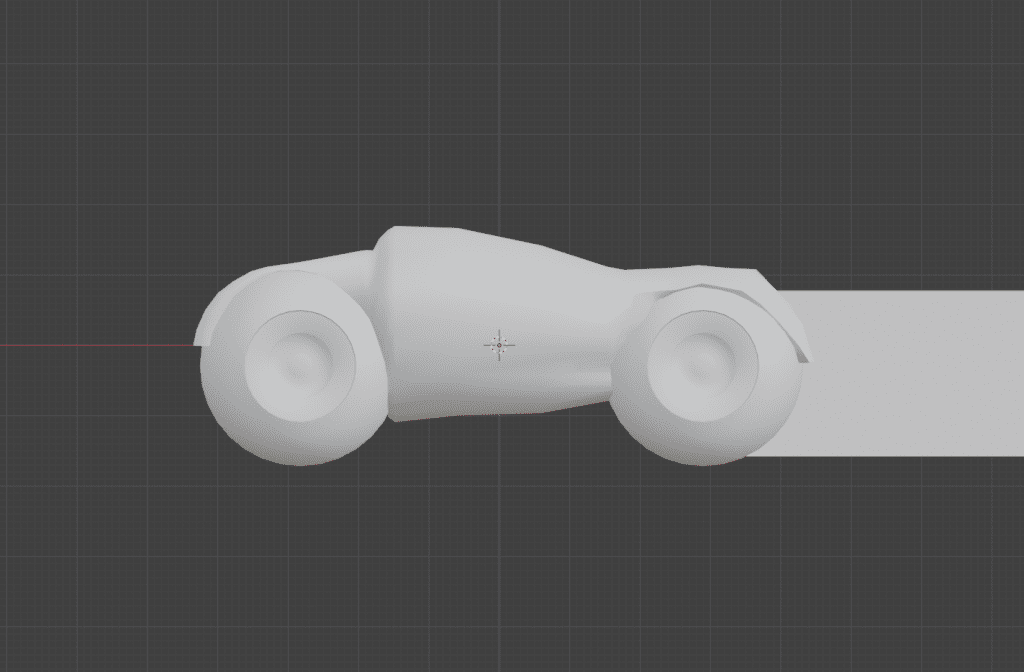
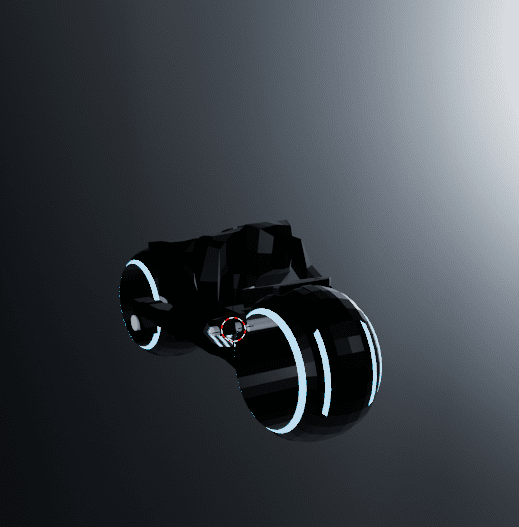
    There are MANY fan art pieces for the Tron Light Cycle (Sketchfab Tron Light Cycle search results, ArtStation search results) showing many styles, emphasizing different elements. I did giggle at a model out there that used a human with bare feet. There is even a significant difference between the Light Cycles shown at Comic Con (green and blue) and in the Tron 2 movie (orange and blue). I picked the features that I wanted to for my 3D Light Cycle object which I made in blue and purple.

    The Light Cycle was a two day build and I completely restarted it once. Relatively, this was a fast build but I had a lot of fun making it. It’s too bad that it does whiz past in the actual scene, but I know it’s cool. 😎

    Collage of Tron Light Cycle images gathered from the internet. Elements highlighted are where the handlebars and footrests are, the engine, and the overall top view shape.
    Light cycle version 1

    In my first attempt, I started with the wheels which turned out pretty good. But I was primed by this video of a Light Cycle remake. But I didn’t like that core which was a mesh cylinder.

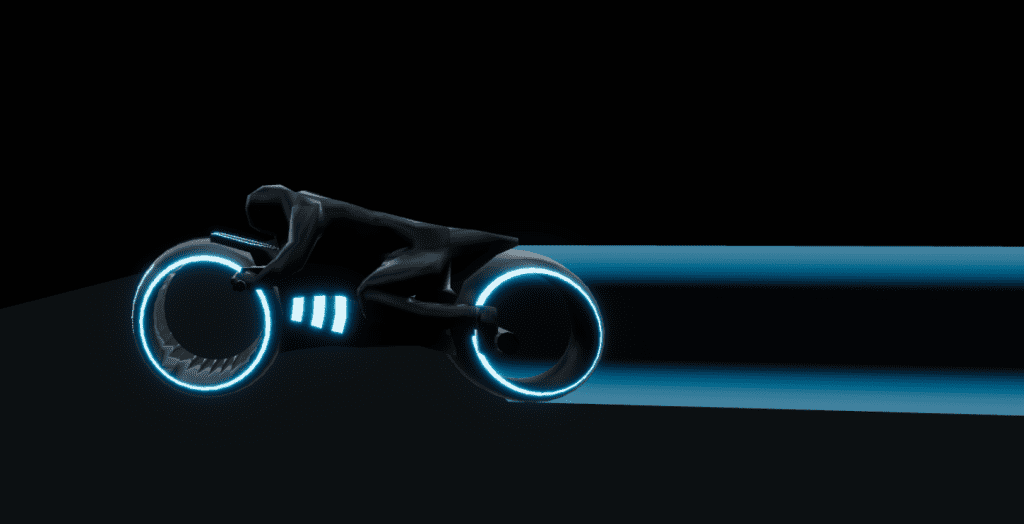
    In my second attempt, I just used a mesh cube because that was easier to use loop cuts to get faces that I could pull the arms, legs, and head from. I did add in a mesh cylinder, however, for the light “engine”. I knew that it needed an added glowing tail, but I made the texture for the Solar Sailer and reused it for what Tron lore calls the Light Cycle Ghost Tail.

    Light cycle, version 2
    Capture from Tron City in Hubs. The driver leans forward and the motorcycle has a blue glowing tail.
    Light Cycle, with glowing transparent tail (made in GIMP).

    Similar but different

    POST SCRIPT: This section added

    I realized after I pressed Publish (the world’s greatest proofreader) that I had not fully explained what I meant by this build utilizing negative space. Also, I need to properly give credit for the light cycle animation, which goes to Hubs community member, Theanine. I did look at his Synthcity Blender file to find out how he animated his spaceships.  I was wondering: did he use a generator of some kind or did he use animation. The answer was animation.

    However, while I was there looking at his blend file, I realize that there was a some common “look” from his Synthcity build and my Tron build– both used glowing colors. However, I used a negative space idea and depended on my textures to carry the work and he actually HAS the heavy work in his build.

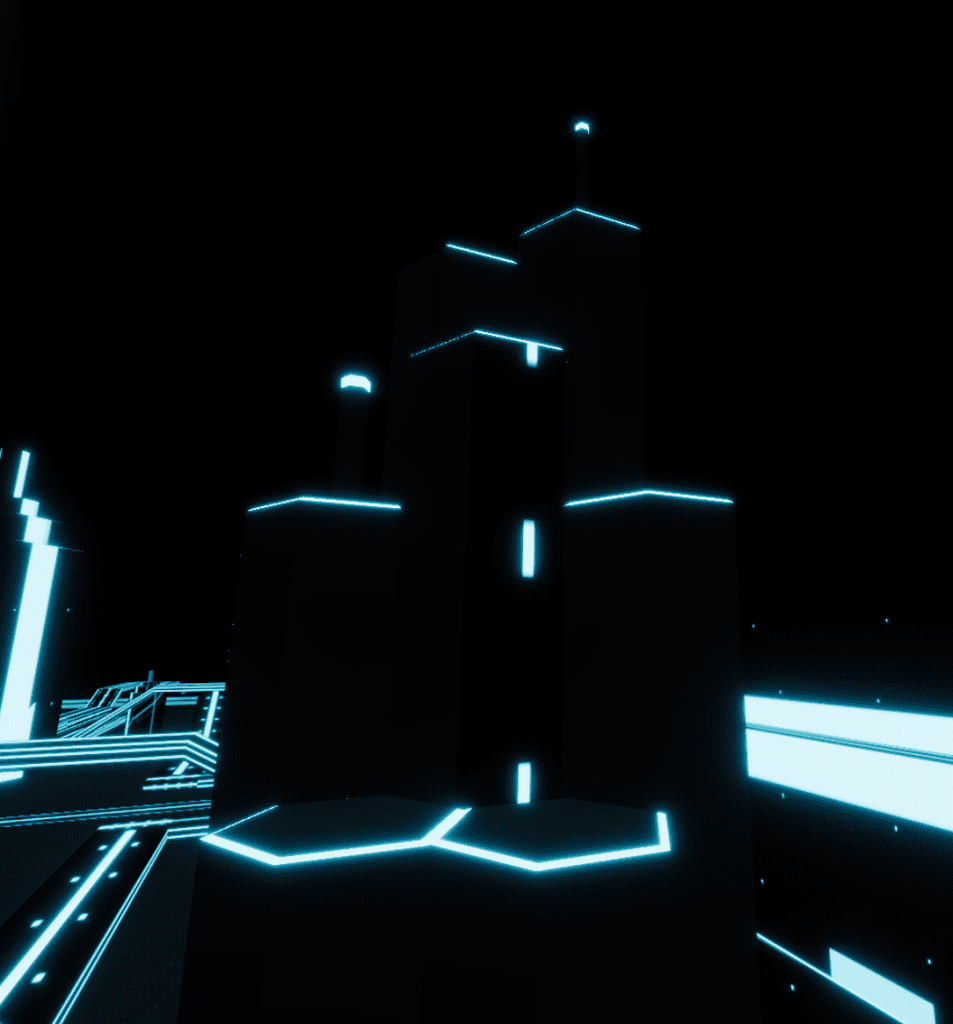
    Here is an example. In Synthcity, windows are added planes that have their own glowing material shading. In Tron, any windows are created as a result of rectangular shapes in the texture. So I didn’t build windows into my buildings.  I left my buildings (all of them) as plain shapes.  But when I applied the texture, I saw how Blender applied the 2D texture to a 3D shape and with little editing, I went with the results. The straight lines and dashes on the textures became apparent as windows and road paint.  So I didn’t bother with the details that Theanine had, but I got a very similar result!  Synthcity is going for a video game city look and Tron is going for a city as circuit board look.  But Theanine was gracious to comment favorably on my Tron build and that should make all artists happy.

    Collage of images comparing how Synthcity used added planes for windows and Tron just let the texture create the appearance of windows.

    Tron Solar Sailer

    Collage of images for the Tron Solar Sailer ship. Hexagonal shapes and the final ship, which has an organic bee or butterfly look.

    In the Tron 2 movie (TRON: Legacy), it is implied that Sam and Quorra fall in love on the Solar Sailer– which I find a bit rich. 😕 But the scene of them on the Solar Sailer sailing into Tron city is beautiful and I wanted to replicate that.

    I used Blender make the shape of the solar sailer (easy, one day). I made the sail texture in Blender as well, which turned into what I call a happy accident when I’m making my art. I made a cylinder, shaped as a six-sided hexagon, made glowing beveled edges, duplicated it, snuggled them up to each other to fill the camera view with a good scale. I did a bit of tweaking to try to make the texture seamless but alas, no one really notices it so far into the sky.  But when I went to render a 2D image out of this 3D object set, you guessed it – completely black. I had not put ANY light into the scene so Blender was like “Nope, you get completely black as a result.”  So I threw a “light” source haphazardly over the scene while saying something like “Give me SOMETHING lit” and Blender rendered the texture I show in the Inspiration image—it’s a lit just a bit of left-center.  And I realized— YES! That’s how I see my Solar Sailer moving through the scene! It will float through on the right side of the city so it will be “lit” from the left.

    What a cool, happy accident! I ran with that texture. It’s actually one of my proudest accomplishments because instead of a flat texture, I had a texture that meant something real inside the scene (and I simply changed the color for a purple equivalent Solar Sailer). 

    One Hubs note here: I thought about trying to put a waypoint on the Solar Sailer so that visitors could go up and sit on it (ride it?) just like the Inspiration image above.  But I did remember that Hubs doesn’t do moving objects to ride on. Later, I asked a Hubs expert about it and he said that a visitor could go to the waypoint (utilize it) but then they’ll stay on one place in space as the object the waypoint is attached to moves on.  Oh well, a future version of the software will accommodate moving waypoints, I’m sure.

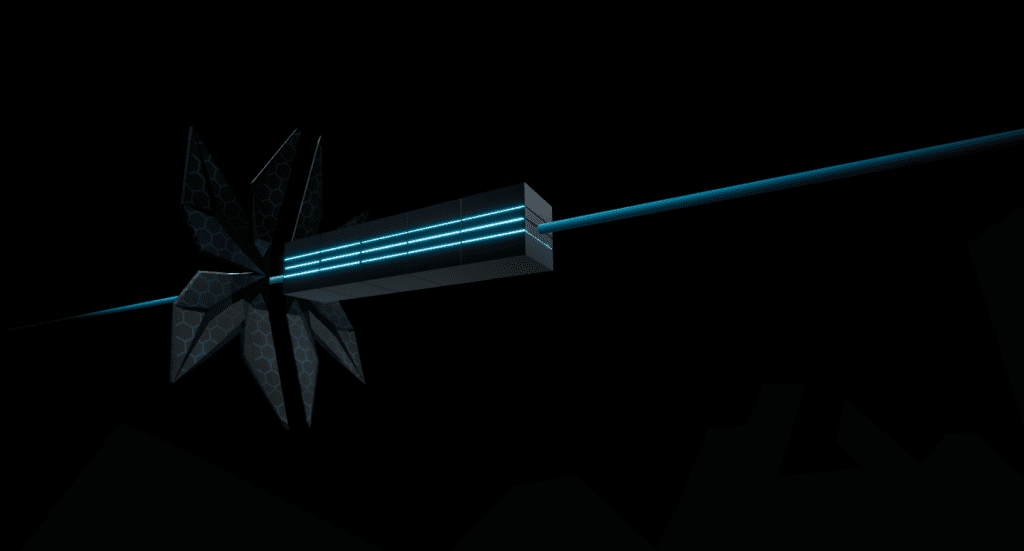
    Capture from Tron City in Hubs, Solar Sailer bulk transport ship. Insect-like wings at the front pull several bulk containers along a glowing line of blue  light.
    My Tron Solar Sailer

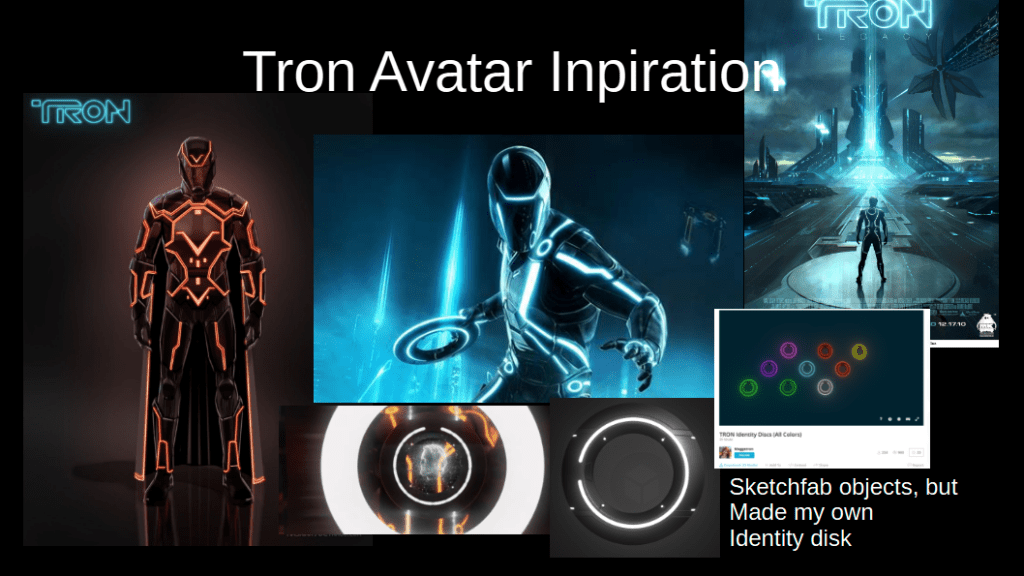
    Tron Avatar

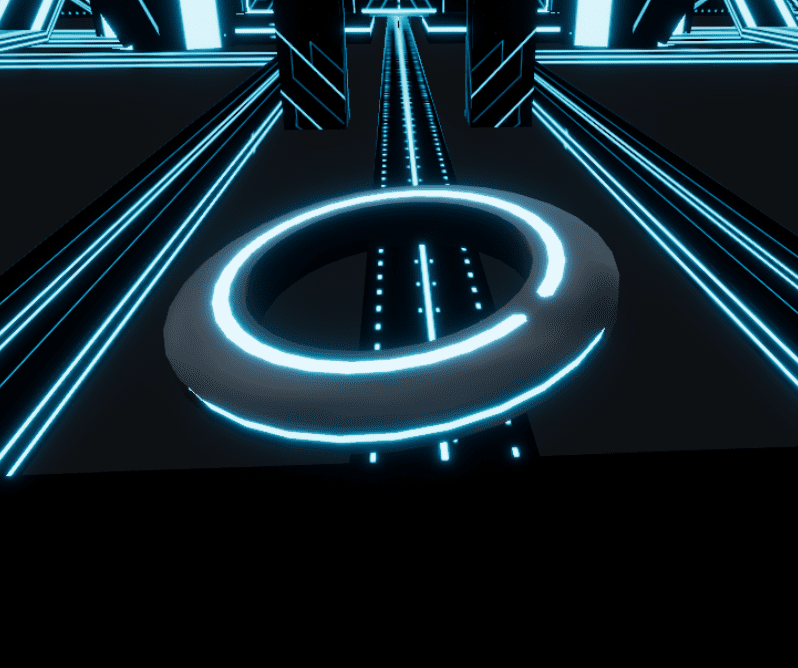
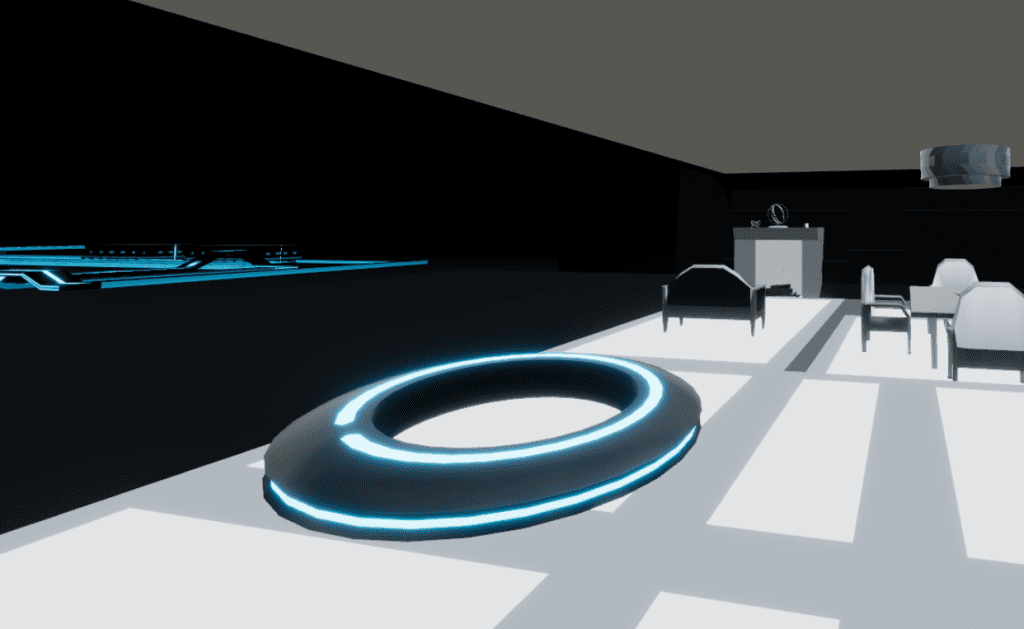
    No Tron avatar is complete without an identity disk so I attempted that first. 

    Collage of Tron identity disk images. Disk colors, shapes, details, and forms.
    Sketchfab models in wireframe mode are very helpful for building
    Capture from Tron City in Hubs, Identity disk as my 3D object. Frisbee-like disk with a glowing blue outline.
    Capture from Flynn's Hideout in Hubs, Identity disk as my 3D object. Frisbee-like disk with a glowing blue outline.
    My Identity Disk in blue

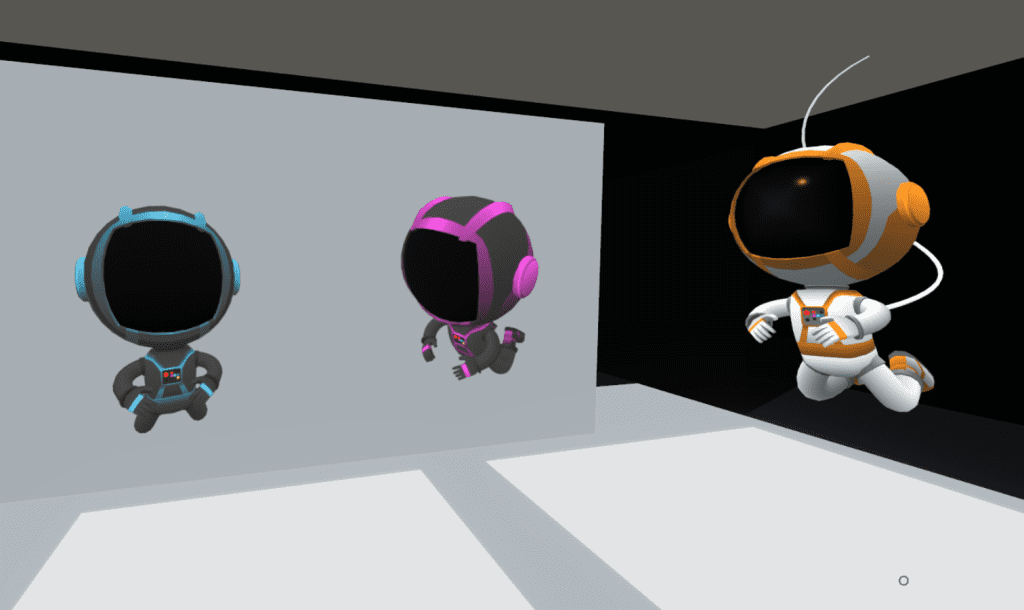
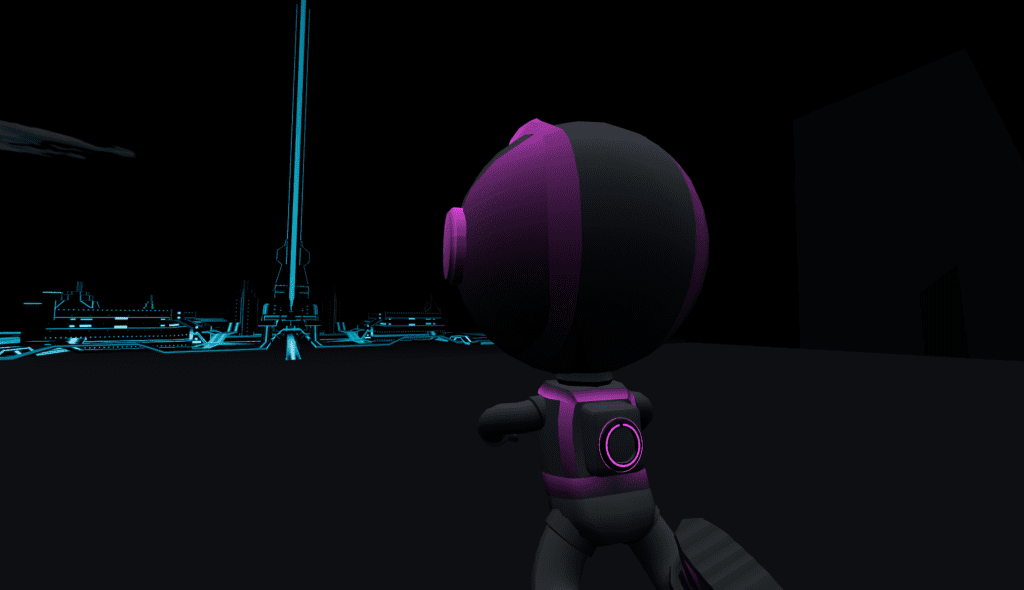
    I customized an already available orange and white “Spaceman” avatar from Hubs, created by Jim Conrad. 

    Capture of the Spaceman avatar from Hubs with my Tron Blue and Tron Purple avatars

    I changed the base texture using GIMP and removed the air supply hose. I added a Tron Identity Disk on the back

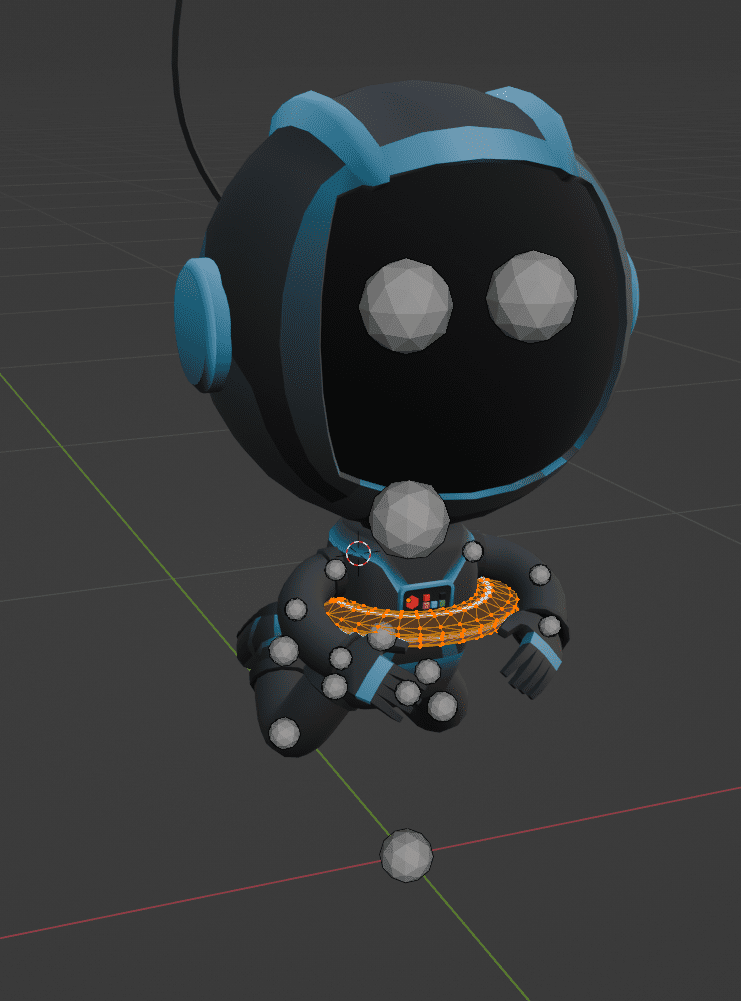
    Capture from Blender, Edit Mode of adding the identity disk to a Tron blue avatar.
    Work in progress: Adding my Identity Disk in Blender

    I made a blue avatar for all of my attendees by placing it up on my Hubs instance and taking all other avatars offline for guests via the Hubs Admin Panel. Then I made a purple avatar for me to wear as host (and it was a hint that a purple Grid was coming).

    In Part 3, I’ll cover the big reveal as this build was not even leaked to the public before the opening day, Halloween 2025.

  • My Tron Build Part 3: The Live Event

    My Tron Build Part 3: The Live Event


    Decorative image: A duck in sunglasses with vampire teeth. Text: Hubs for Halloween, Friday October 31 at 2:30 pm EDT
    Made in Blender and Canva!

    The Live Event

    I
    launched this build to celebrate Halloween. Not because it is in any
    way scary, but because it is dark. 

    Hey, that’s as far as I go with
    Halloween. 😑

    But I did add a twist for my planned live tour of 3 scenes.  The story line for the experience would have a beginning, middle, and end. It was not just about visiting and looking around.

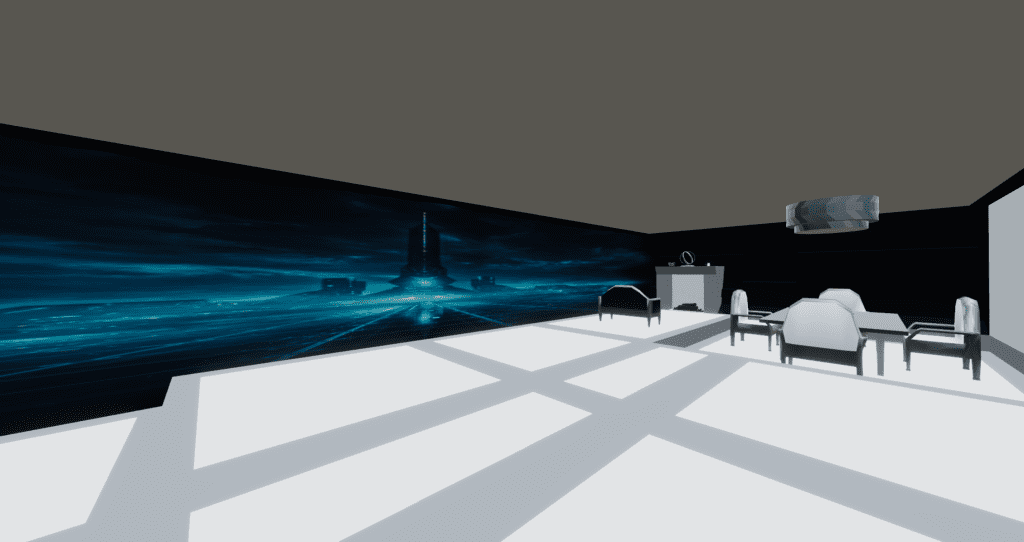
    Scene  1: Start in Flynn’s Hideout. A wall is hiding the full city. I will
    play the music because without Behavior Graphs at this time, I did not
    know how to otherwise time the wall to descend at the same time as the
    “Tron” aspect of the song arrives. I invited folks to look at the
    fireplace for something to do.

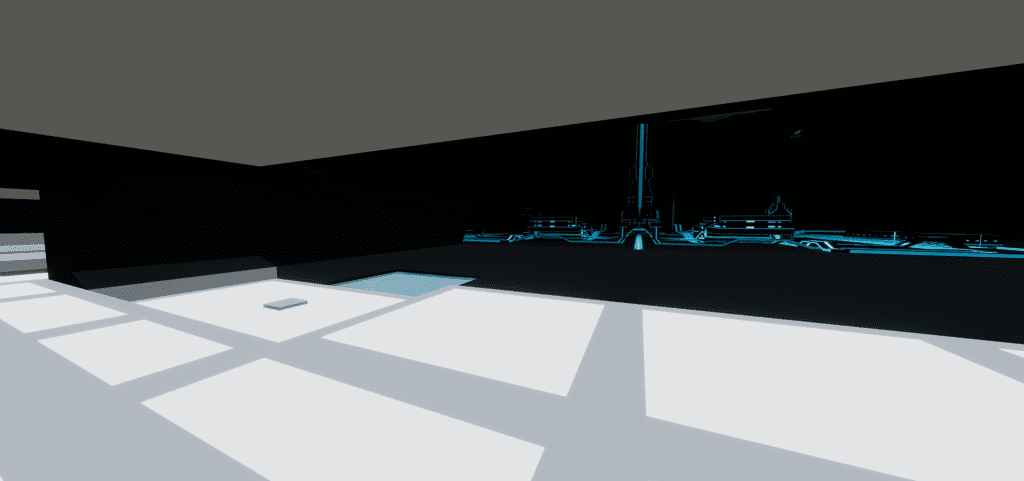
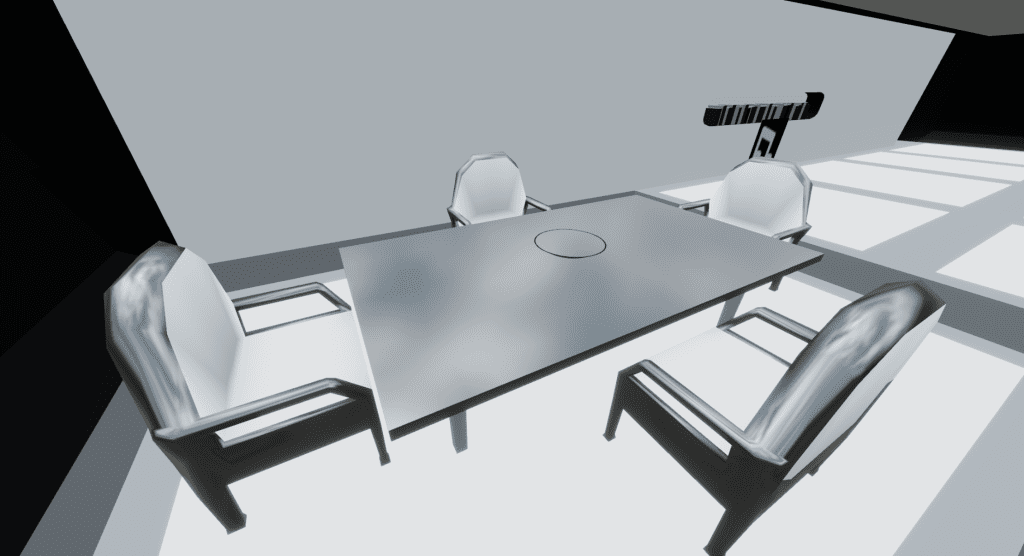
    Capture from spawn point into Flynn's Hideout. A glowing white room has a fireplace, table and chairs, and a view (that is an image) of Tron City.
    Tron arrival view. Notice the “Tron City” is an image on the wall.

    Scene 2: Explore Tron city (The
    Grid).  It’s really fun to turn your movement speed up to 2.0 and zoom
    down the main entry road.  I did it nearly every time I visited the
    build while working on it.

    Capture from Tron City in Hubs. A light cycle zooms down a city road.

    Scene 3 (an actual other whole Hubs scene):  I switched scenes once everyone was comfortable.  

    The center building was replaced with a “5th Element” style duck (IYKYK),
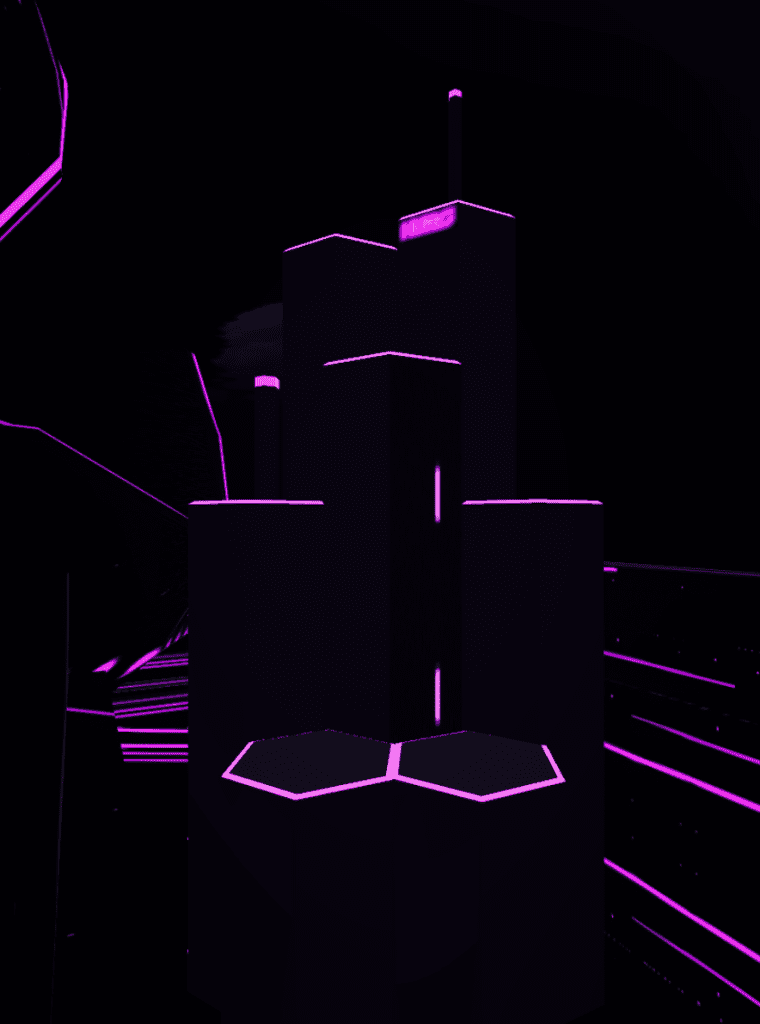
    everything now purple monotone for Halloween, and eliminated Flynn’s Hideout. The sky
    changed from black to a purple/orange gradient. Inadvertently, the navigation mesh which I only flirted with in Blender, worked.

    Collage of ideas of making a purple Tron City just for Halloween. Duck elements are seen as those are associated with the Hubs WebXR platform.

    The Bummer

    Unfortunately,
    no one who showed up for the Halloween event knew the Tron movies.  So
    all of my work adding in references and allusions was for naught at the time.
    😔 Hopefully I’ll be able to show this build live to a real Tron fan someday!

    The Video 

    Because
    I knew I was launching this space on October 31 at ~3:00 p.m., I
    prepared all of my social media in advance of the event to be able to submit it to the show-and-tell Hubs Discord channel for October.

    Other inspirations

    I would like to point out some other inspirations that I used because this build took me about 8 weeks. 

    I heavily listened to this music mix, Tron – Psybient, Progressive Psychill, Cyber Sci-Fi Ambient Music Mix and Quantum Polarity by MyNoise.net

    The Tron font generator was brilliant! Another happy accident was getting the purple neon Hubs in Tron font work well in the Hubs space.

    Capture from Tron City Purple in Hubs of a neon-like sign with text Hubs in Tron font.
    Combination neon from the Tron font generator with Hubs bloom.

    I did not know that Disney was releasing Tron: Ares
    but I did notice that Tron red clips started showing up in my YouTube
    searches. Tron: Ares released on October 10, 2025 and did very
    poorly.  My build released on October 31, 2025 and was completely unrelated!!  Cringe!

    I did attempt some UV scrolling but in the end, I didn’t like the effect inside of the build; it was too flashy against all the black. The neon bloom was already enough.

    Early
    on, I collected a few Sleeping Beauty images because I’ve been
    intrigued by the angular branches on the trees in the background.  These
    didn’t show up in the build but I’m keeping those ideas for the future.

    I did not make a Recombinant. Thought about it, because it is very basic geometry (it makes the Solar Sailer look very complex).  But decided not because in the Tron lore, it is sorta a bad guy.

    Easter egg hidden: I made a back door and garage where the Light Cycle starts it’s straight line run across the city. The door does not open until the wall opens, but I figured that I could direct everyone to look towards the city and NOT see the door opening behind them at the same time. That way, that Easter egg would stay mostly hidden until I pointed it out.

    Collage of varied inspiration images for my Tron build. Different computer cities, furniture and one non-matching image from Disney's Sleeping Beauty.

    Lessons Learned

    • Keep Blender source files for everything.
    • Keep a Project folder in my browser for images, fonts, music, anything. 
    • Plan the experience – I liked my 3 scene narrative plot.
    • Make the social media early. It is stressful but it did work.
    • Write a blog post, perhaps, as I go along. 😏

    I hope you did not miss Part 1, Lore, Textures, and Basic Shapes and Part 2 Light Cycle, Solar Sailer, and Avatars of this TRON series. 

    Would you like to visit this TRON scene?  You have to ask me for the link (and I’ve not made my contact info easy to find…yet).  Stay tuned.


  • FrameVR: Showing their cards

    FrameVR: Showing their cards


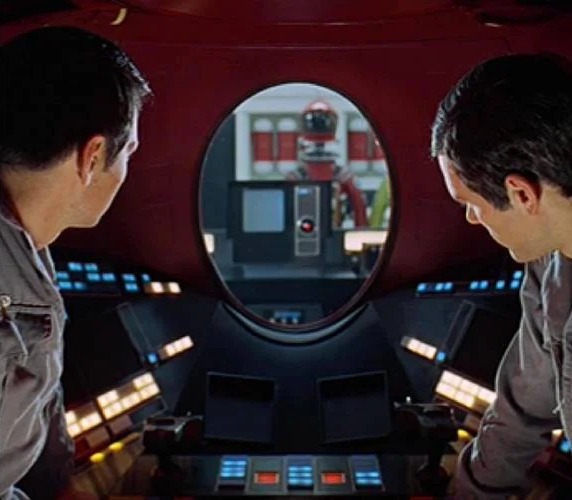
    Capture from movie 2001 A Space Odessey showing HAL reading lips in a crucial scene
    LANDMARK MEDIA / Alamy Stock Photo

    For quite some tie, I’ve been wondering what cards FrameVR.io (hereafter called Frame) had to play in the AI-in-XR space. They were flirting with the concept right around the time of the Mozilla Hubs announced shutdown, but despite witnessing the entire XR industry contract around them, they kept claiming “We’re all in on AI”.  They seemed to mean more than just AI characters in XR space. I just didn’t know how.

    With Gabe Baker’s “AI In Meetings: Treading on Sacred Human Space” LinkedIn article of January 23, 2025, I got a much clearer vision.  And I’m disturbed.

    This post, therefore, is a response. I write it with a pang of regret, but here goes.

    A Brief History of FrameVR, from Heather’s perspective

    I have the date when Frame arrived on my radar: March 27, 2020. I was exploring easy-to-access XR platforms and spent some time exploring Frame with the great Scot Daniel Livingstone.

    Capture of a fun photosphere of Star Wars Lego toys in Daniel Livinstone's living room.
    Exploring Daniel’s 360 photosphere in Frame

    Frames are essentially web rooms in 3D. As Frame’s website says, “Frame is a beta product from Virbela. Frame makes it easy to communicate and collaborate in 3D environments, right from the web browser.”  Frame was one of several no-download required (hence WebXR) platforms that included Mozilla Hubs, Janus, rumii, and Cryptovoxels. Similar competitors had native apps that needed to be downloaded including ENGAGE, Second Life, and Somnium Space.

    Awkwardly, the landing page for Frame used to drop a visitor directly INTO a Frame, which while demonstrating what it was immediately, was unnerving for the unready.  I’m glad to see now that they redirect into a more traditional webpage now that has a bit more of “who we are, what you get, and how much this costs” layout.

    After that first exploration, I’d go back into Frame on and off for years, mostly for events, meetings, and conferences. To give Frame some credit, they were and still are marketed towards business or professional use, that is meetings and events. From the default spaces available to the business attire avatars, they bend to the professional market.

    As of today, Frame’s top 6 use cases listed on their website are professional: team meetings, recruitment, vendor showcase, meetings, campus twins, and networking.  This is not to say that they didn’t cater to the education market – they did! It’s just that most education uses were from the same list: meetings, recruitment, campus classrooms, etc. I see one “soccer strategy” use in the use cases– that’s interesting. But most the education uses are just the same as business uses. I’m going to guess that if there’s an educational use that is completely unique (Hmm…underwater basket weaving?), that’s either proprietary and therefore NOT shared by Frame or those Frames relay entirely on clients bringing their own 3D builds with them and not having Frame provide them.  Either way, it looks like overall “creative” use is limited to creatively using what they already offer.

    Disclosure


    It’s time to veer off and talk a bit about Virbela and I have to throw out TONS of disclosures now.
    I owned a Virbela Virtual Campus (VC) in my role as Chief Operating Officer of the Immersive Learning Resource Network (iLRN).  iLRN’s deal with Virbela was:

    iLRN had unlimited capacity campus for free for spin-ups. We could generate new rooms, new building floors, new buildings, and entire new islands at our demand. (That was actually wicked fun.) In return, we paid Virbela 50% of the rent we collected on contracts that we signed into our Campus. So iLRN was a subletter.

    My COO responsibility was that Campus, account management, and finances. I also conducted tours, did training, and provided tech support. We hosted some lovely events, but meetings were basically all we did.  There were a few random boat rides as well.

    However, as anyone that knows me could guess, I tangled horns with Virbela.

     
    Here are two specific times:

    Sales


    When I came on board as COO, I was soon contacted by a Virbela employee to set up a daily meeting to ‘talk about my pipeline’.  She wanted to talk about sales leads. Virbela could always see a Google doc where I kept all leads. She spent her time encouraging me to frame (haha) my conversations with future clients with Virbela essentially answering their (whatever) needed use case. Said another way, sales; I was being treated like I was a salesperson, learning the ropes.

    Bear in mind that Virbela had a right to see the future as grand and rosy. 🤩🌹 I had heard informally that the home Virbela Virtual Campus had leaped from a paltry 30 visitors a day to over 300 visitors a day during the pandemic. So much traffic had increased that they staffed a concierge desk with 1 or 2 salespersons standing by for many hours each day, ready to break off, give tours, and assist in collecting specs for contracts.  They saw no end to the possible companies and schools that would want to walk in and book a contract for fully made and ready to go VR space.

    This request to meet everyday to discuss sales struck me very badly.  

    1. My job was not pushy sales. I’ve never loved sales. Yuck.
    2. My ethics as a instructional designer forbids me from recommending an educational product that does NOT meet a clients’ needs. If it doesn’t fit, you don’t recommend it. 
      Screen capture from inside of a Virtual Campus meeting room showing blurred faces.
      Capture from a meeting inside of the VC with a client where the VC did not fit their needs; they had users mostly with smartphone technology.  VC was a native app that needs a computer. I voted against offering a contract. Fortunately, the client didn’t take one either.

    3. We were a non-profit, so beating the bushes for money was not our style. Later, iLRN would get chided by Virbela for offering rental prices 5x lower that other Virbela campuses, to which we were stymied and replied with “You, Virbela, told us our prices.”  Talk about greedy.


    So one day I had a chance to fill in a “how are we doing?” Virbela survey which I thought was large and somewhat anonymous. I said “I don’t need daily watching over my sales lead pipeline.”  Virbela sat me down in a following meeting and said “Sorry, I guess you don’t need daily meetings.”  To which, I was more perplexed that my feedback had been directly identified with me.  Oops. Either way, sales lady backed off.

    Avatars

    iLRN had booked in a major speaker into an event, but we also knew that this speaker would prefer to wear a hijab.  We had no hijabs in our avatar collection. We checked. We checked because we knew it was important to be as ready as possible in advance for a speaker. I think we also asked Virbela if we could have hijabs on our VC. I don’t remember a response.

    Our speaker arrived, worked on their avatar, and settled on a hat/hair combo that was the same color, which visually was close to a hijab.  But as we thought they might, they blasted Virbela on social media, pointing out that hijabs were not available.

    Before you could say spit spot, Virbela socials responded right back, “Oh but we do have hijabs! You must have missed them!”

    I call bullshit. OUR VERSION of Virbela did not have them. We checked, in advance, remember? My conspiracy theory is that Virbela loaded them into our version just after the speaker complained publicly.

    Total freaking bullshit, to claim that we had them. I really didn’t like the way Virbela treated the speaker OR us as their subletters.

    ~~

    After I left iLRN, I’ve used FrameVR as a contractor to host a fun student trivia game; the ability to turn audio zones on and off was fun.

    In all of my dealings with Gabe up to this point, I found him to be a kind, dedicated, upbeat, and friendly ‘would do anything to help you’ person in the WebXR world. It’s funny that I had a friend that also knew Gabe but confusingly (to me), he did NOT get along with Gabe at all. I eventually broke off that friendship but I joked that “In the divorce, I got Gabe.” 😁

    The horizon darkens

    When Mozilla announced that they were no longer be supporting their Hubs WebXR product, Gabe wrote a lovely tribute initially on LinkedIn.  I thought it was a classy move, given that FrameVR and Hubs had been up to that point been direct competitors.  I was hoping that Gabe would hold Frame above the fray that was about to happen over at Hubs…but alas, in reply to one comment on his post, he pitched Frame to a listless Hubs user. 

    Oh. Those warm fuzzies were nice while they lasted. 🤦 But, abrupt end.

    Seeing XR companies contracting and closing (AltspaceVR closed in March 2023, Mozilla Hubs closed in May 2024), I wondered how Gabe was seeing Frame go forward. He kept sending out the “Frame’s going all in for AI”-type message.


    Capture of Gabe Baker's AI in Meetings: Treading on Sacred Human Space LinkedIn article header.

    From the title of Gabe’s January 23, 2025 article AI In Meetings Treading on Sacred Human Space, I was a bit hopeful thinking, “OK, an acknowledgement that humans have such a thing as sacred space…and it means something.”  Initially, Gabe does a good job acknowledging the tasks that AI does well and not well in meeting space (because remember Virbela/Frame is all about meetings). It really sounds like Gabe has had a year+ of AI attending meetings and he’s got his finger on the pulse of what works and what does not. Still, most of his examples are stale & predictable.

    He seems to claim that when teams are talking about something, “seeing it” in 3D is the next and better step to take:

    “When people come together to meet, I think there should be as little friction as possible when this question comes up: “I wonder what that would look like?”
     
    Yet many meetings don’t need 3D or a visualization at all (i.e. working on accounting on a spreadsheet or writing for a webpage).

    Red flag

    In as much as I want to give Gabe all kinds of doubt, with this, my spidey-sense meter went to 100:


    “As someone who has seen how helpful AI can be across many domains,
    I desperately want AI to be present and accessible during meetings.
    When people see the results of our vision, they will want it too. In
    fact, I think it will seem silly not to have it!

    Those who don’t want
    it will be the people who really want to seem like the smartest person
    in the room at all times.
    But those who are interested in results and
    not ego will be happy to have AI-powered teammates at their meetings.”

    Gif of the amp maxing out analog dials from Back To the Future movie


    Wait, what?

    People who don’t want AI in a meeting room ‘want to seem like the smartest person in the room’? 

    What about people who don’t want AI in the room stealing the peoples’ creativity and sharing it to who knows who or selling it to who knows who? Or what if AI just plain summarizes it wrong? Or AI gets it wrong? It’s been known to happen. (Schools Using AI Emulation of Anne Frank That Urges Kids Not to Blame Anyone for Holocaust)


    Gabe made it seem as through if you are anti-AI, you are anti-Google, anti-learning, and much worse, egotistical!  I guess privacy got checked at the door? For the record, I’m very pro-Google and pro-internet use during meetings or classes.

    This specific statement is a red flag because it is an emotionally laden argument popping right out of the middle of this discussion. It is as if Gabe ran out of patience and burst out “If you don’t want AI, you’re an ego monster!” 😠

    When a calm reasonable discussion suddenly goes emotional, something is wrong. Gabe lost his shit for a moment there. As Spock would say “Reverting to name-calling suggests that you are defensive and therefore find my opinion valid.”  So, he’s probably getting pushback on this AI thing.

    I hoped he didn’t really mean it so I read on.

    Nope, he doubled down…I mean tripled down. He wants AI agents in every meeting, in the name of eliminating duplicated work across companies. (So much for visualization?) He wants AI inserting itself fully into conversations, setting up follow up meetings etc.

    Is anyone else getting a creepy feeling here?  This is way beyond “all meetings will be recorded” –which would make me make tracks outta there anyways. The invasion of freedom of speech (because some folks will NOT say things if they knew they were going to be hyper-on-the-record) during work meetings will be staggering.  Stymied talk equals failing organizations and failing people. This is going to end badly.

    Meme showing HAL and the text: I'm sorry Dave I can't do that line from 2001 A Space Odessey

    OK, so here’s the $64,000 question: Would I, as a consultant, recommend Frame for educational contexts in the future?

    My answer: I’ve agonized over this, but I probably could not recommend it.  I cannot in good faith recommend using a platform that might record children or learners without their expressed consent and use those recordings, summaries, or derivatives for a future plethora of uses not being disclosed now.  It’s not worth it to “visualize” a solution or have an AI set a future meeting. I can do those on my own, thanks.

    For the moment, I find that sacred human space IS being treaded upon. I can’t in good faith say that’s a direction that education needs to go.

    ~~

    #InstructionalDesign #edtech #XR #VR #AIInXR #AI #Frame #Virbela

  • From Myths to Principles Part 6 Myth: Immersive learning is active learning

    From Myths to Principles Part 6 Myth: Immersive learning is active learning

    From Myths to Principles: Navigating Instructional Design in Immersive Environments

    Part 6 Myth: Immersive learning is active learning

    Photo by Blake Cheek on Unsplash

    The next myth is that learning in immersive experiences is active, kinesthetic, or like an internship, which is “the way most people learn best” (D’Agostino, 2022, para 17.)


    Active learning was first associated with immersive experiences because learners could observe or engage with or, more properly described, engage within simulations (Dede, 2009). The term active simply meant that the learner was present at a simulated place and time; the original use of the active learning phrase with reference to immersive experiences did not imply that a learner could do anything other than observe. The emphasis was much more on the time and space travel afforded by XR.

    This claim has been controversial (Khorasani et al., 2023), in part because of the differing degrees of activity that a learner can have – ranging from simply being inside an immersive environment and observing (e.g. historical re-enactment simulations) to taking actions that have non-trivial consequences (e.g. practicing a surgical technique).

    Active learning is a phrase on the move


    Dede (2009) referred to actional immersion as situations where learner actions have “novel, intriguing consequences” that are “highly motivating and sharply focus attention.” (p. 66). The active learning claim moved from a focus on the learner’s actions and instead focused on the learner’s body ownership illusion. Further, the relationship between user bodies and virtual depictions (avatars) was reformulated and later called implicit learning (Slater, 2017, p. 29).

    I want to pause here and really dissect the difference because in this area, there has definitely been vocabulary “drift”.  Learner’s actions focus on what the learner causes to happen.  Learner’s body ownership focuses on parts of the body that the learner uses to cause actions.

    For example, picture a chemistry lab simulation.

    Image: Labster

    Focusing on the learner’s actions means that we could use a 2D display screen and mouse and have the learner click on the pipette, click on a liquid to suck up with the pipette, and then click on a vial within which to dispense the liquid.  Those could be right to left actions, but the learner is causing the actions to happen on the screen. They are using a mouse and moving their hand generally right to left.  No hand needs to be visible to do these actions. Activities could be “ghost like” in that they could be caused by no visual physical object whatsoever.  In reality, the computer mouse is doing the most physical ‘work’.

    Focusing on the learner’s body ownership however, would have the learner reaching out (they need to be able to reach) to the pipette, to grab it (they need to be able to firmly grasp), to possible depress the button on the top to create the needed suction, to move the pipette, see the liquid and subsequent vial, and depress the button to dispense the liquid. The movements could be all right to left. Key in this visual depiction, however, is A HAND with workable fingers that is somehow connection via experience to a learner’s IRL hand.

    In the former example, the learner causes the actions to occur but we are not focused on their body parts doing the action. In the latter example, we are very interested in the body parts doing work that is replicate (in this case) to the real world work of operating a pipette. In the former, we could have confidence that a learner is exposed to the cause and effect of pipette work; it sucks up a reliable amount of liquid and can squirt it back out. In the latter, we could have confidence that a learner is exposed to how pipettes physically work (button press down equal prime for suck, release equals suck, button press down again equals squirt). 

    See that the focus is different?

    My point is that the FOCUS of what was coming to be called active learning with reference to XR was changing already between 2009 and 2017.


    Drawing from the educational history of the Montessori method and considering the interfaces available within immersive experiences, implicit bodily learning (from 2017) transformed to embodied learning (by 2018). Indeed, Johnson-Glenberg initially postulated that “doing actual physical gestures in a virtual environment should have positive, and lasting, effects on learning in the real world” (2018, p. 1). Movement became synonymous with active learning. “Active, motor-driven concepts may stimulate distributed semantic networks (meaning), as well as the associated motor cortices which would have been used to learn long ago, in childhood” (Johson Glenberg, 2018 p. 3). [Hat tip, by the way to all research into the mind-body connection within learning. This post throws no shade on the phenomena.] With specific, other than meaningful, actions now excluded, some researchers appeared to support the claim that all movement somehow begets learning. (That sentence is confusing, I wrote it and even I’m wondering what I meant. It’s this: Inside a XR-for-learning experience, a learner might be instructed to do something. Pick this up, move it there.  Because that learning is specific to the learning event, I’m setting it aside. It’s not part of this argument.  What I am referring to are the learner-instigated but non-instructed movements. Let’s say, a learner joins XR and wanders to the left for 2 minutes before a lesson begins. Or let’s say instead of looking to the “front” at the end of the experience, the learner is looking to the “back”. These random but learner-instigated actions are…wait for it…somehow the secret sauce of learning in XR.  I kid you not. I really try to pin down the meaning from educators that belief this myth and THIS is what they come up with; because you can move in XR, you are learning (more) in XR.


    The supporting hypothesis then became that immersive experiences are an inherently active learning method precisely because the learner can move. 

     I’m going to repeat that for emphasis:

    The supporting hypothesis then became
    that immersive experiences are an inherently active learning method
    precisely because the learner can move. 

    The Emperor’s New Clothes. Image by Helen Stratton, Public domain, via Wikimedia Commons

    Did you catch that? Are you catching on? Aren’t the emperor’s new clothes splendid?


    By incorporating the word “active” educators are reminded of the belief that active learning is better than passive learning (Slater, 2017). Ooo! Shade thrown there, for sure, because no teacher wants to be accused of being a passive educator.

    [BTW, there is reams of garbage research out there for anyone looking for a topic. Go ahead and dig into active versus passive in educational psychology papers. It’s almost as big of a research garbage dump as XR; teachers radically redefine and appeal to this topic. My point is that the appeal to “active learning” when coupled with XR provides scant evidence of such. To this day, I RARELY see active learning in XR.]


    Let’s bear down now. To be specific, the ‘active learning’ coupling with ‘XR’ claim is not about being fidgety, randomly moving about, or purely reacting as a user would in a game. It is movement, usually performed by the learner via an avatar or minimally via hand controllers where the learner is autonomously and purposely manipulating content.  This is known as embodiment or embodied learning (Johnson-Glenberg, 2018; Markowitz et al., 2018) although definitions of embodiment vary. The definitions vary including how much a learner is embodied. It should also be noted that the term embodiment is often used interchangeably with ‘embodied learning’, which is a theory that the meaningful gestures in and with the environment aid a learner’s cognitive processes (that’s the no shade thing I referred to earlier). But even ’embodiment’ and ’embodied learning’ are slightly different things. Whew! Keeping up?

    The Emperor’s clothes should be splendid


    In 2018, Johnson-Glenberg claimed that presence and embodiment were “profound affordances” of immersive environments and this embodiment affordance should facilitate learner control, also known as agency (p. 1). One further hat tip to Mina: she did actually use a somewhat scientific body action in her research –I believe it was catching butterflies with a butterfly net– something that biologists WOULD do with their bodies. So it’s a real world action.  I point this out because some XR actions are nonsensical. I’m looking at you people who change vocabulary words to bouncing balls or something.

    But aren’t


    A follow-up paper by Mina, however, found that while embodiment does have a connection to learning, it does not exclusively cause learning, or perhaps better said, it doesn’t interact with learning. Referring to high or low embodied VR and the connection to learning, “platform is not destiny” (Johnson‐Glenberg et al., 2021, p. 20). So in lay talk that means it had no effect.
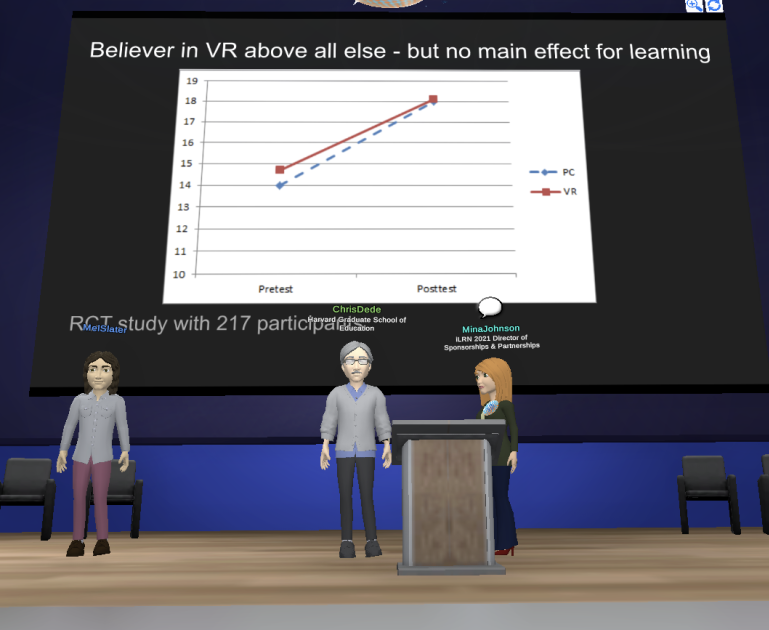
    A capture that fell flat with the audience: VR had no effect on learning, even when embodied.


    This confounding (confusing/muddling up/drift of vocabulary) of movement in immersive experiences with active learning forms the myth. Because active learning is considered better than passive learning, claims are made that immersive experiences must cause more learning due to the body-movement connection. The research, however, does not support that claim.

    The active learning myth appears to be referred to more often in academic literature than evidence to the contrary. It is true that immersive experiences can allow for more movement-based learning experiences than other forms of media, but it is not definitive that immersive experiences cause learning simply because they can contain learner movement or agency.

    Just because you can move in XR, doesn’t mean you do learn. Full stop.

    Part 7 will be our last myth for this series: Immersive learning causes empathy.

    References

    D’Agustino, S. (2022, August 3). College in the metaverse is here. Is higher ed ready? Inside Higher Ed. https://www.insidehighered.com/news/2022/08/03/college-metaverse-here-higher-ed-ready

    Dede, C. (2009). Immersive interfaces for engagement and learning. Science, 323(5910), 66–69. https://doi.org/10.1126/science.1167311

    Johnson-Glenberg, M. C. (2018). Immersive VR and education: Embodied design principles that include gesture and hand controls. Frontiers in Robotics and AI, 81.

    Johnson‐Glenberg, M. C., Bartolomea, H., & Kalina, E. (2021). Platform is not destiny: Embodied learning effects comparing 2D desktop to 3D virtual reality STEM experiences. Journal of Computer Assisted Learning, 37(5), 1263-1284.

    Khorasani, S., Syiem, B. V., Nawaz, S., Knibbe, J., & Velloso, E. (2023). Hands-on or hands-off: Deciphering the impact of interactivity on embodied learning in VR. Computers & Education: X Reality, 3, 100037.

    Markowitz, D. M., Laha, R., Perone, B. P., Pea, R. D., & Bailenson, J. N. (2018). Immersive virtual reality field trips facilitate learning about climate change. Frontiers in Psychology, 9, 2364.

    Slater, M. (2017). Implicit learning through embodiment in immersive virtual reality. Virtual, augmented, and mixed realities in education, 19-33.

    The content cannot be used to train or be reviewed by AI. All copyrights retained.

    Did you miss the other parts of this series? Here they are!

    Part 1: From Myths To Principles: Navigating Instructional Design in Immersive Environments

    Part 2: The Immersive Environment Delusion

    Part 3: The Case Against Virtual Campuses

    Part 4: Myth: Learners Learn Faster

    Part 5: Myth: Learners Learn More

    Part 6: Myth: Immersive learning is active learning

    Part 7: Myth: Immersion Creates Empathy

    Part 8: Ethical Labyrinths, Interpreting Research

    Did you miss the other parts of this series? Here they are!

    Part 1: From Myths To Principles: Navigating Instructional Design in Immersive Environments

    Part 2: The Immersive Environment Delusion

    Part 3: The Case Against Virtual Campuses

    Part 4: Myth: Learners Learn Faster

    Part 5: Myth: Learners Learn More

    Part 6: Myth: Immersive learning is active learning

    Part 7: Myth: Immersion Creates Empathy

    Part 8: Ethical Labyrinths, Interpreting Research

    Part 9: Ethical Labyrinths, Biased Content Creation
  • From Myths to Principles Part 5: Myth: Learners Learn More

    From Myths to Principles Part 5: Myth: Learners Learn More

    From Myths to Principles: Navigating Instructional Design in Immersive Environments
    Part 5 Myth: Learners learn more

    The
    foundation of all learning, or child’s first book, by which a child
    will learn more in one month than by many others in twelve, Author Unknown, Date 1800. Source: Compositor, University of Birmingham

    Myth: Learners learn more in immersive experiences

    This myth shrouds itself within a cloak of research. Citations will state that learning in immersive experiences is somehow greater when pitted against an implied traditional learning approach. The claim could appear as retention, but it is related to how well the learning was accomplished when measured up against learning objectives or a final goal.

    When referring to the PricewaterhouseCoopers (PwC) report results mentioned earlier in this article series, Scott Likens claimed, “We found the realism and performance feedback in virtual reality simulations helped people learn faster and retain more information around soft skills,” (Zielinski, 2021, para. 9). He claimed they retained more information. This specific claim has been repeated in academic literature, which stated, “Studies have found that students who use XR training are more engaged with the content, display more confidence with the material, and retain more information than students who use traditional training methods.” (Rode, 2024, para 2.)

    A close examination of the PwC report, however, reveals that the claim was unsupported within the report’s own data. When comparing information retention in VR versus an e-learning course, the authors “quickly discovered retention scores were inconclusive, as the delta between pre-and post-assessments in each modality was not significant” (Eckert & Mower, 2020, p. 44). Thus, there was no statistical difference between VR-based, e-learning, and traditional classroom learning. 

    Claiming
    something happened but your instrument didn’t pick it up is the knomes-did-it territory of cause-and-effect, dudes. Watch out.


    The report therefore does not provide statistical evidence of more or greater learning within VR, yet it has been cited in academic publications (O’Dwyer, 2021, Etienne et al., 2022,  Jelki et al., 2022; Bäckelin, 2023; Etienne et al., 2023; Lønne et al,. 2023) and touted in media outlets (Murad, 2023; Schwantes, 2020). For the dubious claims, the report has been debunked as untrustworthy (Neelen & Kirschner, 2020). 

    There are similar claims about greater learning retained from immersive experiences. Advocates for digital twin campus environments claimed that they “create greater retention of the information that is learned” (D’Agustino, 2022, para. 5) and “students’ grades go up” (Victory XR, 2024, Who We Are). 


    While this is just one tiny sentence, keep in mind how much money VictoryXR makes from these claims.


    In another example, the CEO of the Miami Children’s Health System touted that learners had 80% retention after one year after using VR, but traditional learners had 20% retention. A close look at the supporting documentation shows that the CEO actually said that the difference between VR learners and traditional learners can be the 80% to 20% difference. 


    However, the CEO’s statement did not refer to any published results; it was opinion. The CEO explained their claim by saying that, “The level of understanding through VR is great because humans are primarily visual, and VR is a visual format” (Gaudiosi, 2021, para. 4). Cue learning styles!

    Nonetheless, the quote of 80% retention has made its way into academic research (Iacono & Vercelli, 2019; Mathew & Pillai, 2020; Ternès, 2018). Some claims are extreme. One keynote speaker, Alvin Graylin, speaking as a leader at HTC (a VR headset maker) declared that as a result of VR use in the classroom, “Every single child has the potential to be a genius” (Educators in VR, 2020, 23:33). 


    “Every single child has the potential to be a genius.” You just need to buy a (HTC) headset.

    Justification for the greater learning or retention claims seems to be conjecture. Claims refer to how real an immersive experience feels to a learner. Returning to the PwC report, Likens credited “the realism and performance feedback…helped people..retain more information.” (Zielinski, 2021, para. 9). But long term studies measuring retention are hard to find within the body of academic literature. Some studies measure retention three weeks after the immersive experiences. Given that many of the examples of immersive experiences relate to hands-on disciplines like nursing or construction, things learned in immersive experiences would be needed on the job more than three weeks after the training.

    Hamilton et al. (2020) stated that finding “learning outcomes, intervention characteristics, and assessment measures associated with immersive virtual reality has been sparse” (p. 1). Beck, Morgado, and O’Shea (2023) pointed out that details of methods are missing so that outcomes become questionable, “Very few literature reviews focus on the educational practices and strategies used in immersive learning environments. Thus, the problem is that we are evaluating outcomes without a comparable way to describe the educational approaches that led to those outcomes” (p. 2). Lawson et al. (2024) completed a systematic review of immersive experiences and found that research studies rarely isolate instructional methods and conditions when describing research studies and thus impact real world classroom decisions.

    Meta analyses are starting to illuminate this area. Akgün and Atıcı (2022) observed that there was only a moderate effect on learner achievement after surveying 31 studies. Kaplan, Cruit, Endsley, Beers, Sawyer and Hancock found that “XR does not express a different outcome than training in a non-simulated, control environment. It is equally effective at enhancing performance” (2020, p. 1) Some researchers are starting to incorporate machine learning and artificial intelligence into this challenge in order to determine what the published records states about immersive experiences. Markowitz et al. (2024) recently surveyed 196,734 paper abstracts with this method.

    Basically
    this graph says that because the numbers are so small and so close to
    zero, there is no discernible effect of VR on learning, regardless of
    immersion (Kaplan et al., 2020).
     

    (more…)

  • From Myths To Principles: Navigating Instructional Design in Immersive Environments Part 1 Introduction

    From Myths To Principles: Navigating Instructional Design in Immersive Environments Part 1 Introduction

    From Myths to Principles: Navigating Instructional Design in Immersive Environments

    Part 1 Introduction

    Decorative image with text: From Myths To Principles: Navigating Instructional Design in Immersive Environments with image of cloaked traveler on a mountian looking towards a break in gray clouds towards some buildings.

    This article begins a new series where I intend to continue to bust myths related to learning in immersive environments while also advocating for research-based decisions related to instructional design.

    Now if that sounded like gobbly-gook, this might not be the series for you. But, for anyone with an interest in virtual worlds, the metaverse, or even a simple 2D simulation and the uses of these for education, this is the RIGHT place for you.
     
    This is an updated version of my original 8-part Instructional Design in the Metaverse series. (Did you miss that? Here’s my 3 minute explainer video.) I estimate that I have at least 15 parts right now to start this series and new research comes in every day. However, this being my blog, I intend to spill a little more tea here than I do in other places.

    Buckle up buttercups
    !


    (more…)

  • Happy Twelvetide! 12 of My Most Favorite XR for Education Examples

    Happy Twelvetide! 12 of My Most Favorite XR for Education Examples


    Happy Twelvetide or the name you might recognize, The 12 Days of Christmas!
    For
    you, I’ve arranged 12 of my most favorite XR-for-education examples.
    These are virtual sites, simulations, companies, or concepts.

    But what’s a good story without some twists?
    – Some of these no longer exist. Let that twist your noodle. 😕
    – Some are concepts.
    – These were originally posted to LinkedIn as separate posts. This blog posts represents all 12 in one place (so buckle up, this will be long).

    Day 1 Heritage Key

    Happy Twelvetide! Number 1 on my 12 favorite
    XR-for-education list is Heritage Key by Rezzable. It was in Second Life
    and then Open Sim ~2008-2010, but no longer exists. Visitors could
    visit recreations of Stonehenge or the Valley of the Kings.

    My fav parts?

    Users **participated** in the building of Stonehenge. (THINK: NPCs
    giving instructions to quests in games.) Did you know that there were
    different versions of Stonehenge over thousands of years, including a
    wooden one?


    Time travel – The Stonehenge location (if I’m remembering it correctly)
    had “time travel” for visitors to go to Stonehenge in different times
    by directing users BACK to an underground Visitors Center where
    (unbeknownst to the visitors) the overhead scene would change and go
    forward ~500 years or something. Nice time travel technique!


    Avatar clothing. Each location offered avatars garb to wear appropriate
    to the builds (all of them, at once). I remember the choices where:
    Druid-theme, Thebes-theme, or Indiana Jones-theme. All a super fun way
    for users to keep playing along with “we are participating with” these
    locations. THINK: DRESS FOR THE JOB YOU WANT.

    Will
    someone resurrect this concept fully, please? It was so cool despite
    being from more than 10 years ago. And it outperforms a lot of XR for
    education even today.

    YouTube video from Heritage Key: https://www.youtube.com/watch?v=_SqTwaa0HVg

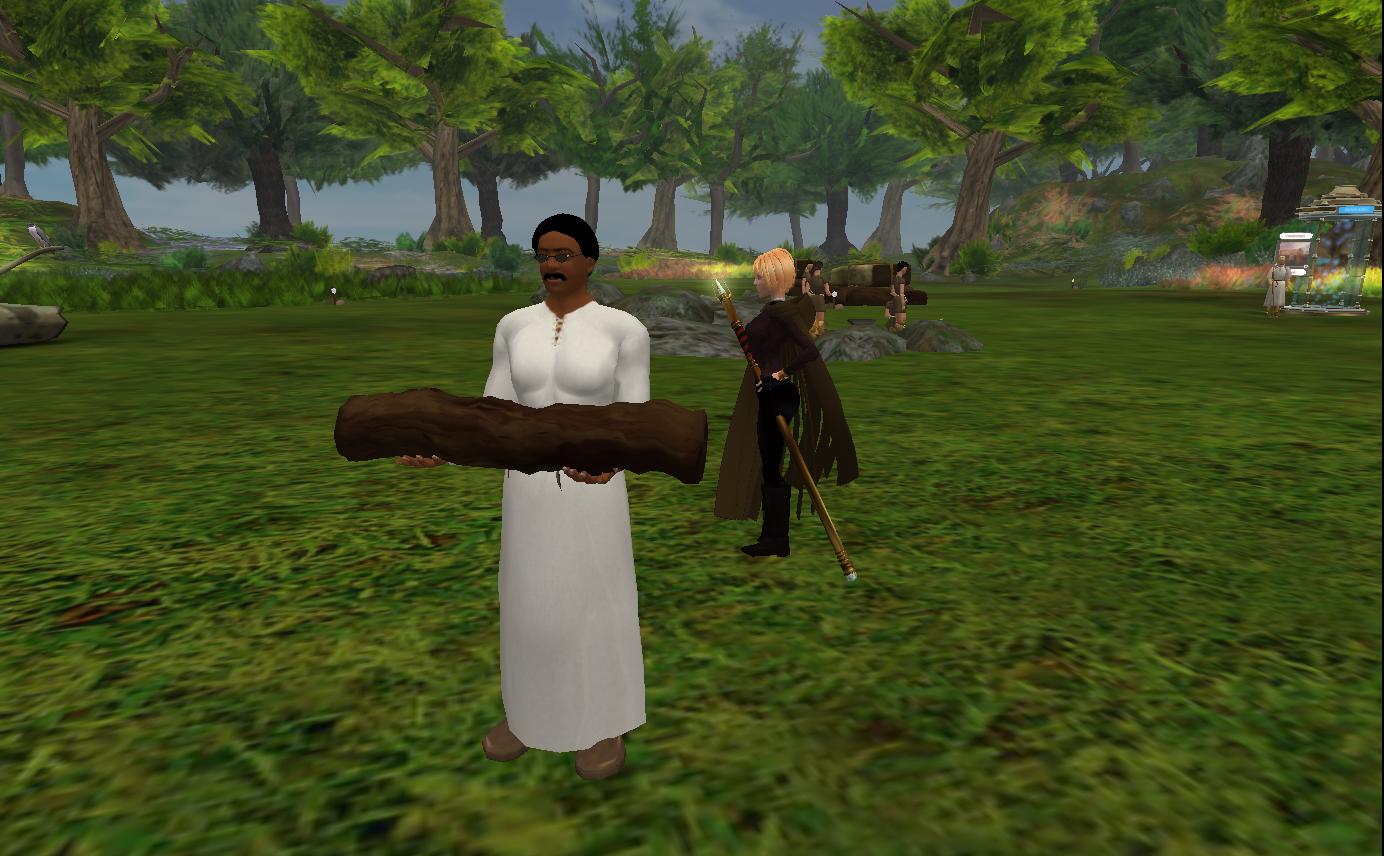
    IMAGE 1: Capture from Heritage Key of a clearing in a woods scene of a male avatar
    carrying a log to assist in the building of Stonehenge. A further
    female Indiana-Jone type character (that was me) is seen just behind.
    Circa 2010.


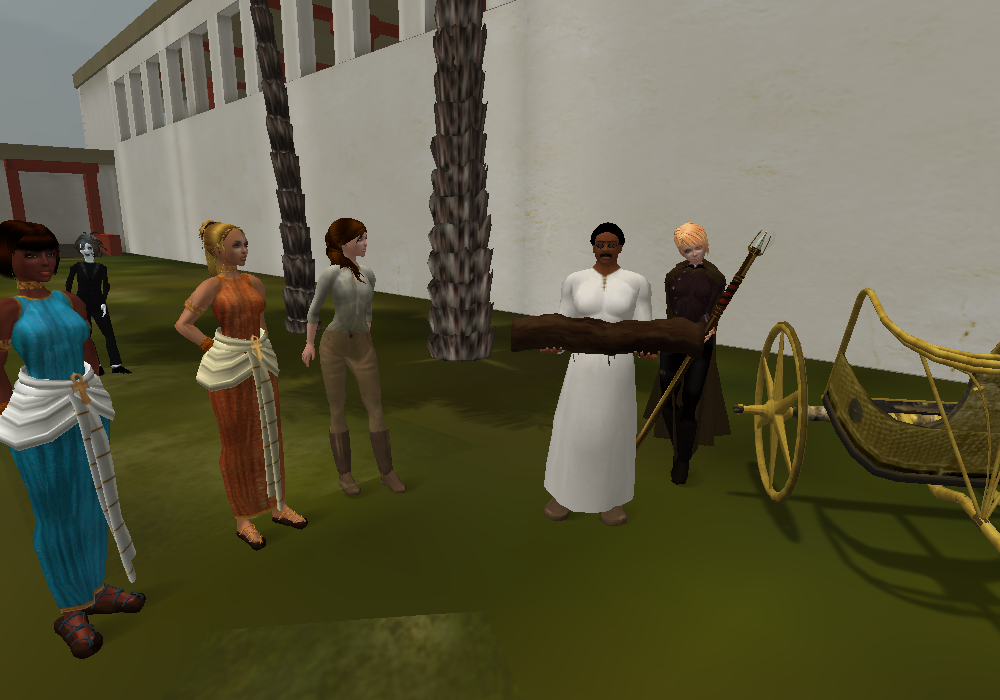
    IMAGE 2: Capture from
    Heritage Key tour that I believe Virtual Worlds Education Roundtable
    took back in 2010. Image shows a scene in Thebes between palaces and
    temples. Avatars are dressed in Egyptian, Druid, or Indiana Jones-like
    apparel.

    #VR #XR #vreducation #SecondLife #OpenSim #HeritageKey #Avatar #Stonghenge #ValleyOfTheKings #Participation #Best #Favorite #InstructionalDesign #Design #edtech

    Day 2 NASA goes to Mars


    Happy Twelvetide! Number 2 on my 12 favorite XR-for-education list is NASA goes to Mars!

    My fav parts?
    – Users had first person experiences walking around a Martian base in 2008.


    This kind of build checks every one of my ‘saves time, money, danger’
    boxes and as such, represents a great investment in XR. Experiences like
    this should be replicated.

    Yes, this
    is another defunct XR location, however there are still space clubs in
    Second Life and other platforms have picked up the gauntlet to recreate
    Mars, the Moon, and beyond.

    Is NASA
    done with virtual reality? Far from it. She’s just grown with the times.
    One of my favorite XR-for-education things that NASA has done recently
    is the First Woman graphic novel (comic book) demonstrating the
    diversity of thought that it will take to get successfully back to the
    moon. It’s XR-enabled and I’m happy to report that RT (the waving robot)
    has visited my living room.


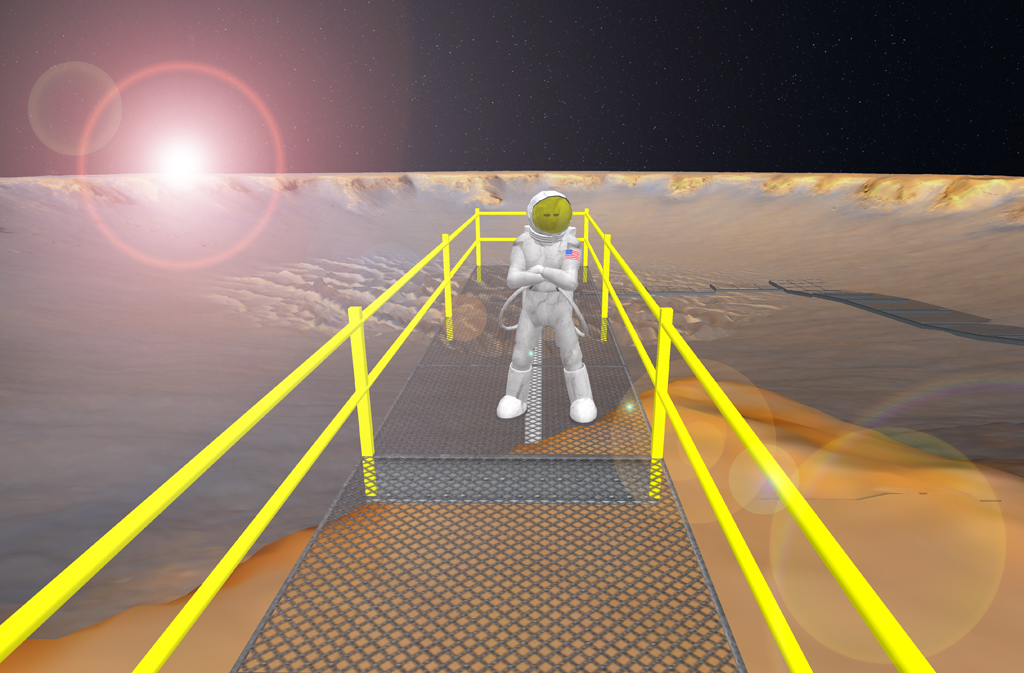
    IMAGE 1: Capture from NASA CoLab recreation of
    the Victoria Crater on Mars. Capture credit: Eric Hackathorn, NOAA,
    February 22 2008. Source: https://lnkd.in/gWFu7aKn Image is in the public domain.


    IMAGE
    2: Capture from NASA website about First Woman. Comic book style scene
    from the angle of moon boots shows a nearby moon rover with a robot
    waving in the back seat.


    IMAGE 3: Capture of cover of the First Woman, NASA’s Promise To Humanity, Issue Number 1 Dream to Reality graphic novel.

    #XR #VR #NASA #CommanderCallie #RT #VictoriaCrater #SecondLife #CoLab #SpaceEducation #edtech #InstructionalDesign

    Day 3 Dinosaur Track Lab


    Happy Day 3 of the 12 Days of Christmas! Today’s favorite XR-for-education example is for the curious InstructionalDesigners out there, wondering “how do you design instruction in VirtualReality?”
    I
    suggest this example from the Grand Cache Tourism and Interpretive
    Centre, that I saw demonstrated by Mike McCready of Lethbridge College,
    Alberta. This is the  best example of instructions given in a VR
    experience that I’ve seen!

    I
    should disclose my judging bias– I have taken many science labs in my
    time and a good set of lab instructions is a good set of instructions.
    Full stop. So these are good instructions. Direct, to the point, and
    helpful for completing the task at hand. Not too much detail in the
    objects presented to the learners and completing the lab *should* be
    within the physical capabilities of VR controllers (grabbing, placing,
    brushing, etc). Modification of target sizes could be done for Accessibility.
    I’m guessing that the VR artist and developer, Benjamin Blackwell,
    transposed real life lab instructions. I could be wrong, maybe someone
    wrote these instructions for the VR experience. But hey, either way, it
    works!

    The
    backstory of this VR experience isn’t bad either as it DOES tick
    Heather’s boxes of saving time, money, and danger. The real world
    dinosaur footprints are up on a sheer rock face at an angle in a
    preservation area. Getting there takes time, doing a dinosaur imprint
    IRL costs money (for supplies), and the location itself is dangerous to
    learners (and to environmental & historical damage). (Source: https://lnkd.in/gcWjFBXb)

    There’s
    a chance I would suggest adding an element that increases the stress
    level for learners (what??) but that’s just to add a narrative to the
    experience. I would throw in an approaching thunderstorm that the
    learners have to boogie and get out of the site ASAP.  But hey, I like
    narratives with my educational XR.

    I do not endorse any Lethbridge College program.


    IMAGE: Capture showing entry instructions for VR controllers.


    IMAGE
    3: Capture of prep table for taking a plaster cast of a dinosaur
    imprint. Equipment on the table includes a bag to carry the supplies up
    to the footprint location.


    IMAGE 4:
    Capture showing that learners have to use a spray (I think it was an
    adhesive) to position the frame in place to hold the plaster.


    IMAGE 5: Capture of the user grabbing the wooden frame to place over the footprint.


    IMAGE 6: Capture from a Lethbridge College site showing the angled sheer rock face with the dinosaur footprints.

    #InstructionalDesign #VR #XR #InstructionsMatter #ScienceLaboratory #Dinosaur #PlasterCast #VirtualInstruction #edtech

    Day 4 VR for Distraction/Pain Management

    Happy Day 4 of Twelvetide, where I’m sharing 12
    of my XR-for-education favorites! Today’s example is a concept– XR for
    distraction/pain management.


    I’ll admit
    that this example is tangentially associated with education. But two of
    the three examples I’m sharing are targeted for children. So in a way,
    VR is part of helping the children learn to live healthier lives!

    1.
    VR Vaccines – using VR to distract children during vaccine
    administration. Combine this with the “Buzzy” concept and I think the
    entire fear of needles (for anyone) could be eliminated! https://lnkd.in/gQsn39W9

    2.
    VR in a MRI – LOVE this but it’s still experimental. My favorite part
    of this design is that the clicks and whir sounds are incorporated INTO
    the VR experience. (Learning what the “sounds” mean is part of fear of
    flying courses so I think this could be incorporated into future virtual
    reality fear of flying experiences too.) https://lnkd.in/gZ6xnPEz

    3.
    VR for pain management. There are several companies working on this and
    kudos to ALL OF THEM! But I’ll shine a light on my friend Heather Bucalos, RN
    and her advocacy of using it for hospital patients (https://lnkd.in/g8s7q4_y ). It looks like Beth Savoldelli
    has a new initiative coming up in 2024, the XR Impact Network. Best wishes to all!


    IMAGE
    2: Capture from inside VR Vaccines where the user is about to have a
    special stone placed on their arm at the same timing as a vaccination.
    The user is presented with a story about how the stone “protects” them.


    IMAGE
    3: VR use during an MRI. Experimental but includes the typical sounds
    of an MRI and particularly helpful for children to stay still and calm
    during the procedure.

    InstructionalDesign VR XR PainManagement Distraction Pediatric CancerTreatment edtech #XRImpactNetwork

     
    Day 5 National Geographic Explore VR
     
    Clip from inside of National Geographic Explore VR with a pelican flying past.


    For Day 5 of Twelvetide, where I’m sharing 12 of
    my XR-for-education favorites, I list National Geographic Explore VR,
    whose name, perhaps in a clever move, puts the “VR” in the right
    place…last.  It just HAPPENS to occur inside the media of VR, but the
    star of the show IS the Nat Geo content.

    My favs of this?

    This puts the explore in Explore VR. Basically if you want to use VR to go places, this is your golden ticket.

    Plus,
    there is an impressive story line (I’m referring ONLY to the Antarctica
    experience here): going from a ship, via kayak, to an ice shelf,
    climbing it, and then waiting out an Antarctic storm in a camp. 
    (Playthrough video here: https://lnkd.in/ggMtNxy8 )

    When I taught an Introduction to XR (Design) course using the Quest 2s (https://lnkd.in/gYi9RWCU),
    I placed Nat Geo as the very first experience in the course after the
    Oculus First Steps primer. I also framed it within the design element of
    Function. That is, does the experience take advantage of VR
    affordances? If not, could it be done some other way just as well?  In
    the case of exploring, there is a long history of high quality National
    Geographic TV shows. Could doing something in VR measure up?

    In
    this case, the learner has to paddle their kayak, choose and take their
    own photos (they are on a mission from Nat Geo, of course, to get
    photographs), and climb an ice shelf. Either way, it’s arm work!

    So
    the user is not simply a viewer as would be for a TV show. There are a
    few folks right here that would like to pipe up and state that the
    movement *causes* learning or as I saw it phrased the other day:

    “It
    feels more like an earned learned experience than something you
    passively learned about or were informed about,” Bill Briggs, Deloitte
    CTO, told VentureBeat. “The retention and recall is just higher. Your
    brain is storing it in a different place.”

    That’s a bunch of horse hockey.

    Your
    brain is storing it in a different place? Oh, like that prepper
    pantry?  Experiences ARE experiences. Full stop. The brain encodes them
    exactly the same, whether they are in VR or IRL. What this person was
    doing was a backhand slap at traditional instruction (code word:
    passive), which (according to them) has been dreadful for ages.  On
    behalf of all teachers…thanks? (not really, grr)

    But
    I digress. Back to enjoying Nat Geo because they did a good job. It’s a
    good starter experience if you can afford it for your learners. It’s
    listed at US$9.99 in the Meta Quest store.


    IMAGE: Capture from inside of Explore VR looking down to see some whales in a small bay dotted with icebergs.


    IMAGE: Capture from the Meta Quest store of the purchase page from National Geographic Explore VR. 

     
    InstructionalDesign VR XR NationalGeographic Explore Antarctica Kayak Penguin Whale IceClimb Photography
     

    Day 6 VR for Conflict-Related Sexual Violence

    Trigger warning: today’s entry refers to sexual violence.

    I went to an entrepreneurial conference last year to speak on the topic of the metaverse. I know my ad hoc speaking style (which I enjoy but I lose my train of thought), so in advance I scribbled up a list of truly GREAT applications of virtual reality so that I could glance at it.  Today’s entry made that list. 

    A VR for conflict-related sexual violence (CRSV) pilot study includes everything from seeing a courtroom in advance, seeing visual assurances of identity protection, reenactments, and post trauma healing and comfort. I see it is still in the experimental stage but the results are about to come in.

    https://lnkd.in/gG7knz4y

    In September 2019, I was sexually attacked. I had to describe the event to the State Police three times. A friend rushed to me, took one look at me, and said that I was in shock. The shock goes on for a long time. I can only imagine what circumstances are like when sexual attacks occur as part of conflict or war.  Therefore, I wish this pilot Godspeed. 

    Good on yer to the sponsors: The Royal College of Art, Immersonal, Frontier Tech Hub, UK International Development, and the Office of the Prosecutor of the International Criminal Court.

    #VR #XR #BestUseCase #CRSV #SexualViolence #Crime #VictimProtections #RoyalCollegeOfArt #TechHub #UK #InternationalCriminalCourt


    Day 7 Tsunami Simulation from NOAA


    Day 7 from my 12 Days of Christmas favorite VR-for-education examples is a multi-step process. We have to time travel back. I’m going to stop our time machine at 14 years ago, the year 2010. NOAA had built their 2nd iteration of a tsunami simulation on their Second Life island, Meteora, that my old friend and colleague AJ Kelton captured in video here: https://lnkd.in/dCNDXnAH. (To see an even OLDER version of the same simulation, see video here https://lnkd.in/d2csDTyA) On the timeline, 2004 the Indian Ocean earthquake and tsunami was just 6 years prior when an estimated 227,000 people died (https://lnkd.in/du6sTWGt)

    OK, Heather, this looks chunky and old. What’s the deal?

    The point is that NOAA only built 5 experiences in VR– and a tsunami remained one of them (https://lnkd.in/dGD62bv6). I’m going to go out on a limb and state that NOAA thought it was *important* that humanity learn what tsunamis are and why you just can’t “outrun them”.

    Why was XR a good choice for this particular natural hazard?

    Because in XR, the viewer can stand still and let the tsunami wash over them and get a hint at it’s height, power, and devastation. (Hat tip to the movie, The Impossible for their depiction here https://lnkd.in/dSx-PHnv). READ: Avatar height actually means something here.

    Time machine forward to 2011, March 11 and the Great East Japan Earthquake. (https://lnkd.in/djjVKSsP ) For the first time, humanity would see in real terms the devastation of a tsunami.

    Fast forward one more time to 2016 and simulations advanced to this stage (see video clip below). By now, humanity had begun to take tsunamis MUCH more seriously with early warning buoys, escape routes, and *hopefully* people evacuating the coast when it could happen. 

    Do you see the connection between SEEING what a tsunami could do and future safety? Humans have a habit of clinging to “seeing is believing.”

    It is areas like this that hit my 3-item (time, money, danger) checklist hard and for the good: XR for reducing danger.

    In a sad twist, I’m late getting this posted on January 3 and another earthquake and tsunami occurred in Japan on the day I should have posted this, January 1, 2024. Thankfully, it appears that warnings went up fast and folks did evacuate. (Edit: I’ve now heard that at least 200+ people have died.)

    In summary, we can’t look at this Day 7 example outside of its historical context. More emphasis on the real dangers of tsunamis can save lives.

    #VR #XR #InstructionalDesign #Tsunami #Earthquake #Preparedness #NaturalDisaster #Awareness #EscapeRoute #Practice

    Day 8 Apart Gallery

    Day 8 of my Twelvetide favorite examples of XR-for-education is a true favorite. If you’ve never been in the metaverse, I’ll take you here first: the Apart Gallery.

    1. Surf to https://apartposters.com/

    2. Click on Virtual Gallery.

    3. Click on Join Room.

    4. Click Accept to agree to your avatar. (Yup, you can change it here if you want or you can change it later, either way. Because metaverse!)

    5. Turning on mics is optional so you can skip that if you want. Click on Enter Room.

    See? 5 Clicks.  And if you’ve been in before, it’s actually 4 clicks b/c  your browser will remember you.

    This is WebXR, the spatial web, or the immersive web. Names are not yet nailed down because it’s still relatively new.  You entered the metaverse with your browser. That doesn’t sound like much, but to gamers, it’s a big deal.

    Gamers are used to:

    – Large downloads

    – Required log-ins

    – Running extra programs for sound or dialog.

    – Turning off other programs to preserve memory and increase speed.

    – All kinds of special doohickeys.

    In this example, hosted by Mozilla Hubs, you don’t need to do any of that. You are free as a bird!  (Movement is with your W,A,S,D keys and your mouse).

    This *particular* example is on my list of favorites because of this ease of entry.  It’s the comfortable on-ramp into the metaverse. 🚗

    But there is one OTHER reason why I take newbies to the Apart Gallery. It’s an art gallery and it’s a time capsule of a sliver of American time. The original gallery artwork was produced between February and April 2020. Think back to what we were doing then:

    – Social distancing

    – Stay home

    – Wash your hands

    We were NOT talking about immunizations, unnecessary lock downs, and vulnerable populations. We didn’t even know COVID could be airborne. The artwork reflects the public health propaganda of those months. I use that word NEUTRALLY, not in a negative way. (I’m FOR public health!!)  The word propaganda to me means “relaying an idea that you want someone to agree with”. Another word might be “rhetoric”.  It’s fascinating to look back on what we were telling each other might work.  Truly, we have our own stories now, just like the haunting stories from the 1918 flu.

    The great folks at Paradowski Creative have since expanded the build so if you have time, wander around a bit. Not every version of the coming metaverse will be Second Life 2.0 ( 😏 ).

    #VR #XR #InstructionalDesign #ImmersiveWeb #SpatialWeb #WebXR #ApartGallery #ApartPosters #Propaganda #SocialDistancing #WashYourHands #StayHome #Immunizations #Art #VirtualReality


    Day 9  The Naturalist’s Workshop

    Today’s entry in my 12 Days of Christmas favorite XR-for-education examples is an odd one. For all those independent projects, developers, and small teams slogging away on tiny VR experiences and wondering…does anyone notice this?

    My answer is YES.

    I received exposure to the Naturalist’s Workshop (from North Carolina State University and the North Carolina Museum of Natural Sciences https://lnkd.in/duyS4xaW ) via a colleague. While I’m sure it’s great for learning some basic tree identification (yes!) I liked it for the basic design and how I could use THIS design to teach some elements of basic spatial design to others.  How do you situate a learner in a virtual space? How close is everything? How far away? Does the learner have to walk?

    I didn’t use this experience with any instructions. It was just headset on, app on, and go. So I didn’t even know it had a name or purpose. I was plopped in a small clearing in a forest on a slightly elevated concrete-looking platform with a desk and some stuff.

    I did some basic spatial awareness practice. I looked at my hands. I looked at my feet. I looked to the front, to the left, to the right, behind me, below me, and above me (oh! Nice opening the tree canopy). I looked at my stomach (missing. huh.) So users have no avatars. But they don’t need them to identify trees, do they? Even though the area is closed in, it did NOT feel claustrophobic at all…because trees just fade off into the distance. The color theme is a bright spring green. The platform had a low knee-level wall and 2 gaps for going out into the forest (cough, expansion plans please!)

    I bent down and looked under the desk and then discovered that the desk drawers do open! Hey there is stuff inside! So I started to pick those things up and when I placed them on the desk, something happened. Sometimes, I was temporarily transported to a 360 degree photo with one tree dominant in my view.  Oh! I had placed an object FROM the tree (a leaf or a seed) into a place and could learn more about it!  Level 1 tree identification unlocked.

    You can get this app via SideQuest.

    It’s paced at 5-15 minutes. I assume the 5 minute-rs would know what they are doing.  I’d say it’s nicely at the 20 minute mark if you want to fool around.

    It’s little projects like this (and the Dinosaur Track cast from Day 3) that are actually moving us forward in the XR for learning market.  It doesn’t escape me that both were built in partnership between a university and a museum.  Are you writing this down? You should be.

    #VR #XR #InstructionalDesign #NaturalistsWorkshop #VirtualReality #VirtualNature #TreeIdentification #NorthCarolina

    Day 10 Sandboxes


    Happy Day 10 of the 12 Days of Christmas! You’re
    probably getting tired of this by now, aren’t you?  But we are almost to
    the end!

    For today, my favorite
    example of XR-for-education is back to a concept– NOT a specific
    platform, app, or game. The concept is sandboxes.

    No,
    these are not virtual boxes on the ground filled with sand. These are
    locations in virtual reality where users are endowed as creators. 
    Virtual reality needs these spaces.  I’m reminded of the name of one of
    my favorite Facebook groups, I Require Art. I feel like that name needs a
    second clause “like I need air.”  Virtual reality needs places where
    users of any kind can experiment.

    I’m
    going to name 2 platforms because they meet this standard: Upon entry,
    users are endowed as creators. Of course, it often matters where you are
    standing.  You can’t just create anywhere and everywhere. You must have
    wisdom about this.

    When I first
    described Second Life to my best educational psychology friend and said
    “All users are endowed as creators”, he quipped back “Oh, you all can
    have God complexes!” God, I loved working with that guy. He both kept me
    grounded and pointed to the stars.

    But,
    yes, users can have God complexes. Or to put it more finely, users can
    explore their desires to create, to shape their world, to build, to
    paint, to sculpt, to cook, or do all kinds of creative things that
    humans have been doing for millennia.

    I
    used to have a tiny patch of ground in Second Life, thanks to a grant
    to educators via Montclair State University in New Jersey.  I could
    build whatever I wanted (that was free b/c I was cheap).  I set up a
    free pavilion, campfire, and space-pod office where-in I placed a
    Tiffany lamp and tiny velociraptor, as one would do.  It wasn’t much,
    but it was my space.

    I found that this location (https://lnkd.in/ek8h-22F) does
    a good job of explaining a virtual sandbox. I don’t know them, but they
    show the connection between space available, what you can do (rules),
    and technical specifications (prim/polygon or memory sizes).


    In
    the world of WebXR, Hubs allows for users to be creators from their
    first moment. As long as the space you are inside of standing allows it,
    you can bring in your own .glb files or surf over to Sketchfab.

    What’s my fav?

    Humans
    are creators. We bring order to chaos.  The freedom to create is
    important and yes, I think it is as important as air is to breathing.
    None of our other human endeavors would have value if we didn’t have art
    to express meaning.  Onward artists, onward!


    Post
    script: You might not know that most XR platforms do not endow users as
    creators.  There could be costs, permissions, or it is simply not
    available.  That’s why this feature is remarkable.

    (I actually do NOT know the platform Sandbox VR and this post does not constitute an endorsement.)

    #VR #XR #InstructionalDesign #Sandboxes #CreativeSpaces #CreativePlay #Expression #Art #Freedom #BringOrderToChaos

    Day 11 Action


    Day 11 of the 12 Days of Christmas of my favorite XR-for-education examples! Today is another “concept”– it is action.  I have some colleagues in the XR industry that believe that movement in XR is the best possible affordance of XR. I have disagreed with them.

    See one example where a researcher hypothesized that movement in XR would cause more learning and then (gasp!) found that it made no difference: Johnson‐Glenberg, M. C., Bartolomea, H., & Kalina, E. (2021). Platform is not destiny: Embodied learning effects comparing 2D desktop to 3D virtual reality STEM experiences. Journal of Computer Assisted Learning, 37(5), 1263-1284.

    But today I’m splitting that action hair super fine. 

    I’m actually FOR movement in XR when it facilitates learning.  Said another way: when all other media choices would not allow for equivalent movement in a situation (or if movement in XR is a brand new thing under the sun), movement, then, in XR is, yes, helpful.  I would not say it is the end-all be-all of XR-for-learning but it can help (facilitate) learning. I’m hinting at neuroscience and body memory.

    For example, using XR before approaching a large, moving, and dangerous piece of equipment like a windmill to learn maintenance. YES. This is a good use of movement in XR because it makes something happen that no other form of media would easily do (not a drone or first person GoPro video). If it would be dangerous to approach with zero training, XR can provide action practice use of the equipment in a safe way.

    Want some sources to support that?

    Here you go:

    Students at the University of East London practice using PCR equipment in XR before using it in real life. https://lnkd.in/eKhkRWks

    Potential workers in windmill maintenance get exposed to the work conditions in XR to decide if they really want to pursue this career

    https://lnkd.in/eqbzqceX

    And the now somewhat buried Lowe’s Home Improvement Store use of VR to teach skills like bathroom tiling to customers https://lnkd.in/emJF7KRr

    Other versions of “action” include programs like Tiltbrush or possibly GravitySketch that allow users to move and create from inside of XR, not on the outside and bring art of object creations into XR like is the current method with programs like Unity, Unreal, and Blender.

    The key to remember here is: compare the XR experience to its closest cognitively competitor experience. (READ: if the experience is processed in the brain the same way). If XR is faster or cheaper or safer than that competitor choice, XR is the way to go.

    Video clip from Simulwind. Capture shows the user selecting and placing the correct size wrench to open an equipment panel.

    #XR #VR #InstructionalDesign #Action #BodyMemory #Safety #Movement #Art #Skills

    Day 12 Emergency Services


    Last but far from least, my 12th favorite XR-for-education example has, as far as I discern right now, the strongest connection between USE and LEARNING. (Translation: a safe bet!)

    It’s XR for the emergency and military services– fire, medical, police, and military. As the daughter of a fire instructor, this use just makes me smile. I’m sure my Dad would have LOVED this.  He loved teaching and learning via fire simulations– there was no time his skills shone brighter than helping trainee firefighters learn things like fire behavior, untapped rural water sources, and fire site safety. I’m sure I got my “adult educator” genes from him.

    By now, I don’t have to tell you how XR for training uses here ticks every box of saving time, saving money, and reducing danger.

    But I’ll spend this last moment on the list hinting – indeed – to the intriguing research connection here. What is it about emergency situations that makes XR work so well?  I don’t know!  The emotional hype? The practice-so-many-times-until-you-can-do-it-in-your-sleep-ness? The visual SEEING of emergency situations– and living thereafter?

    So much cool depth to explore here, but in the meantime, using XR for these uses has my endorsement.  May we never need these services, but I’m glad that our service people are getting well trained in the meantime.

    Ending my 12 Days of Christmas on Epiphany (whew!) I wish you the gifts of peace, happiness, and good health in the New Year!

    #XR #VR #InstructionalDesign #EmergencyServices #Police #Fire #EMS #Medical #Military #SaveTime #SaveMoney #ReduceDanger