Author: H

  • I’m going camping! Part 3 of 5 Keeping work in its place

    I’m going camping! Part 3 of 5 Keeping work in its place


    This is the third article in a series about keeping work in its place. As a reminder: emails are equivalent to messaging and I’m specifically referring to work situations involving remote teachers and students in educational contexts.

    My first story about overworking starts with a colleague; she was not a direct report of mine when this story started.  She was a brand new employee and loved the idea of remote full time work! I was tasked with talking with her about her planned schedule.  What was she going to be her work schedule?

    “I’m going camping!” she said excitedly.  She proceeded to tell me her planned schedule.

    She was going to work Monday through Friday but leave by noon on Fridays.  It was going to be great because she loved to go camping with her husband. She was going to stop work at 12 p.m. (noon) on Friday, pack up the gear, and head out to the wilderness ahead of the Friday rush-hour traffic and be sitting at the campsite sipping a cold beer when the rest of the world was stuck in bumper to bumper traffic.

    “Oh, that does sound fun” I said.

    Then she’s going to relax and probably hike on Saturdays, have another great big camping dinner. On Sunday morning, it will be a sleep-in and then slowly break camp for the afternoon drive back home, throw a load of laundry in the washing machine, and she’ll boot up her work laptop that evening “Just to clear some emails.”

    Uh-oh. I could see it coming.

    I can do the math.  That was 6 days a week of work.  Well, 6 days of the week containing work. I knew that would not be enough time off.

    I tried to talk her out of the Sunday evening email check.  “Just plan to spent an extra hour on Monday or Tuesday catching up…don’t open that laptop on Sunday.” I advised as her teammate.

    “No,” she said, “I’ll be fine, this will be great!”

    She lasted 3 weeks.

    Then she burnt out.

    Tearfully, she told me she could not keep that schedule anymore.

    I asked her, “What happened?”

    Well, it ended up that she’d work on Friday morning–all morning.  Then noon would come…and go…and she’s still be working because emails she was sending out or work she was getting done was coming back in to her in the form of counter-questions or just…more emails. It wouldn’t stop! She felt bad for not helping the next email…and the next…and the next. 1 p.m. would come and go. Then 2 p.m. Then at 3 p.m. her husband who had managed to get out of work early for a Friday walked in the door to her home office and said “Why isn’t the packing done?  We need to leave now or there will be traffic!” and they wouldn’t leave because it was hard for her to shut that laptop down. Finally, in a fit, she’d slam the laptop lid shut and they’d get the campsite late, after having been stuck in traffic, have an unhappy dinner and try to “relax.”

    So much for leaving work early.

    By Sunday morning, she’d start thinking about those emails again. They were at home, waiting for her on that laptop. Even though the morning was supposed to be leisurely, she’d have that work in the back of her mind.  Gotta get home. Gotta get on the Internet. Gotta answer emails.


      She’d get home, open the laptop and sure enough, there was a bunch of emails and she’d work at them. 2 planned hours might creep up to 3 or 4 hours but finally at some point, her Inbox would grow quiet, she’d caught up on everything and she’d go to bed knowing that, at least, there would not be a mountain of emails on Monday morning.

      But then Monday morning would come.  And she was wrong.  This was the part of the story that I can personally attest to. Because, while she was working in Pacific time zone as my colleague, I was working in Eastern time zone and no matter how much she “worked ahead” on Sunday night, I had a 3 hour head start on her on Monday and I’d start going through my emails –which meant I was pumping emails into her Inbox for 3 hours before she even booted up. That meant, she’d open her laptop at 8 a.m. Pacific and there would be more emails…piled up…demanding her attention. These emails didn’t exist until the east coast came online. But now they do.

      No such thing as “clear her emails.”

      Three straight weeks of this had pummeled her mental attention. She couldn’t keep up. She was getting no true rest and the work just kept coming.

      True story: I measured my own Inbox in this job. It averaged over 1 email per hour for every hour. EVERY HOUR. EVERY HOUR EVER.  So a weekend that is 64 hours of not working between 4 p.m. Friday and 8 a.m. Monday meant a normal inbox after a weekend of 100+ unread emails (adding in occasional replies, newsletters, and automated receipt emails).

      I became her boss later after this story.  I remembered her struggles. And as her boss, I worked on 3 things to help her:

      1) Turn on the Out of Office (OOO) Message the night before leaving work.  This made her planned 4 hours of work on Friday morning much easier on her because she knew that anyone emailing her after she went offline on Thursday evening was getting warned that she might not respond. So this trick looks like it helped her students, but truly, it helped her mindset. She had a backup plan now.  

      Later on, this would become a standing rule on my team: 

      • Turn on your Out of Office Message 4 working hours BEFORE you go out of the office.  
      • Vacation or Holiday Reminders (blurbs at the bottom of emails) go up as early as 2 weeks before the event.

      Let’s be real folks. Readers don’t read or necessarily follow these OOOs. These are tricks that help the sender, not the reader.

      2) I asked her to bundle up any remaining emails that she could not address by 11:45 a.m. on Friday morning and send them to me. I would answer them or re-allocate them. Period.  Said another way, I’d do her work to help get her out of the office.  Now this is not a “I’ll fall on the sword for you!” behavior. I was literally working LONGER on Friday than her with my Eastern US hours. If she had any, I was getting them at 2:45 p.m. Eastern. Easy peasy to incorporate into my remaining day. I could pick up the slack. I had the ability so it was easy for me to step in and take this.

      3) I begged her to NOT check those emails on Sunday night. I showed her my stats: the emails come in whether you read them or not. So don’t read them. Make all of Sunday a day off.  (It’s really hard for people to understand that true rest brings on GREATER productivity when at work. She could literally answer more emails and answer better on Monday if she didn’t read any emails on Sunday.) This took work for her to implement and I was never quite sure she engaged this tip. Later on, the team built a robust weekend coverage system and she shuttled her clients to the weekend coverage team rather than just pop in to check email.

      One more time for those in the back:

      You do better work at 40 hours per week than at 45, 50, 60, or 80 hours per week.

      Got a problem with that? Talk with your boss. They are responsible for you hitting 40 hours. If you can’t hit that, the boss needs to change things. If they can’t change things for you (and you’ve tried yourself), find another job.

      Lessons of this story:

      If you do work on a day, it’s a work day.

      Yes, I feel like this is a line from a children’s book. Why do I have to go back to children’s book language to make my point? Because we have bastardized work to the point that doing work from your smartphone is not only considered OK, it’s cool.

      I’m telling you, it’s not. To me, you look like a person with low self-control.

      Just yesterday, I heard an interviewee on a radio show encourage listeners to Keep the Sabbath, regardless of your faith or day of the week. The idea was take a day off. Even better take 2, they’re small.

      Email and messaging for work is work.

      Remote working blurs the lines between what and where messaging is “for work.” But just like drunk Facebooking is a thing that we discourage friends from doing, so is emailing or messaging for work purposes from a non-work-as-defined location/device/time.

      Remember that work messages sent via your smartphone gives your workplace the rights to examine, load apps on, and monitor your phone.

      Doubt me? Read your university’s tech policy. I used to edit these policies. I guarantee it has fine print that says that any device “accessing” educational systems is reached out and encompassed by the educational technology security policy.

      That means your smartphone.

      Load on a keylogger without your permission? Yup.

      Screen capture what you see? Yup.

      Search through your photos and files. Yup.

      Value your privacy? Don’t do work outside of work devices/locations/times. (P.S. Not to weird you out more, but the same policy exists at libraries and commercial locations that loan out “free wi-fi!”)

      Humans are not robots.

      We are not allocated a certain number of work hours and life and then we deserve retirement. Some of the most successful, happily retired CEOs report that they ‘figured out’ work once they knew how to hit 40 hours a week. That’s successful people. They don’t say “Hey, I worked 60 hours a week for a couple of decades and then I earned early retirement, wahoo!” Nope. They arrived at happiness when they knew how to keep work in its place.

      Keep work in its place.

      Since OOOs are for you and not for them, write one you like.

      This is Heather’s top favorite:

      I meant to do my work today—
         But a brown bird sang in the apple tree,
      And a butterfly flitted across the field,
         And all the leaves were calling me. 

      And the wind went sighing over the land,
         Tossing the grasses to and fro,
      And a rainbow held out its shining hand—
         So what could I do but laugh and go?


      ~
      Richard Le Gallienne

      Needs some creative OOOs? Try 18 Funny Out-of-Office Messages to Inspire Your Own [+ Templates] I like this one.

      This was the article that started this series: Defending a Teacher’s Right To Disconnect.

      Article 1 I am the woman who did not check her email and lived.

      Article 2: You replied too quickly!

      Article 4: 6 Days A Week

      Article 5: Measuring Remote Team Productivity or When It All Goes Wrong

      #KeepWorkInItsPlace #RemoteWork #TimeManagement #SelfControl #EducationIsAnInsatiableMonster #Working6DaysAWeek #Leadership #Success #Failure #Management #Email #OutOfOffice #LeavingWorkEarly


      This article originally posted on LinkedIn on October 6, 2021.

      https://www.linkedin.com/pulse/im-going-camping-heather-dodds/
    • You replied too quickly! Part 2 of 5 Keeping work in its place

      You replied too quickly! Part 2 of 5 Keeping work in its place


      This is the second article in a series about keeping work in its place.

      I
      distinctly remember crossing the point in my life where a boss answered
      an email of mine in less than 5 minutes. I had sent a difficult
      question.

      I stepped back from my computer.

      Uh-oh. Hallmark of a bad decision. 

      I’ve
      seen them before; bosses who give you the quick, flippant answer and
      act annoyed that you asked such a simple question. I’ve found myself 6
      months later with that same flippant boss, after massive problems, with
      him looking at me and pleadingly “Why did we decide to do it that way?”  

      Heather learned that day to note why a boss decided what they did.

      Difficult
      decisions made quickly is the recipe for a bad decision. When I had my
      uh-oh moment, I was mid-level management. So that means that I had
      individual contributors/direct reports that worked on my team and then I
      worked on a team of managers with my boss. As such, I was a filter. I passed communication both ways but not all of the communication.

      How communication and mid-level management is supposed to work. Mid-level managers communicate both directions up and down.  But in all cases they engage filters, not passing along everything.

      I
      stop problems that do not need to be escalated. The system is designed
      that each level stops 90% of the problems and only the toughest 10% of
      problems that are escalated to the next higher level.

      For example,
      my Individual Contributors were faculty (READ: teachers) and they
      stopped 90% of the problems with students (unfair grading, exams too
      difficult, extension of deadlines). But the toughest 10% of their
      problems should be passed to me as their boss. I go to work on those
      problems. The toughest 10% of my problems go to my boss. As such, the
      upper echelons of an organization should be tasked with working on the
      very toughest of problems. They should not be “in the weeds” with
      trivial problems. If leadership is too caught up with small issues,
      something is wrong with their focus.

      OK, back to the story. I actually wrote him back.  “How dare you answer me so quickly?  You haven’t thought about this long enough. You can’t handle the truth!”* 

      (*Not my actual email, but for sure my thoughts.)

      It
      sounds trite but I don’t ask my bosses easy questions. If it was easy,
      I’d have figured it out myself. I send my bosses hard questions. They
      need to take time to think about it, to consider, to weigh the pros and
      cons to the decision. If I’m going to put their decision into play, I
      need to defend it. I need to know that the strengths and weaknesses
      have been acknowledged and a decision was still made. (Side note: FYI:
      that’s the hallmark of a good judicial decision. There needs to be
      evidence of a consideration of multiple opposing viewpoints. There is a
      reason that we listen to “dissenting opinions”. Judges WILL TOSS OUT
      decisions that appear frivolous and flippant.)

      I would go on to
      use email response time to judge every boss I’ve had since.  Too fast
      equals bad.  If you are slow with communication, I could be impressed. But I’m not done observing.

      I have 1,000 unread emails in my inbox

      What
      if you are a boss that takes so long to reply that you have 1,000
      unread emails in your inbox? You might want to stop reading now because
      I’m about to get rough. But if you are a leader-wannabe, read on.

      First,
      if you have any email inbox with 1,000 unread messages, you should be
      immediately removed from any position of leadership and demoted
      to Individual Contributor.

      WHOA!

      Why?

      Because when we see people hurting others, we first isolate them to stop the damage.

      If there are that many unread emails and people depend on you, you are hurting them.

      You are hurting your direct reports/individual contributors who have emails in that pile that:

      • update you on projects,
      • ask for you opinion on what to do in a situation,
      • ask for you to escalate some feedback.

      You probably have emails from your bosses that:

      • Point to the organizational vision,
      • Ask for your response by a (now past) deadline,
      • Update you on an expected project.

      Here is the problem, though. It’s not the content inside those 1,000 emails now that bothers me. It is that you didn’t care to manage your email better.

      At work, we use a nice term, time management. But time management is, essentially, self-control.

      Get some. Use it.

      Role up your sleeves and make some hard decisions. Every time I have found someone with this many unread messages, there is a self-control problem. Yes, even you Miss But I’m So Important That I Must Read Every Email.

      Newsletters/Auto senders

      Unsubscribe.

      Oh, but Heather, I route those into a junk email, so it’s OK.

      No it’s not. Because…on whose time are you checking your junk email?

      Work time? Nope. I will not support that. I’ve looked at the content and that newsletter is not that important.

      On
      your time? No. Not a good idea. You are seriously going to peel off
      some dedicated down time to do “quasi-work”. That indicates a problem
      with priorities. You cannot figure out the difference between work and
      non-work. You cannot decide what is important so you are making all of
      it all important. It is not all important. What is important is so
      narrow, you should be relieved to find it.

      No one ever states that reading their own junk email account is satisfying. Stop it. Unsubscribe.

      But I found that one piece so information, so I can’t read/sort/delete!

      Wrong.

      Treating your email inbox like buried treasure is wrong.

      Emails
      and messengers are communication devices, not libraries or vaults.
      Communication is meant to eventually cause action within a brief period
      of time. So each incoming email is asking you to do something. When you
      haven’t read or deleted the email, you have not done any action.

      Those actions can be:

      1. Think about it and give them an answer.
      2. Delete.
      3. Re-route information to another location (calendar, files, etc.)

      Email
      & messaging software is cluing into this and starting to link your
      email’s information to its proper place. For example: Notice how your
      flight itinerary becomes a calendar item within the Google ecosystem?
      That’s good. It should go there. The moral of the story here is that the
      correct data goes into the correct channel.

      Still
      think that email newsletter is “too precious” because some little
      nugget comes along once in a great while? Go to the source. If that
      information is so precious, the source should be archiving it in a
      searchable way. If the information is not archived, the information is
      not so precious. Get it OUT of your email.

      But wait, I really do get 1,000 emails a day

      What
      if you are a boss that has an email account publicly advertised (like a
      company president) and you get TONS of legitimate emails so there
      actually are this many unread emails in your inbox?

      Please. Hire
      someone to read and answer emails for you. No company president worth
      their salt thinks that ignoring their internal and external clients is
      good business.

      I don’t trust someone else to be in my work email inbox

      Puh-lease.
      It’s work email. Don’t you know every boss and IT person is in there?
      Sit up straight with your work messaging. Don’t want me to see it?
      Don’t do it. Easy peasy.

      Leaders: What you say and how fast you
      say it reflects on you as a leader. Take more time to answer an email.
      More time = allowing wisdom to kick in.

      It is always OK to respond initially with:

      • I need to think about this some more.
      • I’m asking someone else for advice what to do.
      • I have to search the Jedi Archives.

      Managing your messaging is part of your self-control.

      Next article will be: I’m Going Camping!

      Article 1 was I am the woman who did not check her email and lived.

      Article 3: I’m Going Camping

      Article 4: 6 Days A Week

      Article 5: Measuring Remote Team Productivity or When It All Goes Wrong

      And this was the article that started this series: Defending a Teacher’s Right To Disconnect.

      #KeepWorkInItsPlace #RemoteWork #TimeManagement #SelfControl #EducationIsAnInsatiableMonster


      This article originally posted to LinkedIn on September 30, 2021.

      https://www.linkedin.com/pulse/you-replied-too-quickly-heather-dodds

    • I am the woman who did not check her email…and lived. Part 1 of 5 Keeping Work In Its Place

      I am the woman who did not check her email…and lived. Part 1 of 5 Keeping Work In Its Place


      I remember my first job with a company-assigned email
      account. I was working as a research librarian.  One day, I was in the
      book stacks of the library and I heard bing!

      “Oh! Email! I’ll go see!”

      I
      climbed down the ladder. I thought to myself “Oh how exciting! I have
      an email account and something must be important. My workplace values
      me!” I went over to my computer to read the email.

      “The back parking lot will be paved Friday. Park somewhere else.”

      Oh, well, OK, I’ll try to remember that.

      Back to the stacks.

      A few minutes later, I’m moving around these huge scientific journal volumes, breaking a sweat, and I hear…bing! 

      “Oh! Email! I’ll go see!”  

      Down the ladder again and over to my computer.

      “Fridge cleaning is tomorrow for the second floor. Any food still there is getting thrown out.”

      Oh. I don’t use the 2nd floor fridges. 

      I went back to the stacks.

      The 3rd bing I didn’t leave the ladder.

      And I lived.

      I am the woman who did not check her email and lived.

      This article prompted me to write this, Defending a Teacher’s Right To Disconnect,
      but I’m writing much more broadly…to everyone tethered to our digital
      realities and everywhere I talk about email, I do include messengers,
      WhatsApps, Discord 1:1s, and all forms of push notifications. I’m also
      going to write stories as I get much more interaction with stories than
      facts.

      After that refusing-to-climb-down-the-ladder again moment, I have had a few more moments to shape my philosophy about keeping work in its proper place
      So these series of articles will cover emails, working 5 days a week,
      trust, and forgiveness.  We’ll talk about fear, worst case scenarios,
      and the dread of education. Lots to cover! Here we go!

      When I had my first job with an assigned laptop,
      I saw the little pop-up when a new email arrived. I also heard that
      bing again…my old nemesis. Given that I had witnessed how personally
      embarrassing it is to read someone else’s email when they are
      screen sharing, I realized that those notifications were distractions,
      not helpers. Those notifications and that bing were the first things
      that I turned OFF on that laptop. 

      Lesson 1: Urgent Does Not Equal Important

      Around
      this time, I also started reading The 7 Habits of Highly Effective
      People.  True disclosure: I only got to Habit 4.  I’ll admit that I’m
      not that highly effective.

      But I remember the huge impact of
      learning to separate urgent from important. The Navy actually taught
      this tip in a very literal way to naval families. Before we went through
      our first deployment (families with a the service member out to sea for
      6 months), the Navy offered personal safety training. One tip they gave
      us was:

      When the doorbell rings, don’t open the door. Talk through it.

      They explained that generations of Americans were taught by our parents to open to the door to
      people on the other side.  Counter to that, the Navy taught that you
      don’t have to open the door…and actually don’t open the door. That’s
      where your problems will begin. No salesperson or attacker can do a thing to you from the other side of a locked door.  Think it’s impolite?  It will be perceived that way, yes. Too bad. The good guys won’t mind, they’ll get over it. You have to get over the feeling of not opening the door. It’s better to be perceived as impolite than to explain to the State Trooper how you opened the door to your attacker.

      So
      all kinds of signals that we take as urgent: ringing phone, doorbell,
      ding of email, etc. need to be re-assessed.  Incoming signals can be
      re-categorized. Urgent is not the same thing as important.  Many urgent things can be completely put off to a later time, a different format, or re-categorized as not important at all.

      • Ringing phones become voice mails.
      • Doorbells become ‘they’ll come back later’.
      • Email dings keep the email as unread in your inbox.

      You reallocate them from Category 1 (Urgent/Important) to Category 3 (Urgent/Not Important) where those items belong. 

      Kitchen fires and crying babies, should, of course, be addressed.

      By
      the way, I have worked with many parents who at this moment have pushed
      back on my leadership where I have encouraged them to turn the ringer
      down or off or to not answer a ringing phone because “It might be my
      kid.”  I respect this concern but I realize it comes with 2 caveats:

      1)
      It is assumed that the child does have a way of communicating via phone
      back to the parent (not all children have access to a phone and some
      children are too young to use one).

      2) It assumes that the message
      from the child to the parent is of a dire nature. Not all
      child-to-parent messages are of this type.  Actually, very few are.

      So I have a response for you!

      #1.
      Caller ID.  You are free to glance at your phone and see who is calling
      you. Caller ID lets you allocate the incoming “urgent” information
      where it belongs. If you’d like to stop work to tend to your children,
      you won’t get any complaints from me. Actually, if you work to
      distraction and don’t pay attention to your kids, you will get in
      trouble with me, but that conversation is for another time.

      #2
      Children did and have survived generations without phones. Sorry, it’s
      just true.  Just because we have phones doesn’t mean they dominate our
      lives. I once witnessed a 70 year old father hustle to pick up the phone
      because he thought his 40 year old son might be calling.

      Yeah.

      That father needs a break. Seriously.

      So
      the moral of the story is to remember that data does not arrive without
      meaning. We ascribe it meaning. If you treat your messenger, email,
      ringing phone, or ringing doorbell as all-important in your life, it
      will be. It has become your god.

      If you re-ascribe it to a place of “I will pay attention to you when I choose to do so”, you will have started to tame to monster.

      My next 4 articles in this series that I will come back and link here will be:

      Article 2: You Replied Too Quickly!

      Article 3: I’m Going Camping

      Article 4: 6 Days A Week

      Article 5: Measuring Remote Team Productivity or When It All Goes Wrong

      #KeepWorkInItsPlace
      #RemoteWork #TimeManagement #SelfControl
      #UrgentIsNotTheSameAsImportant #7Habits #StephenCovey
      #TurnOffYourEmailNotifications #TeachersAreNotAlwaysOn
      #EducationIsAMonster


      This article originally posted to LinkedIn on September 27, 2021

    • Beware the VR Straw Man

      Beware the VR Straw Man

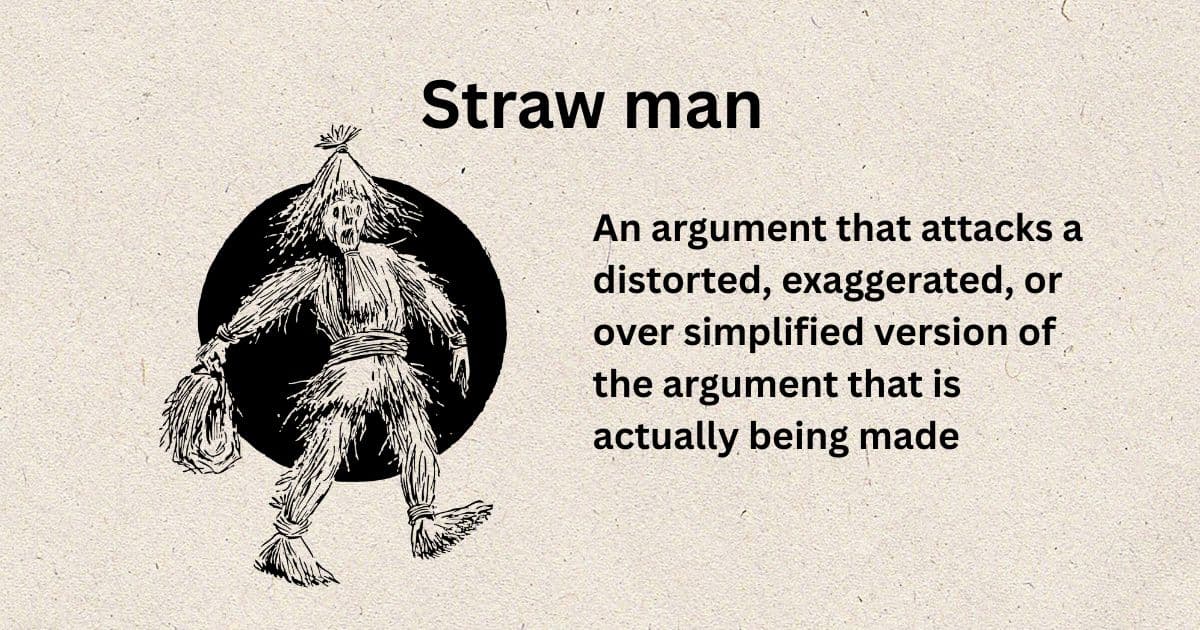
      Merriam-Webster’s first definition of straw man is a weak or imaginary opposition (such as an argument or adversary) set up only to be easily confuted. Said another way, a straw man is a type of logical fallacy where the argument is a false or fake version of the opposing argument that can then be easily broken down.  The straw man is meant to imply flimsy or weak. Think of how easy it is to tear apart a form stuffed with straw compared to attacking a real person.  

      When I was working on articles about poor virtual reality (VR) and learning research, I found 3 instances of myths surrounding VR learning & training:

      In each case, the myths were communicated by companies selling something in VR.

      That’s an AMAZING coincidence, yo.

      Too coincidental. 

      Yeah, it’s not a coincidence. 

      This is classic, slick, ‘don’t fall for the snake oil,’ from the snake oil salesman.

      Additionally, I’ll add my own opinion here: I’ve never heard these statements circulated about VR. These are three examples below with seven, five, and five VR straw man arguments, respectively.


      AIXR: 7 Myths and Misconceptions About VR Training

      1. VR Training Is Expensive, Especially At Scale
      2. VR Training Requires A Lot Of Space
      3. VR Training is Distracting and Counterproductive
      4. VR Training is Unhygienic
      5. VR Training Sessions Are Very Long
      6. All VR Training Makes Users Sick
      7. VR Training Isn’t Here To Stay

      Learning Solutions Magazine: Debunking – Top 5 Common Myths of VR In Education

      I honestly forgot name of company that put out this infographic, so I can’t give you the link.

      Capture of inforgraphic with title: Debunking Top 5 Common Myths of VR In Education
      1. It requires heavy investment
      2. You must have headsets 
      3. You cannot build VR yourself
      4. VR cannot compliment existing learning
      5. You cannot track your learners

      Learning Solutions Magazine: Debunking 5 Myths: VR-Based Training Effective At Any Age

      capture of headline: Debunking 5 myths: VR-based training effective at any age
      1. VR-based training appeals only to younger workers.
      2. VR is only useful for entertainment, not serious training
      3. You need a large space for people to take VR-based training
      4. VR training is prohibitively expensive
      5. Learners will feel isolated in a VR headset

      All of these statements above are VR straw man arguments. They are propped up only for the article to tear them down. However, here is a myth that I do hear all of the time: VR will revolutionize education.

      And here’s my response:

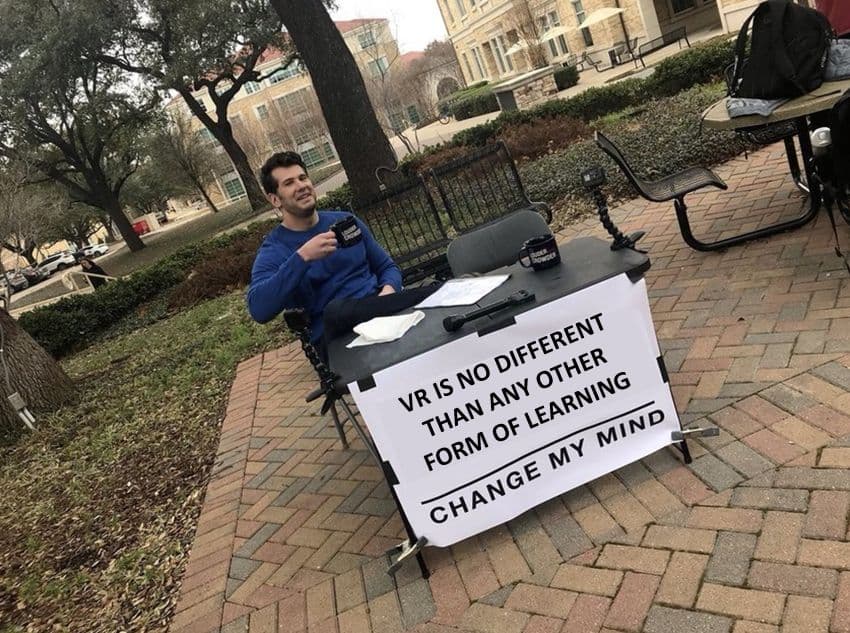
      Virtual Reality (VR) learning is no different than any other form of learning.

      Photo of man with poised coffee mug sits at plain outdoor table with poster. Text: VR is no different than any other form of learning. Change my mind.
      Come at me, bro.

      Remember that I’m for VR in education. It’s just that VR is not a panacea. It will be one more tool in our toolbox of media to use for learning. It will EXCEL in areas where it:

      • Saves time
      • Saves money
      • Reduces danger

      This is the Way.

      #VRMyth #VR #VirtualReality #Debunking #LearningMyths #VRForLearning #VREducation #VRIsNoDifferentThanAnyOtherFormOfLearning

      This article originally posted to LinkedIn on August 27, 2021. Updated with images as of February 18, 2026 because I don’t know, Google eats old images maybe.

    • The Future Of Higher Education

      The Future Of Higher Education


      Question: What does oversight of every instructional design (ID) department on the planet give you?

      Answer: Vision.

      This vision of the future of higher education is summarized in this video (3:18).


      Prior
      to 2017, instructional designers (IDs) at their institutions were often
      a department of one. As such, instructional designers work in an
      isolated position. Tasked with working with an entire university’s
      faculty & staff, instructional designers often find it rare to find a
      sympathetic ear for their common concerns. 

      Peter Shea created a Facebook group, Instructional Designers in Education,
      in April 2017 with the hopes that instructional designers working in
      educational institutions could gather and use each other for support. In
      joining, instructional designers in education are part of a virtual department and
      can discuss the sociology of being an instructional designer. In this
      way, this group leverages the power of connections to add a human touch.
      At this writing, the group has doubled in size since 2020. 

      The most common post themes include:

      • Challenges
        with working with faculty, who while being subject matter experts,
        rarely have even a basic foundation in educational theory.  
      • The recurrence and tamping down of myths such as learning styles and using highlighters.
      • Learning Management System (LMS) tech fixes and recommendations
      • Job postings (huge uptick here with MANY classroom teachers converting to ID)
      • Explorations of the impact of new technology on teaching pedagogy.

      As
      soon as the black swan event of COVID-19 struck, we knew that
      instructional designers were going to get hit hard: hit up for advice,
      course building tasks, anything and everything related to creating
      instructional content for online. 

      True
      story: As soon as a residential campus shut down and sent students
      home, administration sent out one email with three items: 

      • A link to the campus web conferencing provider,
      • a link to the campus course management system, and 
      • a link to the campus IT help desk.

      The campus administration was confident that they could handle this situation. 

      I
      was personally approached to give advice for an in-person class that
      was converting to online. I asked, “What experience do you want to
      create for your learners?” The answer I received was “Exactly the same
      as in class.” I said quietly to myself “No, you don’t.” 

      With
      decades of research in online learning successfully pushed into
      instructional design programs (because online or not, the IDs are the
      assumed experts in the campus LMS–an online resource), we knew that
      instructional designers were about to get hit VERY hard.

      At first,
      some of the comments were cute and I’ll admit I had to stop myself from
      reaching out to pet these instructors on the head and say “oh, you are
      so cute!” when I heard things like “I find it much easier to work online
      when the music I listen to has no lyrics” (cough multimedia principle)
      or “I find it is much more important to reach out to and show care to
      each of my students as compared to when I was in the
      classroom.” (<-OK, that instructor gets points! Good job!) This
      article, COVID-19 Lessons To Take Forward for Higher Education, has some positive conclusions about the push to online teaching in the pandemic.

      Futurists
      kept whispering that COVID-19 pandemic was not a black swan event. We
      paid attention to that. We immediately started thinking 6 months to 1
      year down the road. Higher education administrators were going to want
      to move as quickly as they could to pandemic-proof their campuses. So I looked at the future and said “what’s next?”

      No alt text provided for this image

      Here’s my version:

      1. Web conferencing software captures all lectures.


      Screen caputer of BBC news page with title Zoom sees more growth after unprecedented 2020
      Source: https://www.bbc.com/news/business-56247489

      In
      the frantic move to online, instructors did not want to leave any
      students behind and records all of their classes. Within one year, the
      world has the entire existing knowledge base of every class recorded.

      Effect: Those videos can be analyzed for teaching style.

      Really, who has time for that? Most higher education campuses barely have capacity to observe each instructor once per semester.

      Artificial Intelligence: Hi.

      2. Artificial Intelligence evaluates all instructors.

      Artificial
      intelligence has the time. Sorting through this data would not be hard
      to program. The characteristics of a great teacher that separates them
      from a good teacher are quantifiable. It’s not in the content  (Congratulations, your YouTube video covered the content in 55 minutes, perfect! Err. No.)

      Great teaching is in how the teacher interacts with the students. After
      all, if you just want content covered in 55 minutes with audio overlay
      and visuals, that’s a Discovery channel video or even ditch the audio
      track and hand out a PDF. Content does not need to be a
      lecture. Teachers are about interaction and engagement. A great teacher can teach a good lesson even on a bad day. That’s a needle NOT hard to find in this haystack.

      This will be called Quality Control.

      In the process, universities discover that…some teachers are just bad teachers.

      No going back from online education though.

      Source: https://www.nature.com/articles/s41928-020-00534-0

      Look at that last phrase: could permanently change how education is delivered.

      3. Consultants advise higher education that there are too many instructors.

      (The following is my recollection
      of events, not written here as factual.) Around 20 years ago, a couple
      state university systems had the epiphany that they were no longer
      serving students within their state geographically as land-grant
      institutions were originally designed to do.  For example, if you live
      in PoeDunk Town, you would naturally choose to go to PoeDunk University
      where they offered a version of an academic major you *might*
      want.  You didn’t go anywhere else (and certainly not out of state!)
      because your needs were being served locally. About 20 years ago, state
      universities realized that students were willing to get in their cars
      and drive hours to a different in-state university to get the program
      they really wanted.  That meant that each university had to stop
      competing against every other university in the state for the same
      students in the same program. Instead of geographical dominance, the
      universities decided to divvy up academic programs and let each
      university specialize in around 10 program areas and not compete outside
      of those areas. That meant that if you were in PoeDunk town and you
      really wanted to go to medical school, you would go to Medical School
      University and not the local university. Problem solved. Temporarily.
      We are far past keeping students within state borders now.

      Earth
      is facing this problem world-wide.  Really want to learn Alaskan
      Wildlife Resource Management but live far away? No problem. Within 5
      years, every school will have a retinue of online programs that you can
      take from anywhere.

      Harvard not in your home country? No problem.
      Take their online program. Want that unique program out of New South
      Wales? You got it, online!

      Suddenly, we have too many courses online teaching exactly the same content (albeit different instructors/styles).

      Wait, what if Subject X has always been the bane of your existence and that is the problem. You just can’t pass that course.

      Oh, here is where this entire vision gets VERY interesting. 

      Enter blockchain.

      Enter global enterprise.

      They have been getting ready.

      Blockchain is already coming into higher education in several places: Woolf University and transcripts (Aamir, Qureshi, Khan, and Huzaifa, (2020).

      Blockchain
      eliminates the need for the university to be the arbiter of reputation.
      It allows for reputation-based “coinage” (I only use coinage to convey using a term associated with value–this actually has no connection to cryptocurrency.)

      In my video, I show the current model. I’ll skip that here and go into the future model.

      Student A shops for a class on Subject X.  She comparison shops at Amazon Education, Walmart.edstore, and Google.edu (these are mockups!)

      Mockup of future imagined Amazon-based education platform

      Mockup of future imagined Walmart-based education platform
      Mockup of future imagined Google-based education platform

      She
      considers her price-point, preferred instructional approaches, time
      available, compatibility of format and purchases a course from
      Instructor B.

      Mockup of a web store page selling student seats in a course on Subject X.


      Student A earns a blockchain coin for “Subject X” issued by Instructor B.

      Both of their reputations are now connected.

      Student A goes on to work for Boss C where Subject X is part of her daily job.

      Boss
      C evaluates how competent Student A is with Subject X. He awards her a
      coin that indicates that she is competent working with Subject X.

      Student A gets most of the positive reputation coin.

      But,
      because part of the awarding of a coin from Boss C is reputation and
      Boss C is, in part, telling Instructor B that she did a good job instructing Student A– part of the positive bump in reputation goes back to Instructor B and it is reflected in her
      ratings. She can now charge a little more for her course teaching
      because she can prove that her students go on to work with Subject X
      successfully.

      Notice in all of this, an institution of higher education was not needed. 

      Up
      to now, universities have been arbiters of transcripts.  If they kept
      the transcript sacred (and they really do) then all of the reputation in
      a student’s transcript is bound up and captured by the university. The
      university charges for it and doesn’t release those transcripts easily
      at all!  But in this blockchain model, you do not need a university.

      You
      do not need a university for physical hosting of the course.  The
      instructor can run it all with one Zoom and Dropbox license.

      You
      do not need a university to collect tuition or pay the instructor. The
      money passes directly between them and instructor can charge a
      market-supported rate for their courses. Cheaper courses with less
      instructor inaction and poorer instructors are available. Better
      teachers are literally raised up due to blockchain coinage.

      Look at the positives:

      • The relationship between what Student A is competent in and her Instructor and Boss is fluid.
      • At any point, reputation could be modified or retracted.
      • There is a direct feedback loop between employers and instructors.

      I
      can hear you from here. You are asking…but if we don’t have
      universities, what about research? We depend on universities to be the
      bastion of unbiased research.  If we simply don’t need them anymore,
      won’t research disappear?

      OK, once I stop laughing about putting the word “unbiased” and
      “universities” together in the same sentence (as I hold these truths to
      be self-evident, they never were unbiased), I’ll tell you that
      research won’t stop. There is such a thing as a research center– where
      courses do not play second fiddle to research and
      academics-as-researchers can do their great and necessary work.

      I’m actually ALL FOR research. My disdain for the rat race known as
      tenure has leaked out in social media before and I’m really sorry for
      those that have worked so hard but it is slavish institution that
      protects professors that give high grades to women with short skirts. 
      And about a million other problems.

      What about the fact that a
      degree is a purposeful gathering of subjects that outside industry
      advisory boards have authorized that are intended to create a
      well-rounded citizen and competent first-day-on-the-job ability?  (I am a
      Liberal Studies major myself!) The disconnect between what industry
      wants and what industry gets from employees is already a strong flowing
      objection out there. I do respect that getting certifications to solve
      problems doesn’t solve every employment skill problem. For example, some
      workers have years of technical experience. But they are unpleasant to
      work with, to say the least, and they will not rise up the career ladder
      without a “degree”.  Here is the key: I find that employers often
      shuttle these workers off for a degree NOT to prove technical skills–
      the candidates already have them and find school work monotonous and
      pointless. The employers want the workers to pick up those finer skills that would be covered in the “required” courses outside of a major (aka
      learn to embrace diversity by taking a course that forces a learner to
      embrace diversity.  Learn an appreciation of alternative ways of thought
      by taking a humanities course.  Learn other world viewpoints by taking a
      course about another culture. And so on.)  I find that this could be
      solved.  Just make humanities, art, and writing required certification
      courses in jobs! What about the overall idea of a program or
      degree; the concept that a program is a well though out gathering of
      courses balancing requirements against electives.  What if the
      student-become-employee doesn’t check every traditional program box?  

      It
      is current bane of higher education that students graduate after X
      years with a degree that is already out of date. So I kick pre-formed
      degrees to the curb too. More ebb and flow. More consumer choice.
      Employers should just look for what they need and by-pass the rubber
      stamp of the degree.

      I’d like to see what education looks like with less medieval serfdom
      and more market demand. Some places have been getting away with
      educating us for years and it seems to have worked (cough, military,
      church, media, cough).

      So, what do you think is coming next?

      #blockchain
      #HigherEducation #Future #Vision #Research #OnlineEducation
      #InstructionalDesigners #ArtificialIntelligence
      #WhereWeAreGoingWeDoNotNeedUniversities


      This article originally posted to LinkedIn on  July 14, 2021. Updated with images (because Google might eat old images) and one slight edit deleting a comment about Amazon Education overlords on February 18, 2026.

      https://www.linkedin.com/pulse/future-higher-education-heather-elizabeth-dodds-ph-d-

    • I taught one of Earth’s first courses with the Oculus Quest 2.

      I taught one of Earth’s first courses with the Oculus Quest 2.


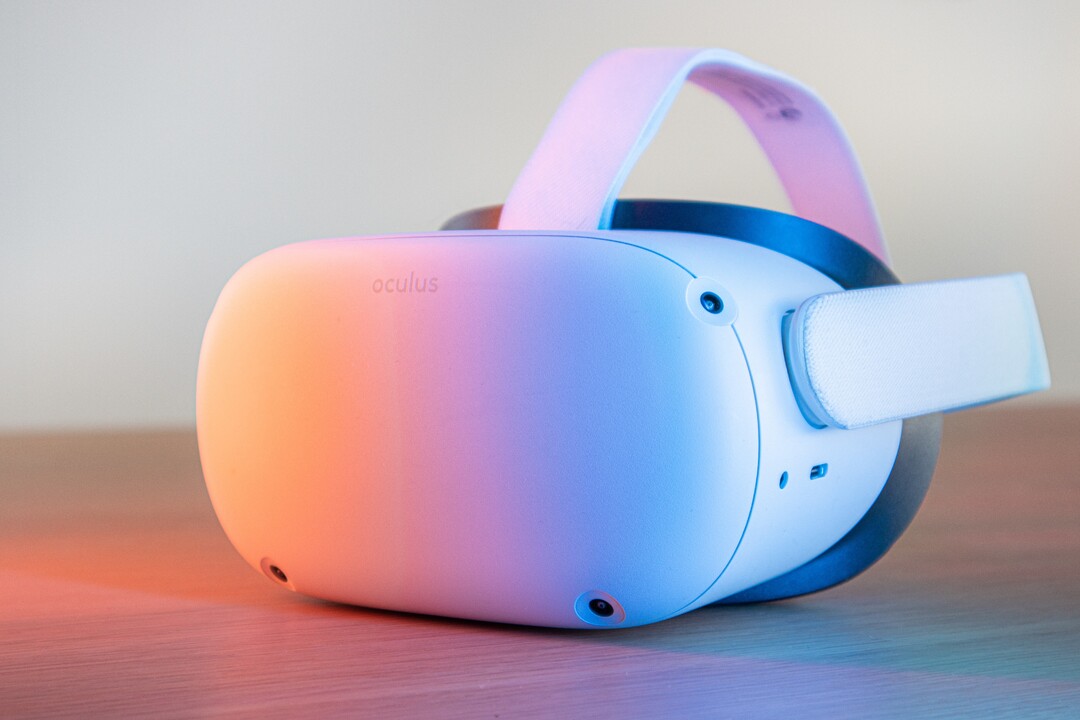
      Oculus Quest 2 VR headset, Photo by Remy Gieling on Unsplash


      Here’s how that went.


      First, I can’t provide a reference that this course, Introduction to Virtual Reality out of the Unity College XR Innovation Lab, was the first, but given:

      1. The timing: The Oculus Quest 2 was introduced on September 16 and shipped out on October 13, 2020.
        The Oculus Quest 2 is an upgrade of the original Oculus Quest. I used
        the original Quest during course development and had access to a Quest 2
        during the actual course run. As course development progressed, I did
        not know definitively that the Quest 2 would be the selected headset
        until late in the process. 
      2. The opportunity:
        College semesters tend to most often be trimesters (3 per year). The
        Quest 2 launched mid-autumn semester. The first opportunity to start a
        course, then, would be winter/spring semester starting January 2021. My
        5-week course squeaked in there between February 22 and March 28, 2021. Therefore, it is fair to say this course was one of the first because there really wasn’t much opportunity for other courses to launch and run before this one. 

      I
      do not write about the learners in any identifiable way. I write this
      article from the perspective of the designer and instructor and I write
      it for other potential virtual reality (VR) headset-using instructors.

      I’m going to call the VR experiences (games) apps since that term is current and understandable. 

      First,
      I will explain the course design and decisions. Next, I will name the
      apps used. Finally, I’ll explain the use of a device management (DM)
      system.

      Course Design

      In
      the design and development of this course, I played the role of the
      Subject Matter Expert (SME) and instructor introducing first and second
      year college learners to virtual reality. Interestingly, I am an
      Instructional Designer by degree and interest, so this was a bit meta
      for me; designing a course on design. However, I was assigned a Senior
      Instructional Designer and they had a process, timeline, and confidence
      in Canvas. We got along fabulously and we finished ~80 hours of development on time. 

      We did a backwards by design
      approach (don’t know what that is? Visit my honored friend Dr. Luke
      Hobson’s Instruction Design Institute course) to building these pieces:

      1. Designed the final project.
      2. Cut the project into chunks with an assignment due each week.
      3. Wrote the weekly lessons.
      4. Finalized the assignments and discussion prompts.
      5. Completed learning resources (intro videos, handouts, examples).

      I
      also worked with the person responsible for advocating for this new
      course to the college. They oversaw the place of this course within the
      college’s mission and programs. We worked on selecting the apps that
      would be preloaded on the headsets. Also, they played the role of
      teacher assistant in the course for tech support questions and they ran
      the entire DM process.

      We started gathering ideas of which apps we
      would include. Since we didn’t know which headset (or even if we would
      have a headset requirement) we started with the ‘free’, ‘easy-to-access’
      VR apps first. I came in with a good background in 2D VR choices and
      they had a few ideas from 3D VR choices. Both of us made sure to include
      a wide range of apps as we wanted the course to appeal to many
      different college majors. We scoped out apps ranging in feel (not too
      many first person shooters) and content (apps that were related to fun
      or work).

      Why teach VR design?

      Why is there value in teaching design?

      It’s
      the first step in an efficient and focused effort at getting to a goal.
      It is rare that organizations and individuals spend time on design (aka mission or purpose). People want to rush past it with the hand wave approach and say “yes, yes, I already know I want to include VR, let’s get down to exactly this VR! Let’s start!” 

      The
      point of a good design foundation is that it is like the rudder on a
      ship or the hypothesis to a scientific experiment; it guides you.

      A
      good design will provide guidance later when decisions arise. If you
      are clear on your purpose, then making later decisions becomes easier
      because you just evaluate which choice leads you along the path towards
      your mission or purpose. 

      For example, I worked on a VR project
      that had accessibility and “hold up to 1,000 simultaneous avatars” as
      its top design specifications. Those elements were key. So as I
      evaluated VR choices, we found VR choices that were:

      • Gamified
      • Popular
      • Supported by great tech 
      • Creative
      • Cheap
      • Gender-neutral

      But
      notice…none of these choices were the design elements we valued in the
      project. So these would have been the wrong choices; possibly fun
      choices, but wrong and regrettable. By staying focused on our mission,
      we maximized the chance of meeting our user experience expectations. 

      So teaching design for the purpose of valuing design ends up creating better products with more user satisfaction and better prices. Win-win.

      But what to teach in design?

      One of the first problems to pop up for me was content overload. These are some initial topics considered:

      • Objective/Purpose — what does the experience claim to do/what does it really do
      • Accessibility — tech/platform, modification ability, sounds, text, screen
      • User Control/Avatar Creation — privacy/controls/independence
      • Presence/Immersion — feeling of being there? Feeling of being inside the avatar?
      • Deep Play/Flow — does the experience fully engage the user?
      • Narrative — Does the experience appear to bring the user along?
      • Tech factors — platform/latency/updates
      • Navigation/Menus — 1st 30 seconds, how to exit, how to move
      • Manipulation/Change — how does the user impact the experience
      • Motivation/Gamification — why would a user use this past 30 seconds?
      • Social sharing — how do users use this together?

      Each one of those topics could be a whole course.

      The
      next problem that we were running into was selecting which apps to
      incorporate and keep the costs down. We aimed for less than $50 of apps
      per learner.

      We also had to keep one eye on accessibility. Because
      the learners were going to get a headset shipped to them, the college
      sent early strong advice that the learners were opting in to this experience, it was not being done to them.
      We constantly kept in mind the concern that a learner might have a bad
      case of vertigo and be unable to don the headset after Week 1.

      The
      solution of what to cover in the course versus what apps to pick (and
      how to plan for emergencies)was my favorite part of the course design. 

      You can view the design in the Course design: Introduction to virtual reality, Spring 2021 diagram below. Time progresses from the bottom up each week.

      Diagram showing five layers to the course design explained in the text. Shows that each week, a series of design thinking steps took place. The apps used in the course could be moved in and out with no harm to the overall course.
      Copyright Heather Dodds 2021. All rights retained.

      You should spy:

      Bottom Row: The Design Thinking Model :
      Empathize, Design, Ideate, Prototype, and Evaluation— the week by week
      design of the course followed these steps (5 steps in 5 weeks)

      Second Row: The Pixar Narrative Plot model (simplified): Introduction, Set the Scene, Dilemma, Crisis, Change, and Resolution 

      Third Row: The Course Final Project cut into chunks

      Fourth Row: The Four VR Design Elements that we decided to focus on — Function, Narrative Plot, Immersion, and Interface.

      Fifth Row: The Apps selected to align with a Design Element.

      As such, students worked through a design plan while learning about design planning. The apps worked independently of the course, then. It is easier to think of it in two main layers:

      1. The
        project — all parts of the assignments lead up to the completion of a
        3–minute video mock of the planned VR experience (Make an “ad”, Persona
        and Plot, Ideate, Storyboard, Video).
      2. The apps — all of the experiences were tested for appropriateness towards a specific design element.

      The
      in-between layers are all commonly recognized design elements. They
      become the grease that slips the main layers past each other. 

      Does one app fail or go offline? 

      No worries, slip in another one that addresses the same design element.

      Does a learner not finish their Week 2 assignment on time?

      No worries, the course is modular, they can proceed to the Week 3 apps while they catch up on the project.

      Aren’t these apps just for fun?

      No,
      I picked specific apps for specific design elements and prompted the
      learners to evaluate that element and discuss it within the course. Just
      saying an app was “fun” was asking to fail the course discussion.

      By
      using these layers, any problems with app cost, procurement, running of
      the app, or learner problems would not stop the entire success of the
      course.

      To explain the diagram, I’ll give one example from Week 1.

      We
      set up the course as a design cycle. Learners were going to make
      portfolios describing a future VR experience. The first step they needed
      to take was to empathize with their future VR app users. 

      Before they defined their users, they had to first be a user

      So, after safely unboxing and setting up their Oculus Quest 2, it was time for headset on and into some VR!

      They
      were asked to do three of these apps (below), talking out loud to
      themselves throughout the experience and then reporting back in a
      discussion prompt. Every observation is valid. They were tasked with
      evaluating function; how well did the app actually utilize the virtual
      reality medium? Could the experience have been done any other way
      equally as well? What stood out as amazing? (There were many more
      prompts to help them understand how to evaluate the VR design element of
      function.)

      One
      of the items that learners could have noted is that it is not easy to
      go to Antarctica. It is expensive and dangerous. Once there, learners
      may never have kayaked or used an expensive camera. It is unlikely
      they’ve ice-climbed. All of these are affordances that
      virtual reality gives that no other current experience can replicate.
      The closest is a 360 degree video, but those often come with little
      interaction, you can’t actually paddle your kayak, or pick up a camera
      and take photos. Therefore, the function of this VR app is high; it is
      appropriately using VR to offer an experience.


      Capture from inside of National Geographic Antarctica VR Experience, with the user in a kayak looking at whales in the water.
      Taken inside of National Geographic Antarctica VR Experience.

      After
      this, students had to create an advertisement of their own planned VR
      experience. So they had to already have some of the feelings of their
      users to get ready to market their idea to other users.

      Additionally,
      week by week, learners would get exposed to increasingly more
      sophisticated evaluations so that they would be able to begin to
      discriminate between what was good and what was bad about any VR
      experience. The point was not to finish the course with learners that
      love VR. The point was to make learners who can pick and choose and know
      how to find VR that works for themselves and their ideas.

      Which apps?

      We selected and planned for ~4–5 VR apps per week. 

      Week 1 — Function

      Week 2 — Narrative Plot

      Week 3 — Immersion

      Week 4 — Interface

      I want to strongly emphasize that we chose and included these apps for the design element per week.
      So as fun as Beat Saber can be, learners must report on the design
      elements of the interface (The menus, buttons, and music- what worked,
      what did not?) and the feeling of immersion (Were they really on a
      platform? Could they fall off? Was it light or dark? Do they have hands?
      Do they have a stomach?

      In
      hindsight, I’d add more apps all through the five weeks because the
      learners really loved this part of the course. In week one, they were
      delighted. But by week five, they’d lost their zest and were just
      looking to finish up. The device management process allows you to add
      more apps to the headset or switch them out, remember that. Just because
      a learner has an app in week one does not mean that you need to
      maintain access.

      Device management and privacy

      The key problem that many instructors worry about is the fact that the Quest 2s, when released, required the use of a Facebook account.
      I see this policy is changing and for the better. However, since we
      were at the front of using the Quest 2s right after they were launched,
      what were we going to do? Many instructors felt that learners using
      their own Facebook accounts for classroom activities was a violation of
      privacy in general. Personally, I will point out two thoughts:

      1.
      Many researchers and educators rightly point out that use of VR headsets
      for children under the age of 13 is pretty much not allowed by any
      Terms of Service of any of the major VR providers. Providing adequate
      protection in VR is something that these companies cannot assure.
      Therefore, bringing in school-age children into VR is something that
      requires more research and safeguards. 

      2. As someone who has been
      sexually harassed and bullied in real life situations, social media,
      and virtual reality, personally identifiable VR accounts is a good
      thing. Social media has played too fast and loose with privacy settings
      and many perpetrators know that. I don’t mind thinking that I’m playing
      against a specific real person on Beat Saber and vice versa. However,
      I’m an adult capable of taking responsibility for my own decisions and I
      also realize that as an adult, I am a consumer of my educational
      choices. I can simply put the headset down and walk away. Personally,
      I’ve only ever designed VR for adults. This policy was a protection
      maneuver for the long game and I support it.

      I know educators
      hated this requirement and rose up on arms about it. But it was not a
      battle that they were going to win immediately. They need to keep
      pushing for educational use in other ways within these platforms.

      The Unity College XR Innovation Lab
      used a device management service and the learners rented their Quest
      2s. The DM created the accounts and we monitored what was going on with
      the headsets through the course (what apps were on the headset and last
      used, battery charge, last time activated, etc.) In short, it worked for
      this time period. In the future, it’s probably better advice for an
      institution to buy their own headsets.

      Teaching narrative plot in design

      Final
      thoughts about teaching narrative plot (introduction, set the scene,
      dilemma, crisis, change, resolution) so centrally to VR design — do I
      regret that decision? 

      No, but I’ve thought about it a lot. Given
      the huge range of experiences possible in VR, was I correct in
      emphasizing that my learners should be able to deduce out and design in a narrative plot
      in VR? I could have taught the course more technically (resolution,
      degrees of freedom, refresh rates) or from other perspectives like app
      popularity or headset features. I’ve really kicked this idea around with
      my VR research colleagues and we’ve found that any VR experience ‘worth
      its salt’ will have these narrative plot features. Humans are pre-wired
      to understand and love stories. We seem destined to always look for
      cause and effect. We want to know why. Why does something happen? What
      caused it? What happens if I touch this?

      In VR headsets, the
      learner/user is the ultimate cause of effects. From the first moment (I
      taught that the Introduction is basically the Oculus Store ad…it is the
      moment when the learner previews what they are about to experience), the
      learner is beginning to move through the story.

      Just donning a headset means that the learner is willing to be changed by the experience at hand.

      When the headset powers up from dark to light, set the scene has begun.

      Even
      if the change and resolution happens far AFTER the headset comes off
      (this is very true of workplace VR training or meditation apps), a
      change does happen to the learner. So the elements of narrative plot are
      there. 

      After all, if virtual reality does not change you, why did you engage in it?

      Now…consider yourself introduced to teaching virtual reality.


      Got
      questions? Ask me! I have many more details like “what did we plan if
      students could NOT use the Quest 2?” or “how did you teach narrative
      plot in VR since VR is so new?”

      Please visit the Unity College XR Innovation Lab for more information and first-of-their-kind courses.

      Best wishes on your own course!

      #OculusQuest
      #VR #EdTech #TeachingInVR #CourseDesign #InstructionalDesign #Apps
      #VRApps #VRGames #VRCurriculum #DeviceManagement #Privacy #Design
      #Course #Experience #Learners #NarrativePlot #Elements #Reality #College
      #Development #Process #Function #Immersion #Interface #Menus #Buttons
      #VRSound #CreatingVR #DesigningVR #Layer #Storyboard #Persona #Pixar
      #Storytelling #Accessibility

      Updated images, mostly deleted stock photos, on February 18, 2026


    • Given equal results, instructional designers recommend the least expensive option. Or do they?

      Given equal results, instructional designers recommend the least expensive option. Or do they?


      To my regret, I recently deleted this sentence from my soon-to-be published book chapter:

      Instructional
      designers are ethically bound, that if all learning outcomes are equal,
      to recommend the least expensive, most environmentally sensitive, and
      most socio-culturally aware method.

      I was asked to provide references to back up this claim. Hmm…isn’t this considered a tenet of instructional design?

      Actually, isn’t this a basic truth about all designers everywhere? Part of the job of a designer is to

      A) know all of the options and

      B) know the strengths and weaknesses of those options which naturally leads a designer to

      C)
      present the options to their client, highlighting the designer’s
      judgment of BEST choice, even if that best choice is not what the client
      is hoping for.

      (more…)

    • Virtual Art, Real Feels

      Virtual Art, Real Feels


      I’m hearing plenty of comments that the arts, specifically
      performance art, is taking a huge hit due to COVID-19. On July 24, 2020
      the Sacramento Business Journal reported
      the loss in the United States alone at $9 billion. In some cases, art
      events just shut down with no forward-looking plans to re-open. So the
      loss is incalculable. We are in the middle of the summer concert and art scene. I get it. The arts might be down. But they are NOT out.

      Actually instead of “Get out there and enjoy” for art experiences, it is a case of “Get in there and enjoy.” Modify your expectations and what the art community is already doing will amaze you. Here we begin our short tour through the virtual arts scene in a pandemic.

      Art & Computers: Digital Playmates

      First,
      I want to remind you that video games are no stranger to the arts. The
      release of Civilization IV in 2005 with title song “Baba Yetu
      (The Lord’s Prayer in Swahili) by Christopher Tin was the first piece
      of video game music to win a Grammy. Personally, I still find this video
      very moving and I use it as my introduction to my doctoral research
      topic.

      Virtual art show: Apart: posters from a social distance

      The Apart gallery had some static posters on the XR walls but also had some kinetic displays like a bunch of paper airplanes flying around.


      In
      a metaplay on real world events, the organizers of this art show
      challenged the contributors to make art posters to support the thoughts,
      feelings, and issues of COVID-19 and social distancing.

      I found
      the posters to be a wonderful mental interplay of World War II American
      propaganda and the COVID-19 Public Health efforts.

      Sales have
      ended on buying copies of the artwork, so let that be a lesson to you!
      Just because it is virtual does not mean art is FREE.

      You can still enter the art gallery here! [Update from 2026, it has closed.] It’s in Mozilla Hubs (WebXR) so you should just click and go. (Be
      patient and nice just like you would at an art gallery, people!)

      Hat tip: https://paradowski.com/

      Art show: AA Earth Gallery


      Hosted in Mozilla Hubs too and still open!  [Update from 2026, it is closed]

      “The
      project was made to mark 50 years of Earth Day, an annual event held in
      support of environmental protection. All the works on display respond
      to the theme of Earth and human relationships.”

      Clubbing: The Music Scene

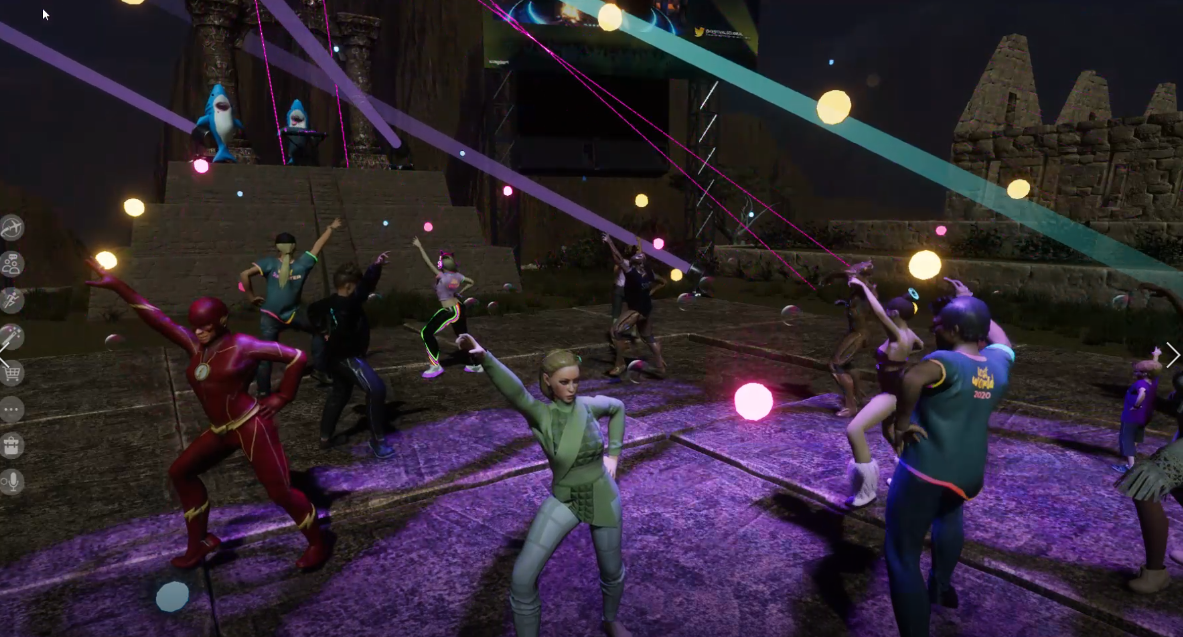
      Did I mention that I went clubbing in Paris a few weeks ago? I just like the way that SOUNDS. In
      all seriousness, I never left New York and I only found out about this
      event a couple of hours before it started. And, she writes wincing, I
      had to be late for the actual event but the DJ after some gentle nudging
      played another hour just for my tribe! Yes! Do not be unnerved by all
      the Santas. Remember, Santa is jolly?!?  

      This was the DJ who I’m not going to disclose here as a really cool VR day job.

      The lesson here: Set your social media to *search* for art experiences.

      Live art: SketchGroup (Use Chrome for the link)

      Instead
      of a shared Google doc for your next meeting, how about having an
      artist live sketch your thoughts using Tilt-brush in a space that you
      can re-enter? Talk about a Memory Palace.

      VR Concert: Glastonbury Shangri-La music festival in Sansar

      Yes,
      Sansar is a specific app download. But this was simulcast to Twitch,
      Beatport, YouTube, and Facebook to 4.3 million possible attendees. So,
      no excuses.

      I love my tweet above, I’m writing EXACTLY like I’m in
      a loud event and all I can get out is yelling “MUSIC IS FUN!” while
      pointing to the stage.

      VR Theater: The Tempest by Shakespeare

      “Starting
      July 9 showings will be presented in Tender Claws’ groundbreaking
      virtual theater. Tickets for The Under Presents: Tempest sell for $15
      and that buys you a live performance from an actor who casts you in the
      play for a show running approximately 40 minutes.”

      Did you catch that? Pay your ticket price, show up at a time, and you are in the play!

      The actor and 3 spirits from The Tempest from The Under Presents


      “Participants
      are tapped to dress up in costumes and pantomime parts of the
      experience which play out as much in virtual reality as they do in the
      imagination of the player. That’s a remarkable feat and exactly what makes this unlike anything else in VR right now. The Tempest is a fascinating evolution for both Tender Claws and The Under Presents.”

      Suffered through all this art and really want team sports to play at home? Uhm, have you heard of paintball?

      What did I miss or is still coming up?

      SIMULACRA (still running!)

      Virtual Arcade @Cannes XR 

      ComicCon at Home (running now)

      Museum of Other Realities (Hosts new and running shows)

      Virtual Fashion Show – July 29, 2020

      VR Events

      There
      really are NO excuses not to support the art scene right now in
      virtual, online, and computer-mediated senses. It’s safe and it’s
      important.

      I conclude with these words from Ben Okri in his article, We Need Art More Than Ever:

      “For
      too long art has been seen as an extra, an add-on, something
      dispensable unless it can prove its worth by numbers and quotas. It may
      be that we lost sight of art’s special value because prosperity obscured
      its meaning, its profound questions, and its uncanny capacity for
      transcendence.

      It is in the face of death that art becomes most
      powerful. It was said that during the time of the Black Death in Italy,
      people carried paintings through the streets to confront the plague.
      Some might say that it was not the paintings themselves that were seen
      as death-fighting images, but the subjects of the paintings, the
      Madonnas and the images of Christ, that were being used to confront a
      scale of death the people could not understand. It hardly matters which
      it was: art became a weapon against the plague.”

      Stay safe.

      #VirtualArt
      #VirtualMusic #VirtualMusicFestival #VR #VirtualReality #Sansar
      #Glastonbury #LostHorizon #Civilization4 #BabaYetu #ChristopherTin
      #GrammyAward #ApartPostersFromASocialDistance #AAEarthGallery
      #MozillaHubs #TiltBrush #Oculus #Tempest #CannesXR #ComicCon
      #MuseumOfOtherRealities #WeNeedArt #VirtualArtRealFeels

      Updated images, font, and indicated a few dead links (but try Internet Archive!) on February 21, 2026.

    • How to Lead a Remote Team in Crisis

      How to Lead a Remote Team in Crisis


      Photo by Joshua Balsamo on Unsplash

      It occurs to me that many managers, team leaders, and
      administrators have not only been thrust into remote team management for
      their first time ever in the past two weeks, but it is starting to
      occur to everyone that our teams are in crisis.

      Indeed,
      how could they not be? Unemployment claims have skyrocketed. Companies
      are about to pull back hard on budgets and that means that even employed
      people are starting to fear for their jobs. Our colleagues in both the
      medical and remote education fields find themselves with a
      now-never-ending onslaught of work in a war zone.

      More than ever
      before, leaders are going to be without the body language cues that they
      used to gauge how well the team is doing. Due to social distancing and
      mandatory work restriction orders, leaders cannot sail into the office
      with bagels on Fridays and hope that that will lift the spirits of a
      struggling team; same no-go for beer-stocked fridges, snacks, or bean
      bag chairs. Actually, ANYTHING physical is pointless right now.

      So how do you lead teams when everyone on the team is experiencing crisis…remotely?

      I have a simple, fast model for you. Here goes:

      Use your standard all-team meeting time slot.

      Changing the time or setting an “urgent” meeting ramps up too much stress. Don’t do it.

      Make sure NO ONE ELSE but team members are present.
      This is not the time to impress the boss by inviting him or her; no
      visits from other teams either. Don’t worry about a few team members
      that don’t attend, believe me, what happens will get out to them. This
      rule of making sure no one but your direct reports are present is
      inviolate. Do not break it. It is the most important one to follow.

      Rehearse your talking points.

      Clear the agenda…delete at least 50% of what you “need” to cover. No, you don’t.

      Speak first.

      Thank your team for attending.

      State “I am closing the door behind us” and “This is a private space only for us.” You will be amazed what verbalizing physical actions can do to to positively impact group behavior.

      Acknowledge what the current events are; what we know. Be brief.

      State: “I thought it would be important to reaffirm what we believe about ourselves and what we believe about ourselves as a team.

      If you feel as though your team’s mission ties in to your company’s mission, fine. Say so. “We make masks so that our health care workers are safe.” or “As
      teachers, we agreed that our first priority was taking care of our
      students, nothing is more important than them. Quality, volume, and
      process are secondary now.

      If you feel as though your team
      mission does NOT necessarily align with the current crisis, reaffirm
      your commitment to each other. TO EACH OTHER.

      Give an example of when the team pulled together to help a member of the team: “Remember
      when Bob needed an extra week off due to the birth of little Joey? All
      of us gave an extra 4 hours that week and with that, Bob was able to
      focus on Joey and not worry about the big project due. We are that same
      team. We will be here for each other now and through this.

      Take
      a short breath and let other members reaffirm that they can contribute
      X, Y, or Z to the team. ANY contribution is a good contribution. Cut
      naysayers off at the pass: this is not their day. “John, I’ll talk with you about where to get more resources right after this meeting.

      After the meeting

      You cannot control what is going to happen. Team members may get sick. Family members may die. Don’t verbally avoid that possibility. You can talk gently in 1:1s about what members would need if that happened. (“Sarah’s mother is very sick. If Sarah needs to be not at work for awhile, can you run her projects?” or “I understand your Mom is sick. If you need to be out, don’t worry. We can cover everything here.“) It is more important to be real, direct, and human with your team members now than to toe the company line.

      When needed, revisit the team meeting vibe with individual members saying, “When
      we met as a team, we discussed our commitment to X. We agreed that we
      would help each other. Also, we acknowledged that not everyone will feel
      up to the job on every day. When that happens, we agreed to use the
      ghost emoji in Slack and that would signal that we could use some help.
      Can I post the emoji and then send over the first helper?


      Three analogies come to mind about this leadership technique and they all work:

      • This is the digital version of Circling the Wagons.
      • Individual soldiers that reject a war or a battle will fight for their fellow soldier.
      • ‘Lashing to the mast’ signals that we will persevere through this together.

      Listen to some inspirational music as you gather your thoughts.

      Stay safe leaders. This too, shall pass.


      #CircleTheWagons
      #LashToTheMast #FightForYourFriend #Leadership #RemoteTeams
      #RemoteTeamManagement #TeamsInCrisis #TeamCrisis #TeamMeeting
      #WordsToSay #LeadFirst #HeartFirst #DoNotBeAfraidToSay
      #WeAreAllInThisTogether #Lead #RemoteTeam #NewManagers

      Updated font and removed unliked decorative photos on February 23, 2026


    • Visiting the Dublin Docklands with 3DcampVR

      Visiting the Dublin Docklands with 3DcampVR


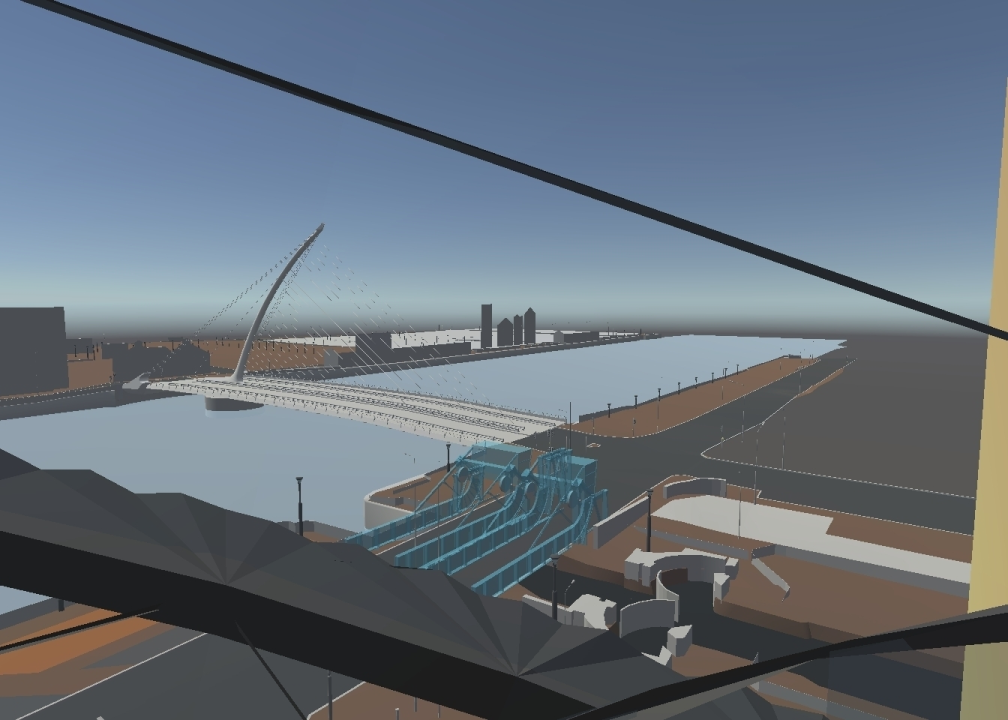
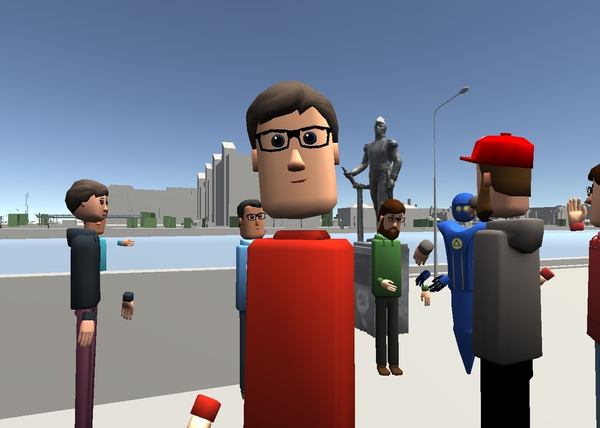
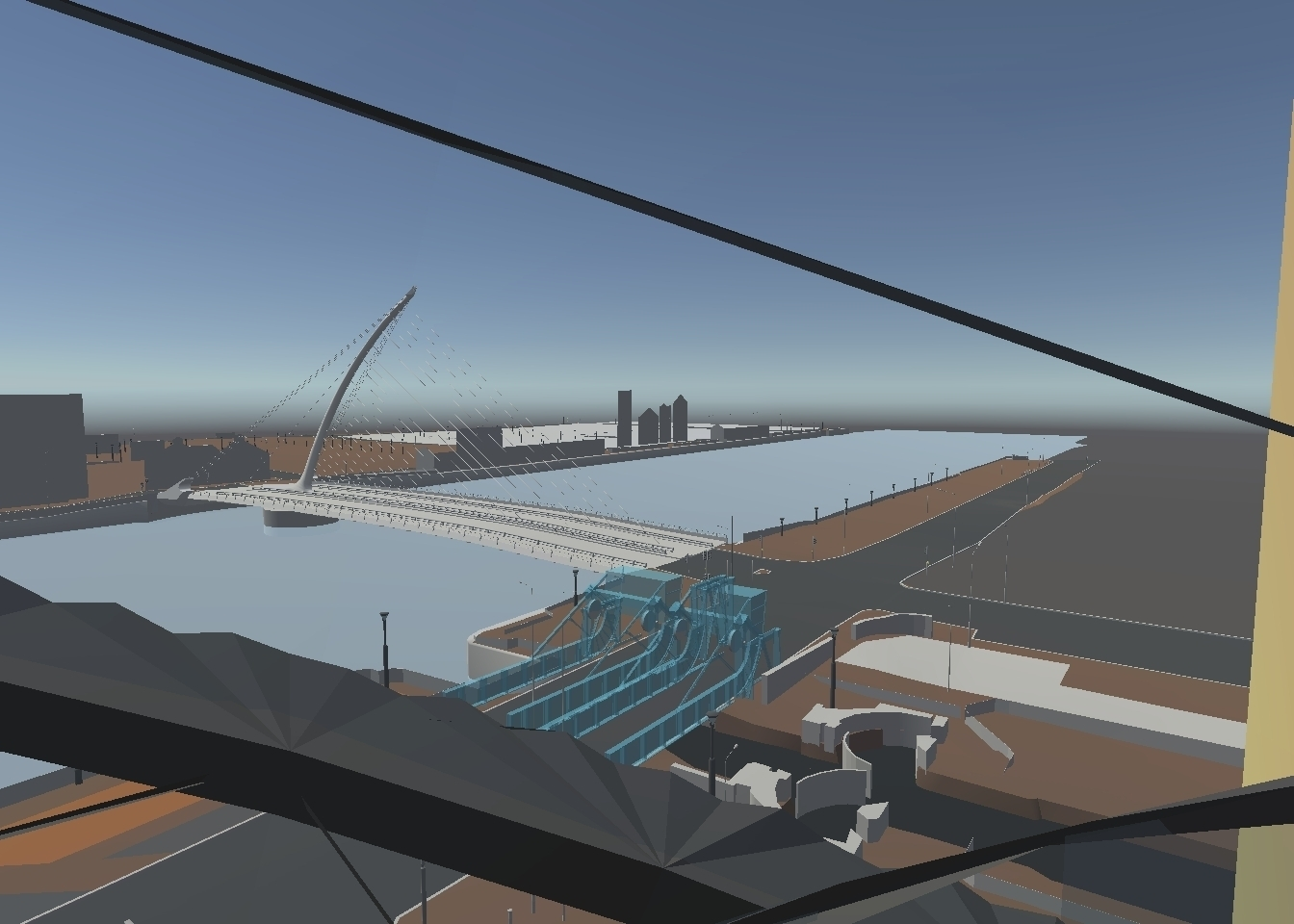
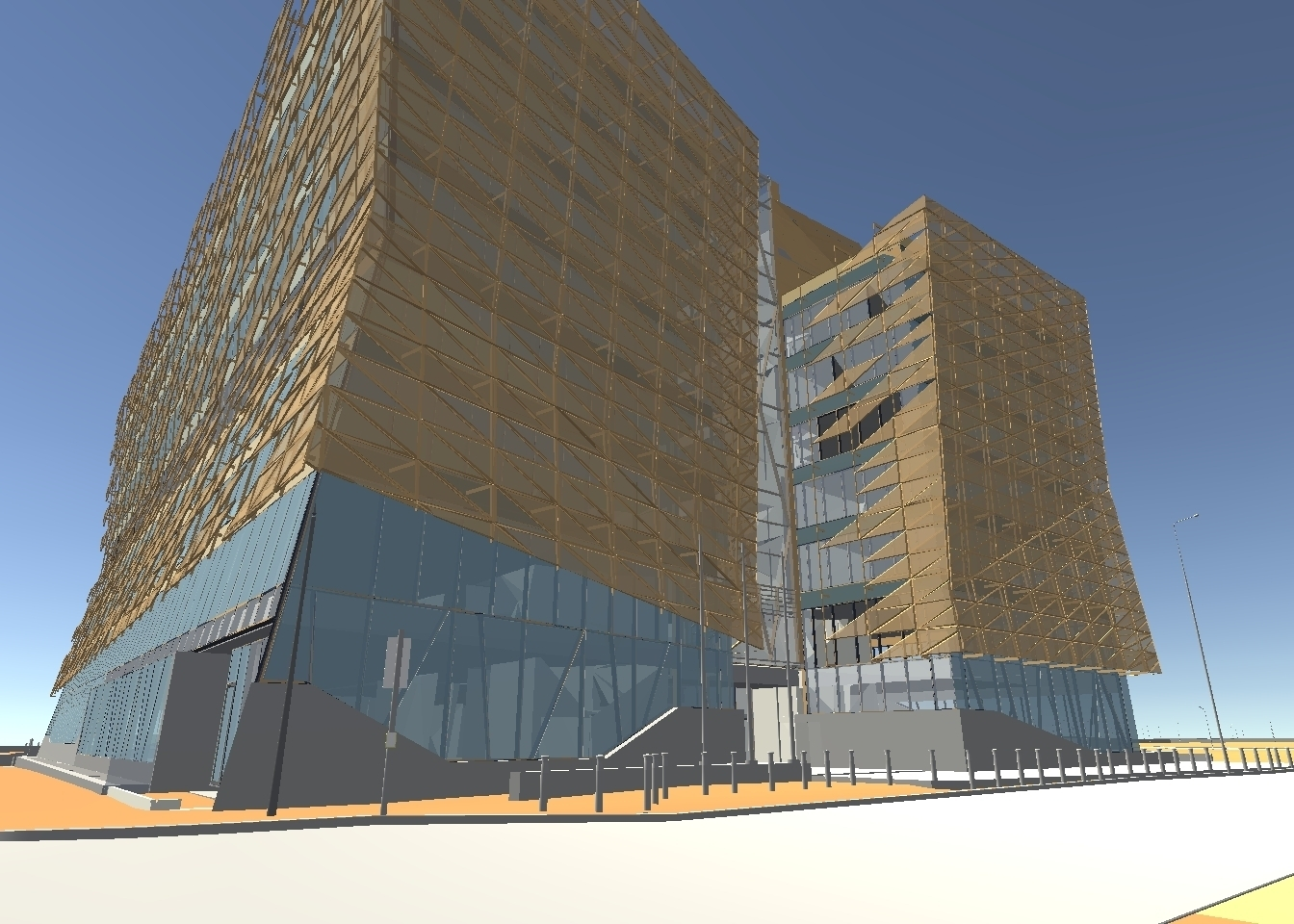
      Recently, I visited a virtual Dublin Docklands to understand the uses
      of real-time data in Unity-generated spaces. But I didn’t wake up that
      day knowing I was going to do that. This is my story of a serendipitous
      Meetup with 3DcampVR. If you like to experiment with virtual spaces,
      feel immersed in new places, and imagine the possibilities with all
      kinds of spatial computing, join us on this journey!

      It started with a buzzing phone…

      In
      a completely unusual way for me to wake up, at 6 a.m. Eastern, my phone
      started buzzing with messages. It was a research colleague telling me
      that I had to sign up for a Meetup. We are in the middle of an online
      conference so I thought it was a larger conference event that I could
      catch later. While I tried to put the phone down and start my day, it
      kept buzzing with instructions on how to sign up. This was disturbing my
      quality oatmeal eating time. My colleague was insistent.

      Finally getting online to look at the Meetup
      directly, I read the instructions and scrolled to the bottom of the
      page where it said “Only 10 slots left!” The caffeine hit at that moment
      and I started to get my log-ins and contacts straightened out to
      attend. I still didn’t quite know why I was going, but I was intrigued
      by this line: “Participants will be encouraged to discuss their
      experiences of the Dublin Docklands by our asking about the missing
      sites in the model in AltspaceVR
      .” I don’t even know Dublin! How
      can I know what’s missing? But alas, as a good learner, I spent an hour
      wandering freely around the space observing everything to just see what I
      could see.

      Early observations

      While I have not IRL been to the Docklands, I have read the powerful “1916” by Morgan Llywelyn and I love the Dublin Rising 1916 – 2016
      tour. When first transported into the space, you are on the edge of the
      wide open dock space. You will not feel cramped or as if the buildings
      are towering down on you. I could almost feel the surely constant
      breezes that happen in wide open water spaces. Walking in AltspaceVR is
      fast & easy so you can get up, down, and via bridges across the
      spaces within moments. More on how that fast walking got me in trouble
      later.

      True to promise, a few buildings are incredibly detailed.
      You can easily walk in. There are spaces, columns, and even elevator
      shafts. Looking at the views from inside of a building out were
      beautiful. I could almost feel the sunshine streaming through the
      windows.

      Back outside, the bridges are incredibly detailed and
      artistic. Where else are you going to get daytime photos from standing
      in the middle of either set of lanes?


      My
      favorite find? What appears to be a window purposely left open in one
      of the buildings. I won’t tell you where. You’ll have to find it.

      See, aren’t we already having fun?

      The tour begins

      Right
      before the set time, AltspaceVR pushed an update, but that only took
      one minute to apply. We were greeted by name by our host James Corbett
      directly upon arrival. James introduced our main guides, Oliver (Ollie)
      Dawkins (NCG at NUIM), and Gareth Young (V-SENSE at TCD). Unfortunately,
      Gareth’s audio went out but that lead to a running joke and some
      hilarious gesture-based communication for which Gareth was a totally
      good sport.


      Our first stop on the tour was directly next to us at the Dublin Convention Centre.

      Real life:


      Unity-generated:


      We
      were able to walk inside and up the escalator ramps, which as per
      typical me, I fell off of three times to arrive at the 4th floor views.


      Here
      we discussed what the uses of virtual spaces like this would be.
      Additionally, we were challenged to add to those thoughts what the
      benefit of real-time data would be to depictions of virtual space,
      called deep mapping. This was the real food for thought of the experience.

      • What
        if you wanted to watch the rising water levels in case of flood, but it
        is nighttime and live scene cameras are of no help? A virtual depiction
        of real water levels could help.
      • What if an elderly couple need
        to visit a new medical office building, but they have no idea which
        floor or office to head to, or even which door to the building they
        should park their auto near? A virtual depiction could help.
      • What
        if you wanted to be a tourist but you like to “see” the experience
        before you arrive to help allay fears of agorophobia or social
        interactions? Virtual again, to the rescue.

      The Central Bank

      Some nice group selfies at the stunning Central Bank building!


      3D Modeling

      Next stop was to the Admiral Brown statue to
      talk about the challenges of laying photos images over Unity-created
      objects. We are not at the end state with this challenge but it is
      interesting to think about. How shiny should a statue’s boot be? As you
      can see, this model is getting stunningly close to real.


      Right
      here, that walking speed thing came into play. I walked too slow and
      lost the group. For one moment, I seriously looked up and down the
      Docklands and saw no movement at all. Which way did they go? I thought
      of hugging a tree…or a lamp post in this case. Hooray that my hosts
      came to find me and walked me to a teleporter! I don’t think I properly
      said thank you enough for that, so THANK YOU!
      #alwaysremembertofindlosttourists

      Wrap Up

      Our final stop
      on the tour was Luke Kelly statue virtual space. This had a playground
      feel. I was reminded of the original creations from Second Life where
      trees were literally 2 flat planes intersecting. We were able to move
      all around the space and blow off some virtual energy by trying to walk
      around and through things. At the end, we shared our interest in virtual
      spaces. What an amazing group! We are all interested in big data, live
      data, content capture, and all local Dublin developments for Unity.
      Within a day, we’ve found each other in social networking and I’m eager to follow what’s next for the 3DcampVR group!

      My thanks to the host and guides for a truly great time! It’s rare to meet a such a nice group of people dedicated to a very difficult and yet lofty challenge!


      #3DcampVR #Dublin #DublinDocklands #VirtualTour #AltspaceVR #BigData #LiveData #SpatialComputing #3DModelling #DeepMap 


      This article originally posted to LinkedIn on February 20, 2020. Updated with re-added screen captures and a font change on February 23, 2026.