Here’s how that went.
First, I can’t provide a reference that this course, Introduction to Virtual Reality out of the Unity College XR Innovation Lab, was the first, but given:
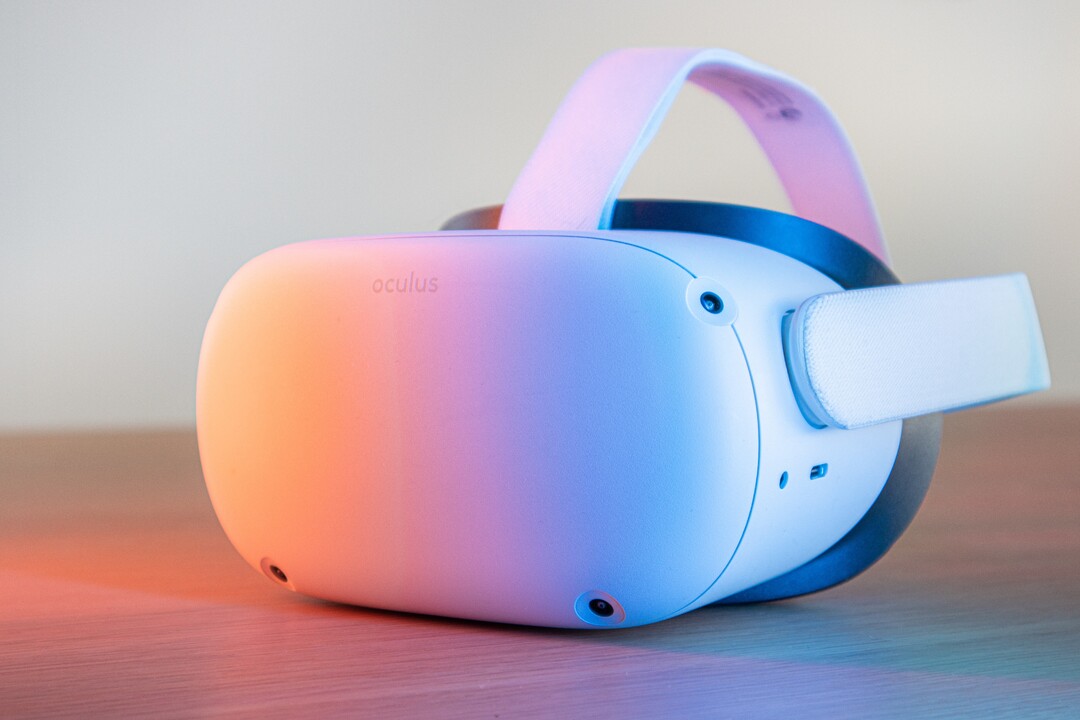
- The timing: The Oculus Quest 2 was introduced on September 16 and shipped out on October 13, 2020.
The Oculus Quest 2 is an upgrade of the original Oculus Quest. I used
the original Quest during course development and had access to a Quest 2
during the actual course run. As course development progressed, I did
not know definitively that the Quest 2 would be the selected headset
until late in the process.
- The opportunity:
College semesters tend to most often be trimesters (3 per year). The
Quest 2 launched mid-autumn semester. The first opportunity to start a
course, then, would be winter/spring semester starting January 2021. My
5-week course squeaked in there between February 22 and March 28, 2021. Therefore, it is fair to say this course was one of the first because there really wasn’t much opportunity for other courses to launch and run before this one.
I
do not write about the learners in any identifiable way. I write this
article from the perspective of the designer and instructor and I write
it for other potential virtual reality (VR) headset-using instructors.
I’m going to call the VR experiences (games) apps since that term is current and understandable.
First,
I will explain the course design and decisions. Next, I will name the
apps used. Finally, I’ll explain the use of a device management (DM)
system.
Course Design
In
the design and development of this course, I played the role of the
Subject Matter Expert (SME) and instructor introducing first and second
year college learners to virtual reality. Interestingly, I am an
Instructional Designer by degree and interest, so this was a bit meta
for me; designing a course on design. However, I was assigned a Senior
Instructional Designer and they had a process, timeline, and confidence
in Canvas. We got along fabulously and we finished ~80 hours of development on time.
We did a backwards by design
approach (don’t know what that is? Visit my honored friend Dr. Luke
Hobson’s Instruction Design Institute course) to building these pieces:
- Designed the final project.
- Cut the project into chunks with an assignment due each week.
- Wrote the weekly lessons.
- Finalized the assignments and discussion prompts.
- Completed learning resources (intro videos, handouts, examples).
I
also worked with the person responsible for advocating for this new
course to the college. They oversaw the place of this course within the
college’s mission and programs. We worked on selecting the apps that
would be preloaded on the headsets. Also, they played the role of
teacher assistant in the course for tech support questions and they ran
the entire DM process.
We started gathering ideas of which apps we
would include. Since we didn’t know which headset (or even if we would
have a headset requirement) we started with the ‘free’, ‘easy-to-access’
VR apps first. I came in with a good background in 2D VR choices and
they had a few ideas from 3D VR choices. Both of us made sure to include
a wide range of apps as we wanted the course to appeal to many
different college majors. We scoped out apps ranging in feel (not too
many first person shooters) and content (apps that were related to fun
or work).
Why teach VR design?
Why is there value in teaching design?
It’s
the first step in an efficient and focused effort at getting to a goal.
It is rare that organizations and individuals spend time on design (aka mission or purpose). People want to rush past it with the hand wave approach and say “yes, yes, I already know I want to include VR, let’s get down to exactly this VR! Let’s start!”
The
point of a good design foundation is that it is like the rudder on a
ship or the hypothesis to a scientific experiment; it guides you.
A
good design will provide guidance later when decisions arise. If you
are clear on your purpose, then making later decisions becomes easier
because you just evaluate which choice leads you along the path towards
your mission or purpose.
For example, I worked on a VR project
that had accessibility and “hold up to 1,000 simultaneous avatars” as
its top design specifications. Those elements were key. So as I
evaluated VR choices, we found VR choices that were:
- Gamified
- Popular
- Supported by great tech
- Creative
- Cheap
- Gender-neutral
But
notice…none of these choices were the design elements we valued in the
project. So these would have been the wrong choices; possibly fun
choices, but wrong and regrettable. By staying focused on our mission,
we maximized the chance of meeting our user experience expectations.
So teaching design for the purpose of valuing design ends up creating better products with more user satisfaction and better prices. Win-win.
But what to teach in design?
One of the first problems to pop up for me was content overload. These are some initial topics considered:
- Objective/Purpose — what does the experience claim to do/what does it really do
- Accessibility — tech/platform, modification ability, sounds, text, screen
- User Control/Avatar Creation — privacy/controls/independence
- Presence/Immersion — feeling of being there? Feeling of being inside the avatar?
- Deep Play/Flow — does the experience fully engage the user?
- Narrative — Does the experience appear to bring the user along?
- Tech factors — platform/latency/updates
- Navigation/Menus — 1st 30 seconds, how to exit, how to move
- Manipulation/Change — how does the user impact the experience
- Motivation/Gamification — why would a user use this past 30 seconds?
- Social sharing — how do users use this together?
Each one of those topics could be a whole course.
The
next problem that we were running into was selecting which apps to
incorporate and keep the costs down. We aimed for less than $50 of apps
per learner.
We also had to keep one eye on accessibility. Because
the learners were going to get a headset shipped to them, the college
sent early strong advice that the learners were opting in to this experience, it was not being done to them.
We constantly kept in mind the concern that a learner might have a bad
case of vertigo and be unable to don the headset after Week 1.
The
solution of what to cover in the course versus what apps to pick (and
how to plan for emergencies)was my favorite part of the course design.
You can view the design in the Course design: Introduction to virtual reality, Spring 2021 diagram below. Time progresses from the bottom up each week.
 |
| Copyright Heather Dodds 2021. All rights retained. |
You should spy:
Bottom Row: The Design Thinking Model :
Empathize, Design, Ideate, Prototype, and Evaluation— the week by week
design of the course followed these steps (5 steps in 5 weeks)
Second Row: The Pixar Narrative Plot model (simplified): Introduction, Set the Scene, Dilemma, Crisis, Change, and Resolution
Third Row: The Course Final Project cut into chunks
Fourth Row: The Four VR Design Elements that we decided to focus on — Function, Narrative Plot, Immersion, and Interface.
Fifth Row: The Apps selected to align with a Design Element.
As such, students worked through a design plan while learning about design planning. The apps worked independently of the course, then. It is easier to think of it in two main layers:
- The
project — all parts of the assignments lead up to the completion of a
3–minute video mock of the planned VR experience (Make an “ad”, Persona
and Plot, Ideate, Storyboard, Video).
- The apps — all of the experiences were tested for appropriateness towards a specific design element.
The
in-between layers are all commonly recognized design elements. They
become the grease that slips the main layers past each other.
Does one app fail or go offline?
No worries, slip in another one that addresses the same design element.
Does a learner not finish their Week 2 assignment on time?
No worries, the course is modular, they can proceed to the Week 3 apps while they catch up on the project.
Aren’t these apps just for fun?
No,
I picked specific apps for specific design elements and prompted the
learners to evaluate that element and discuss it within the course. Just
saying an app was “fun” was asking to fail the course discussion.
By
using these layers, any problems with app cost, procurement, running of
the app, or learner problems would not stop the entire success of the
course.
To explain the diagram, I’ll give one example from Week 1.
We
set up the course as a design cycle. Learners were going to make
portfolios describing a future VR experience. The first step they needed
to take was to empathize with their future VR app users.
Before they defined their users, they had to first be a user.
So, after safely unboxing and setting up their Oculus Quest 2, it was time for headset on and into some VR!
They
were asked to do three of these apps (below), talking out loud to
themselves throughout the experience and then reporting back in a
discussion prompt. Every observation is valid. They were tasked with
evaluating function; how well did the app actually utilize the virtual
reality medium? Could the experience have been done any other way
equally as well? What stood out as amazing? (There were many more
prompts to help them understand how to evaluate the VR design element of
function.)
One
of the items that learners could have noted is that it is not easy to
go to Antarctica. It is expensive and dangerous. Once there, learners
may never have kayaked or used an expensive camera. It is unlikely
they’ve ice-climbed. All of these are affordances that
virtual reality gives that no other current experience can replicate.
The closest is a 360 degree video, but those often come with little
interaction, you can’t actually paddle your kayak, or pick up a camera
and take photos. Therefore, the function of this VR app is high; it is
appropriately using VR to offer an experience.
 |
| Taken inside of National Geographic Antarctica VR Experience. |
After
this, students had to create an advertisement of their own planned VR
experience. So they had to already have some of the feelings of their
users to get ready to market their idea to other users.
Additionally,
week by week, learners would get exposed to increasingly more
sophisticated evaluations so that they would be able to begin to
discriminate between what was good and what was bad about any VR
experience. The point was not to finish the course with learners that
love VR. The point was to make learners who can pick and choose and know
how to find VR that works for themselves and their ideas.
Which apps?
We selected and planned for ~4–5 VR apps per week.
Week 1 — Function
Week 2 — Narrative Plot
Week 3 — Immersion
Week 4 — Interface
I want to strongly emphasize that we chose and included these apps for the design element per week.
So as fun as Beat Saber can be, learners must report on the design
elements of the interface (The menus, buttons, and music- what worked,
what did not?) and the feeling of immersion (Were they really on a
platform? Could they fall off? Was it light or dark? Do they have hands?
Do they have a stomach?
In
hindsight, I’d add more apps all through the five weeks because the
learners really loved this part of the course. In week one, they were
delighted. But by week five, they’d lost their zest and were just
looking to finish up. The device management process allows you to add
more apps to the headset or switch them out, remember that. Just because
a learner has an app in week one does not mean that you need to
maintain access.
Device management and privacy
The key problem that many instructors worry about is the fact that the Quest 2s, when released, required the use of a Facebook account.
I see this policy is changing and for the better. However, since we
were at the front of using the Quest 2s right after they were launched,
what were we going to do? Many instructors felt that learners using
their own Facebook accounts for classroom activities was a violation of
privacy in general. Personally, I will point out two thoughts:
1.
Many researchers and educators rightly point out that use of VR headsets
for children under the age of 13 is pretty much not allowed by any
Terms of Service of any of the major VR providers. Providing adequate
protection in VR is something that these companies cannot assure.
Therefore, bringing in school-age children into VR is something that
requires more research and safeguards.
2. As someone who has been
sexually harassed and bullied in real life situations, social media,
and virtual reality, personally identifiable VR accounts is a good
thing. Social media has played too fast and loose with privacy settings
and many perpetrators know that. I don’t mind thinking that I’m playing
against a specific real person on Beat Saber and vice versa. However,
I’m an adult capable of taking responsibility for my own decisions and I
also realize that as an adult, I am a consumer of my educational
choices. I can simply put the headset down and walk away. Personally,
I’ve only ever designed VR for adults. This policy was a protection
maneuver for the long game and I support it.
I know educators
hated this requirement and rose up on arms about it. But it was not a
battle that they were going to win immediately. They need to keep
pushing for educational use in other ways within these platforms.
The Unity College XR Innovation Lab
used a device management service and the learners rented their Quest
2s. The DM created the accounts and we monitored what was going on with
the headsets through the course (what apps were on the headset and last
used, battery charge, last time activated, etc.) In short, it worked for
this time period. In the future, it’s probably better advice for an
institution to buy their own headsets.
Teaching narrative plot in design
Final
thoughts about teaching narrative plot (introduction, set the scene,
dilemma, crisis, change, resolution) so centrally to VR design — do I
regret that decision?
No, but I’ve thought about it a lot. Given
the huge range of experiences possible in VR, was I correct in
emphasizing that my learners should be able to deduce out and design in a narrative plot
in VR? I could have taught the course more technically (resolution,
degrees of freedom, refresh rates) or from other perspectives like app
popularity or headset features. I’ve really kicked this idea around with
my VR research colleagues and we’ve found that any VR experience ‘worth
its salt’ will have these narrative plot features. Humans are pre-wired
to understand and love stories. We seem destined to always look for
cause and effect. We want to know why. Why does something happen? What
caused it? What happens if I touch this?
In VR headsets, the
learner/user is the ultimate cause of effects. From the first moment (I
taught that the Introduction is basically the Oculus Store ad…it is the
moment when the learner previews what they are about to experience), the
learner is beginning to move through the story.
Just donning a headset means that the learner is willing to be changed by the experience at hand.
When the headset powers up from dark to light, set the scene has begun.
Even
if the change and resolution happens far AFTER the headset comes off
(this is very true of workplace VR training or meditation apps), a
change does happen to the learner. So the elements of narrative plot are
there.
After all, if virtual reality does not change you, why did you engage in it?
Now…consider yourself introduced to teaching virtual reality.
Got
questions? Ask me! I have many more details like “what did we plan if
students could NOT use the Quest 2?” or “how did you teach narrative
plot in VR since VR is so new?”
Please visit the Unity College XR Innovation Lab for more information and first-of-their-kind courses.
Best wishes on your own course!
#OculusQuest
#VR #EdTech #TeachingInVR #CourseDesign #InstructionalDesign #Apps
#VRApps #VRGames #VRCurriculum #DeviceManagement #Privacy #Design
#Course #Experience #Learners #NarrativePlot #Elements #Reality #College
#Development #Process #Function #Immersion #Interface #Menus #Buttons
#VRSound #CreatingVR #DesigningVR #Layer #Storyboard #Persona #Pixar
#Storytelling #Accessibility
Updated images, mostly deleted stock photos, on February 18, 2026



 (Me)
(Me)