I
launched this build to celebrate Halloween. Not because it is in any
way scary, but because it is dark.
Hey, that’s as far as I go with
Halloween. 😑
But I did add a twist for my planned live tour of 3 scenes. The story line for the experience would have a beginning, middle, and end. It was not just about visiting and looking around.
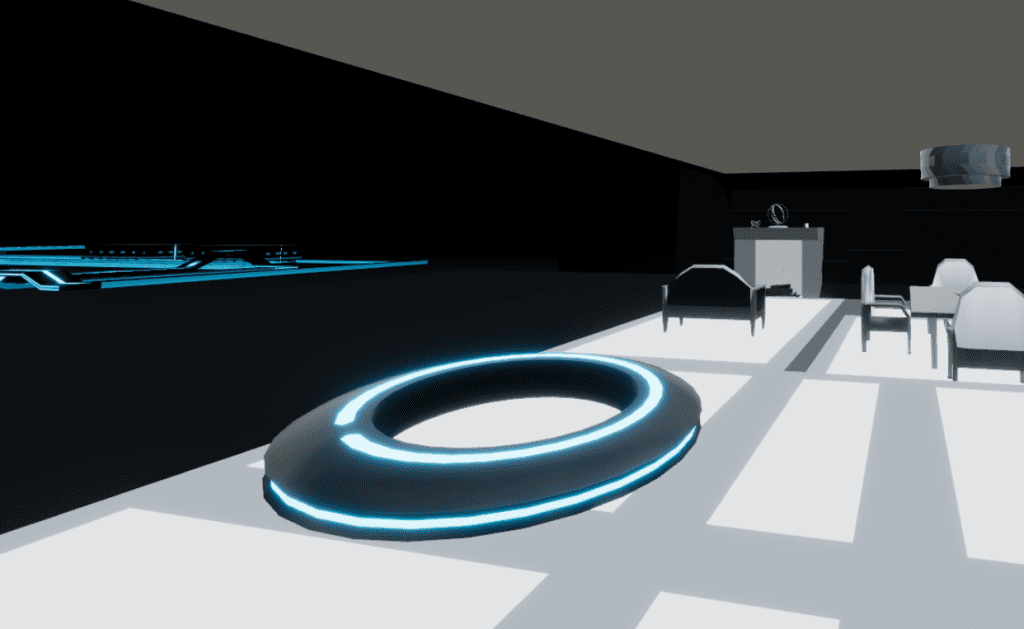
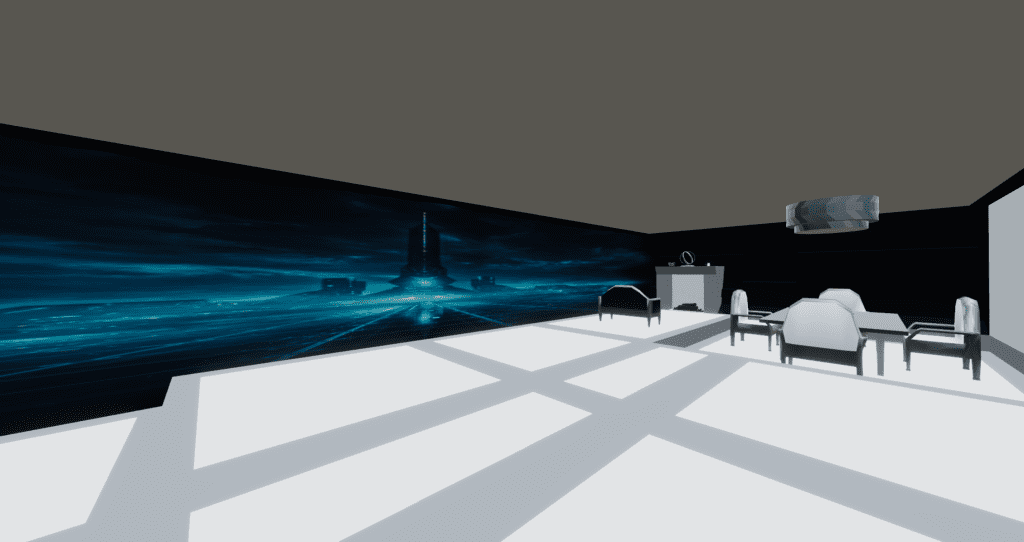
Scene 1: Start in Flynn’s Hideout. A wall is hiding the full city. I will
play the music because without Behavior Graphs at this time, I did not
know how to otherwise time the wall to descend at the same time as the
“Tron” aspect of the song arrives. I invited folks to look at the
fireplace for something to do.
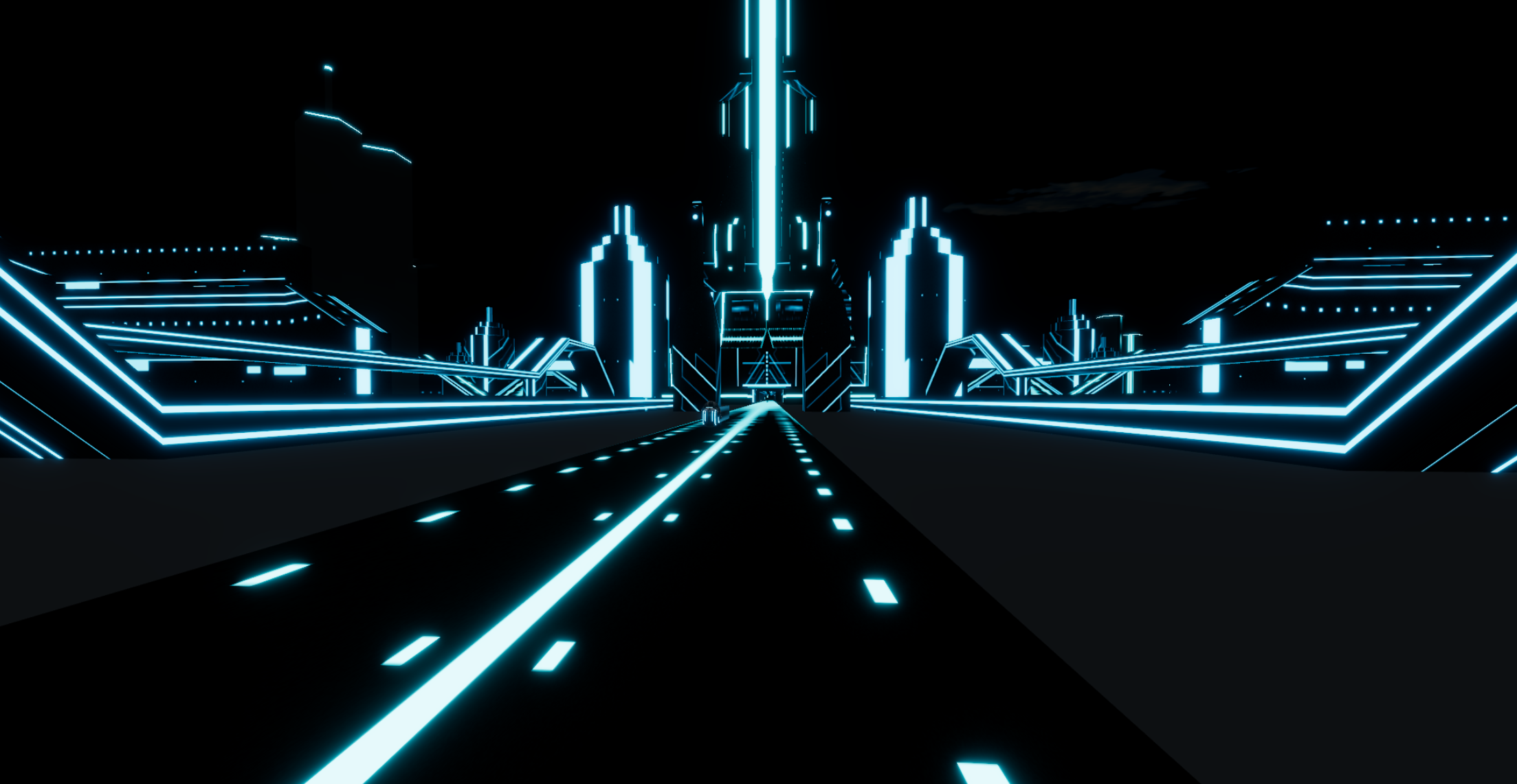
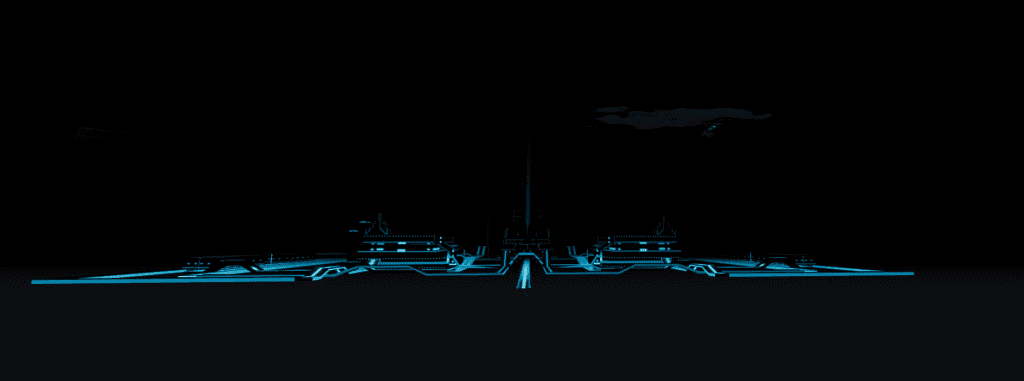
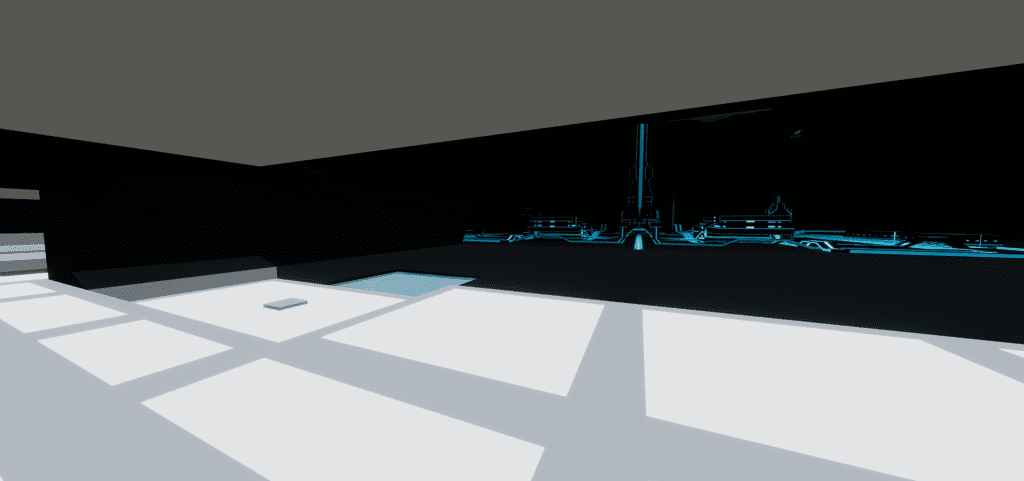
Tron arrival view. Notice the “Tron City” is an image on the wall.
Scene 2: Explore Tron city (The
Grid). It’s really fun to turn your movement speed up to 2.0 and zoom
down the main entry road. I did it nearly every time I visited the
build while working on it.
Scene 3 (an actual other whole Hubs scene): I switched scenes once everyone was comfortable.
The center building was replaced with a “5th Element” style duck (IYKYK),
everything now purple monotone for Halloween, and eliminated Flynn’s Hideout. The sky
changed from black to a purple/orange gradient. Inadvertently, the navigation mesh which I only flirted with in Blender, worked.
The Bummer
Unfortunately,
no one who showed up for the Halloween event knew the Tron movies. So
all of my work adding in references and allusions was for naught at the time.
😔 Hopefully I’ll be able to show this build live to a real Tron fan someday!
The Video
Because
I knew I was launching this space on October 31 at ~3:00 p.m., I
prepared all of my social media in advance of the event to be able to submit it to the show-and-tell Hubs Discord channel for October.
Other inspirations
I would like to point out some other inspirations that I used because this build took me about 8 weeks.
The Tron font generator was brilliant! Another happy accident was getting the purple neon Hubs in Tron font work well in the Hubs space.
Combination neon from the Tron font generator with Hubs bloom.
I did not know that Disney was releasing Tron: Ares
but I did notice that Tron red clips started showing up in my YouTube
searches. Tron: Ares released on October 10, 2025 and did very
poorly. My build released on October 31, 2025 and was completely unrelated!! Cringe!
I did attempt some UV scrolling but in the end, I didn’t like the effect inside of the build; it was too flashy against all the black. The neon bloom was already enough.
Early
on, I collected a few Sleeping Beauty images because I’ve been
intrigued by the angular branches on the trees in the background. These
didn’t show up in the build but I’m keeping those ideas for the future.
I did not make a Recombinant. Thought about it, because it is very basic geometry (it makes the Solar Sailer look very complex). But decided not because in the Tron lore, it is sorta a bad guy.
Easter egg hidden: I made a back door and garage where the Light Cycle starts it’s straight line run across the city. The door does not open until the wall opens, but I figured that I could direct everyone to look towards the city and NOT see the door opening behind them at the same time. That way, that Easter egg would stay mostly hidden until I pointed it out.
Lessons Learned
Keep Blender source files for everything.
Keep a Project folder in my browser for images, fonts, music, anything.
Plan the experience – I liked my 3 scene narrative plot.
Make the social media early. It is stressful but it did work.
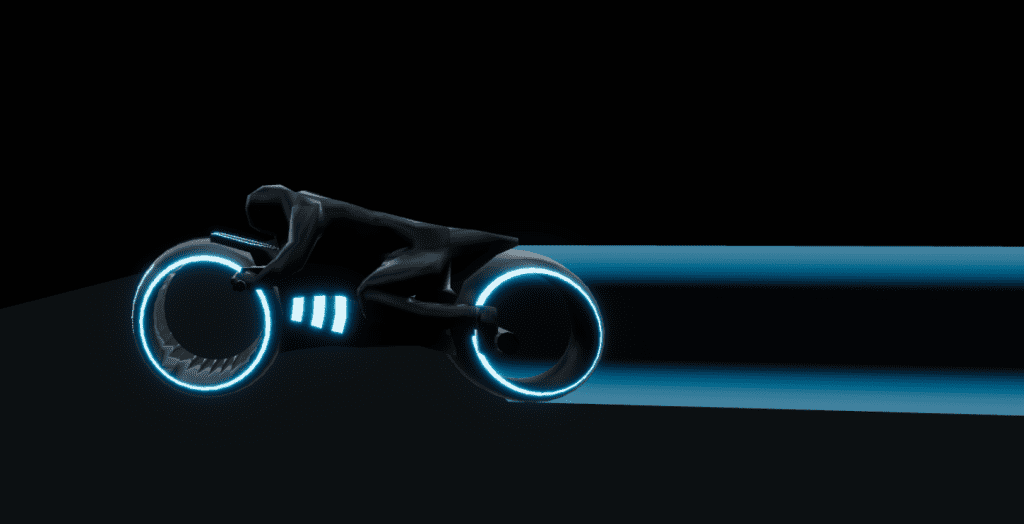
There are MANY fan art pieces for the Tron Light Cycle (Sketchfab Tron Light Cycle search results, ArtStation search results) showing many styles, emphasizing different elements. I did giggle at a model out there that used a human with bare feet. There is even a significant difference between the Light Cycles shown at Comic Con (green and blue) and in the Tron 2 movie (orange and blue). I picked the features that I wanted to for my 3D Light Cycle object which I made in blue and purple.
The Light Cycle was a two day build and I completely restarted it once. Relatively, this was a fast build but I had a lot of fun making it. It’s too bad that it does whiz past in the actual scene, but I know it’s cool. 😎
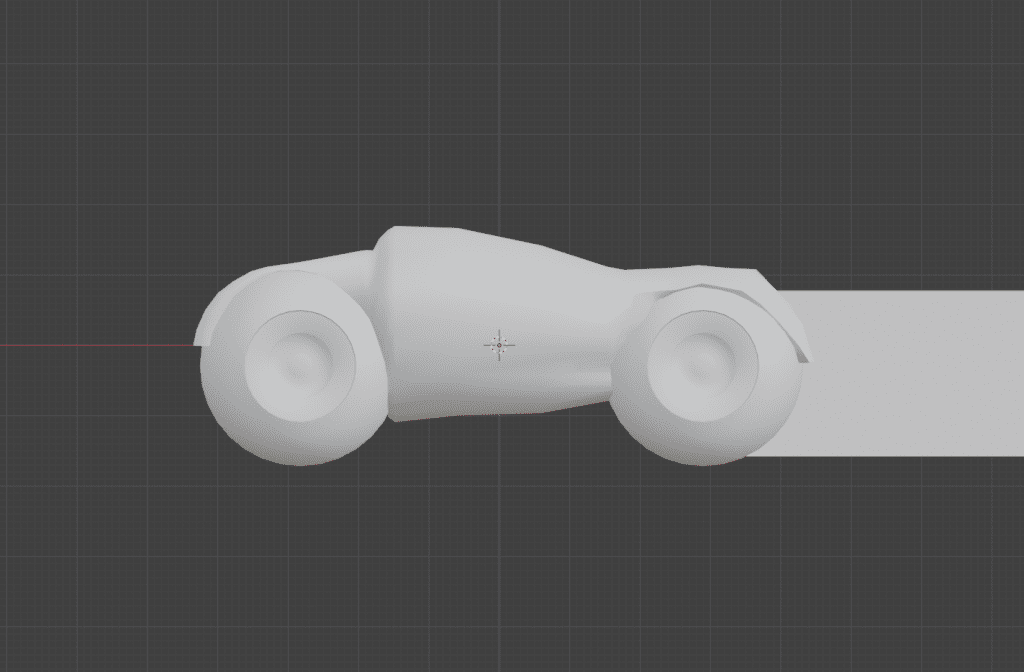
Light cycle version 1
In my first attempt, I started with the wheels which turned out pretty good. But I was primed by this video of a Light Cycle remake. But I didn’t like that core which was a mesh cylinder.
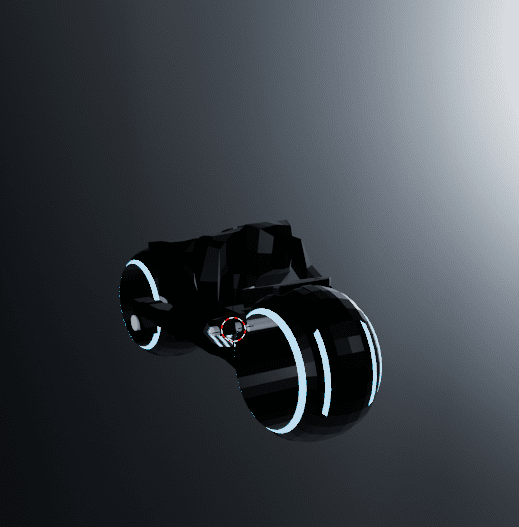
In my second attempt, I just used a mesh cube because that was easier to use loop cuts to get faces that I could pull the arms, legs, and head from. I did add in a mesh cylinder, however, for the light “engine”. I knew that it needed an added glowing tail, but I made the texture for the Solar Sailer and reused it for what Tron lore calls the Light Cycle Ghost Tail.
Light cycle, version 2Light Cycle, with glowing transparent tail (made in GIMP).
Similar but different
POST SCRIPT: This section added
I realized after I pressed Publish (the world’s greatest proofreader) that I had not fully explained what I meant by this build utilizing negative space. Also, I need to properly give credit for the light cycle animation, which goes to Hubs community member, Theanine. I did look at his Synthcity Blender file to find out how he animated his spaceships. I was wondering: did he use a generator of some kind or did he use animation. The answer was animation.
However, while I was there looking at his blend file, I realize that there was a some common “look” from his Synthcity build and my Tron build– both used glowing colors. However, I used a negative space idea and depended on my textures to carry the work and he actually HAS the heavy work in his build.
Here is an example. In Synthcity, windows are added planes that have their own glowing material shading. In Tron, any windows are created as a result of rectangular shapes in the texture. So I didn’t build windows into my buildings. I left my buildings (all of them) as plain shapes. But when I applied the texture, I saw how Blender applied the 2D texture to a 3D shape and with little editing, I went with the results. The straight lines and dashes on the textures became apparent as windows and road paint. So I didn’t bother with the details that Theanine had, but I got a very similar result! Synthcity is going for a video game city look and Tron is going for a city as circuit board look. But Theanine was gracious to comment favorably on my Tron build and that should make all artists happy.
In the Tron 2 movie (TRON: Legacy), it is implied that Sam and Quorra fall in love on the Solar Sailer– which I find a bit rich. 😕 But the scene of them on the Solar Sailer sailing into Tron city is beautiful and I wanted to replicate that.
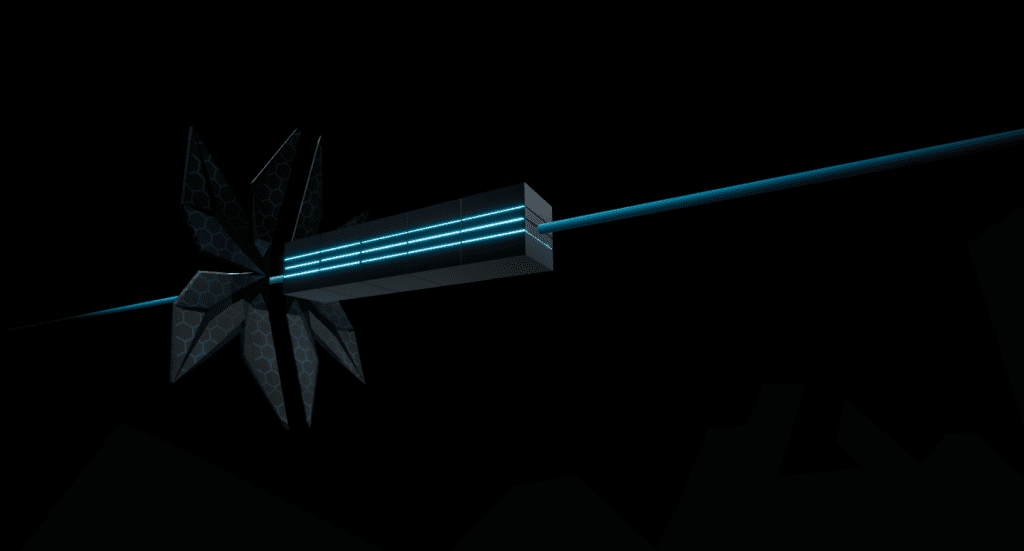
I used Blender make the shape of the solar sailer (easy, one day). I made the sail texture in Blender as well, which turned into what I call a happy accident when I’m making my art. I made a cylinder, shaped as a six-sided hexagon, made glowing beveled edges, duplicated it, snuggled them up to each other to fill the camera view with a good scale. I did a bit of tweaking to try to make the texture seamless but alas, no one really notices it so far into the sky. But when I went to render a 2D image out of this 3D object set, you guessed it – completely black. I had not put ANY light into the scene so Blender was like “Nope, you get completely black as a result.” So I threw a “light” source haphazardly over the scene while saying something like “Give me SOMETHING lit” and Blender rendered the texture I show in the Inspiration image—it’s a lit just a bit of left-center. And I realized— YES! That’s how I see my Solar Sailer moving through the scene! It will float through on the right side of the city so it will be “lit” from the left.
What a cool, happy accident! I ran with that texture. It’s actually one of my proudest accomplishments because instead of a flat texture, I had a texture that meant something real inside the scene (and I simply changed the color for a purple equivalent Solar Sailer).
One Hubs note here: I thought about trying to put a waypoint on the Solar Sailer so that visitors could go up and sit on it (ride it?) just like the Inspiration image above. But I did remember that Hubs doesn’t do moving objects to ride on. Later, I asked a Hubs expert about it and he said that a visitor could go to the waypoint (utilize it) but then they’ll stay on one place in space as the object the waypoint is attached to moves on. Oh well, a future version of the software will accommodate moving waypoints, I’m sure.
My Tron Solar Sailer
Tron Avatar
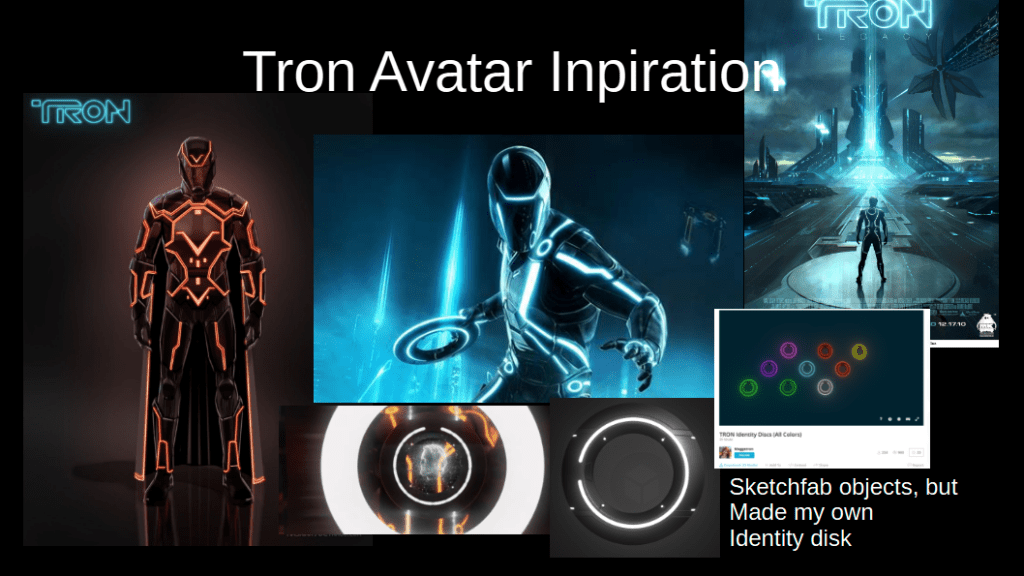
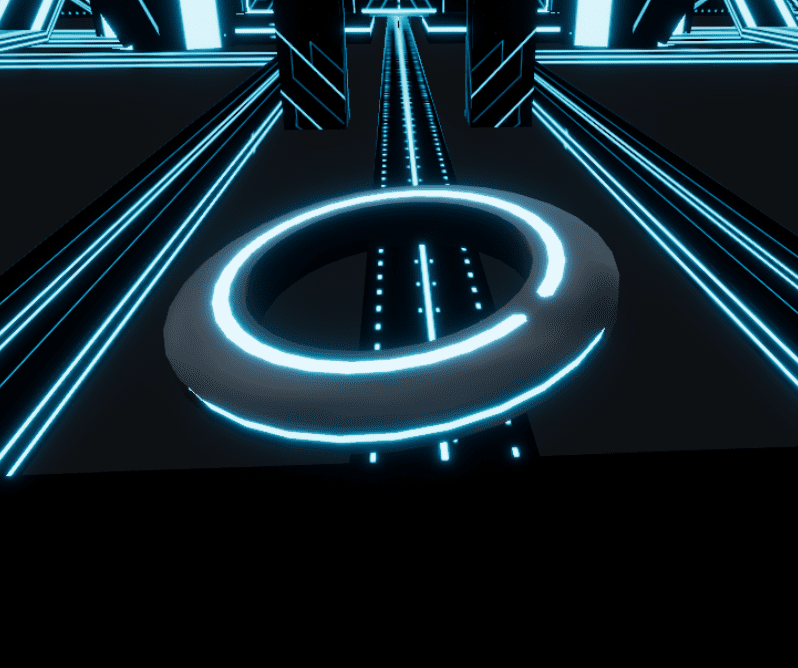
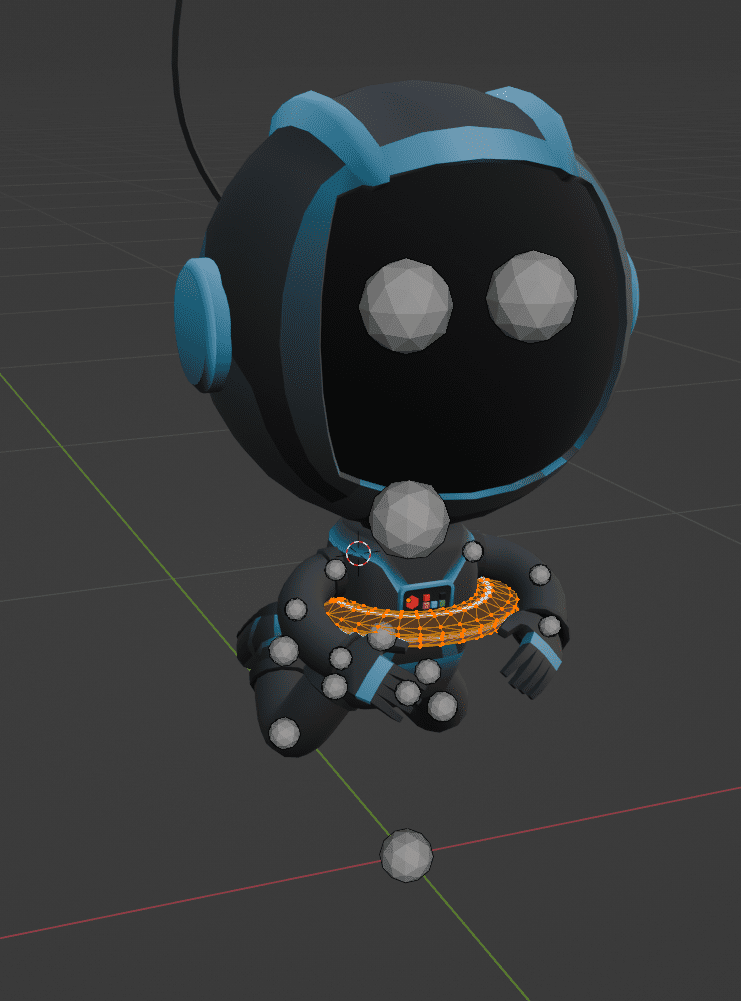
No Tron avatar is complete without an identity disk so I attempted that first.
Sketchfab models in wireframe mode are very helpful for buildingMy Identity Disk in blue
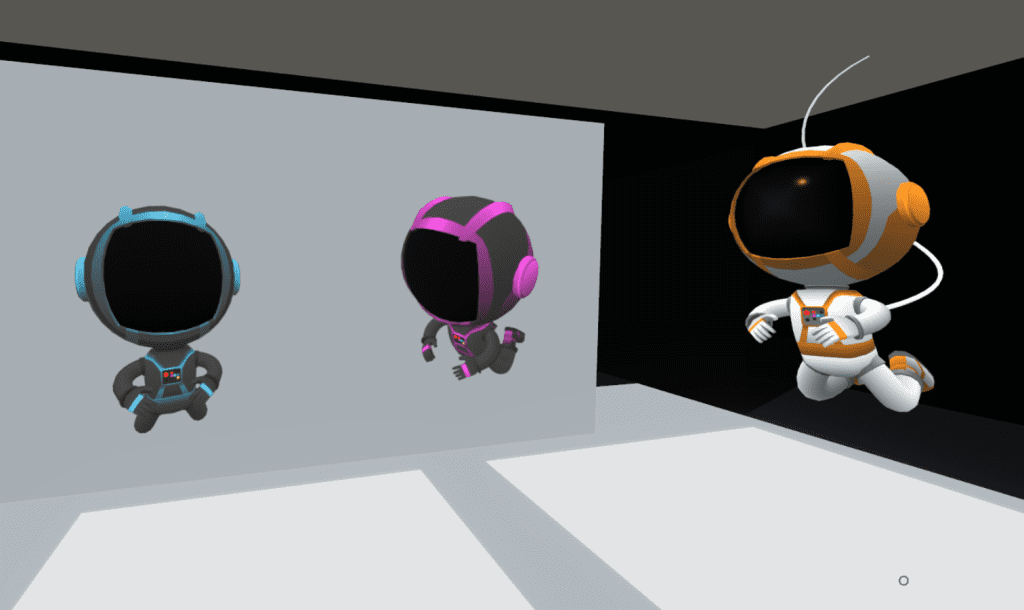
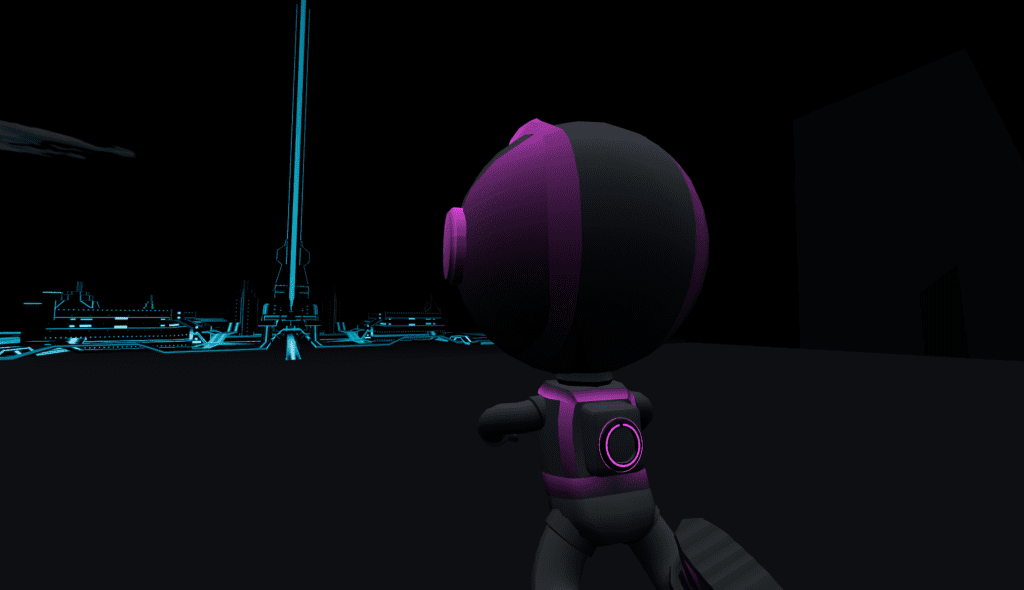
I customized an already available orange and white “Spaceman” avatar from Hubs, created by Jim Conrad.
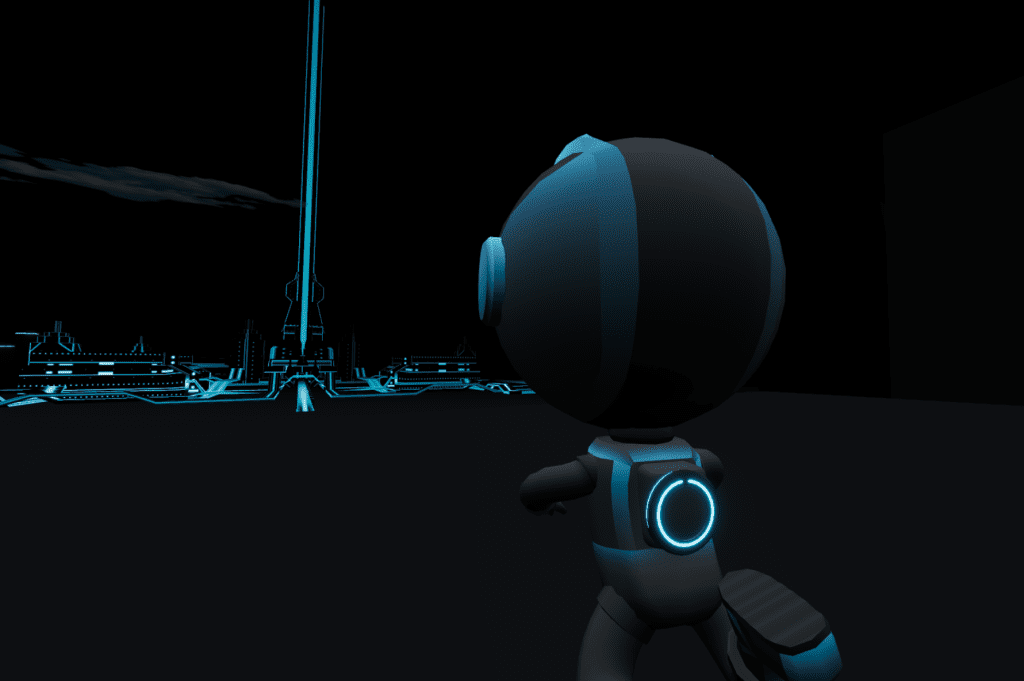
I changed the base texture using GIMP and removed the air supply hose. I added a Tron Identity Disk on the back
Work in progress: Adding my Identity Disk in BlenderTron avatar blueTron avatar purple
I made a blue avatar for all of my attendees by placing it up on my Hubs instance and taking all other avatars offline for guests via the Hubs Admin Panel. Then I made a purple avatar for me to wear as host (and it was a hint that a purple Grid was coming).
In Part 3, I’ll cover the big reveal as this build was not even leaked to the public before the opening day, Halloween 2025.
As promised, I’m starting blog posts about my Hubs/Blender builds. This will be a bit like stepping into a running stream as I’m over 2 years into my learning journey. I’m not that far in, still working primarily in modeling and I’ve done a little animation and I’m currently learning Grease Pencil (2D). Plus, I hope that some of my writing will help others.
What I do in Hubs and with Blender, for now, is pure art.
And that’s a good starting point for this blog because My Tron build, The Grid, was a really fun art study in negative space. In other words, this build had me work on what was not there just as much as what was there.
Tron
I don’t remember how me and YouTube started cross-pollinating on Tron. Truly, I’m not that into the movie (you will not believe that by the time this post is done because now, my Tron lore cup runneth over). It might have been this video, Sweet Dreams are Made of These, Epic Tron Version. I just find this song mesmerizing.
At some point, probably when searching out YouTube Blender tutorials, I ran across this video, Make Tron City in Blender, Real Time Render.
I watched this, it’s only 39 minutes and the creator is true to his word (mostly) that the build can be made in a short period of time. (There is little sped up footage.) That means a lot when evaluating a Blender tutorial. Many creators speed up time and give building ‘the hand wave’ approach. However, a close watch will show that this creator, Daniel Grove, made the Tron city three times as there are two different showcased cities (the center building changes) and then the one he builds as his how-to in real time.
Nonetheless, it looked very simple. I was intrigued to play with bloom. Making my own textures with Blender was something I had just learned to do. I started.
Textures
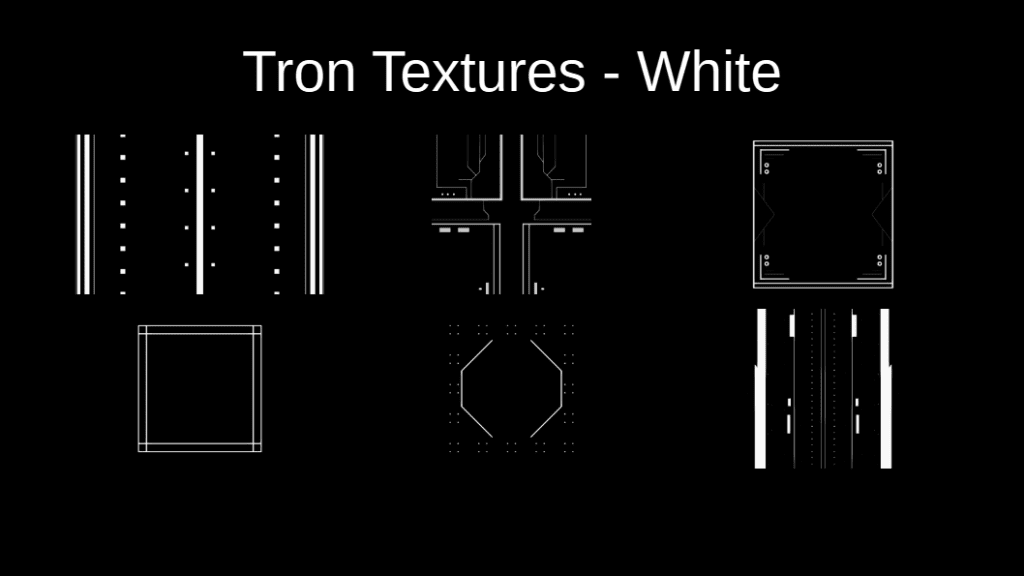
This video and I think perhaps one by Grant Abbitt on using Grease Pencil Drawing in Blender got me going with using the Drawing tools in Blender and practicing something relatively easy, straight lines. I input a few circles but most of the textures are straight lines with a few angles.
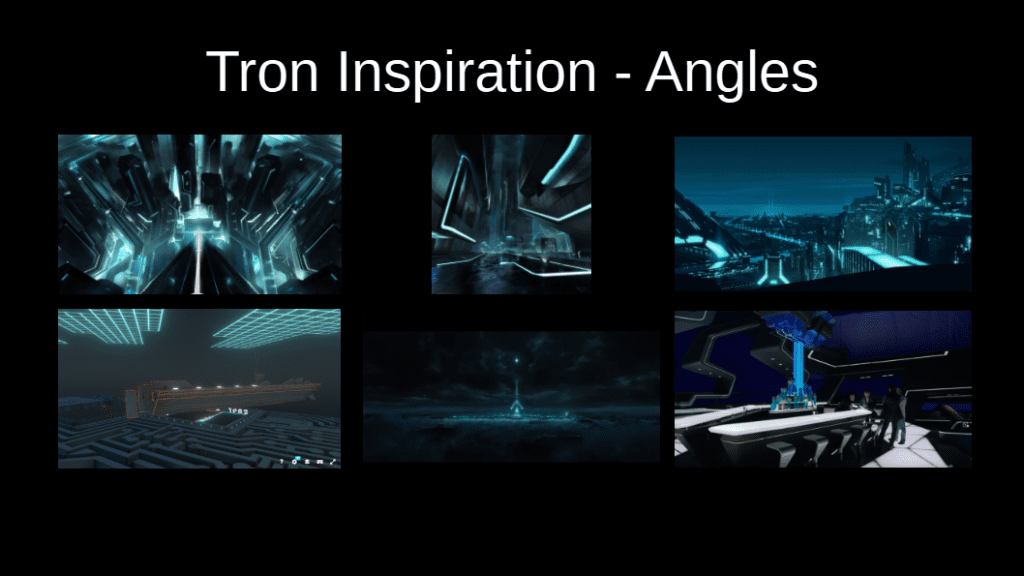
In my “lit review” of Tron art, angles are a cool element. They are not quite 45 degrees, but they play near there.
Inspiration images – note some of these are directly from the Tron movies/books but some are fan art.
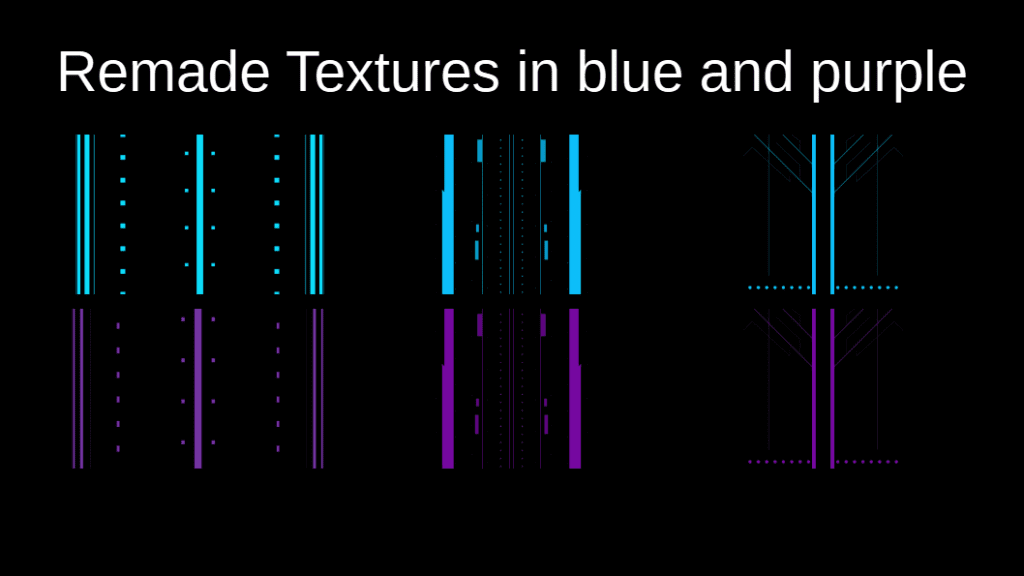
So I had my first bunch of textures, these were all made in Blender. Note that they are white on black.
None of these show up in the final build
I got the rest of the buildings made (and conceived of my “Halloween twist”), put the textures on and ramped up the bloom. The tutorial has you build a Color Ramp to turn the white to blue. In Blender, it looked fabulous! Essentially, I’m done! No, I’m not. I make immersive art.
I put the build up into Hubs to get inside it for the first time.
Nothing. Blackness. But that’s because my build was unlit– as in completely unlit; no light source. I had to play with some HDRIs to get the lighting I wanted.
And, I had bloom off on my own browser. That’s the problem that you can partially see below. It’s not glowing.
Work in progress. Note that the blue color is working but nothing is glowing.
So starts the work of translating what is a great scene in Blender to work in the WebXR platform, Hubs. There are LOT more settings to be worked on. In total, lighting took me ~3 days, slowing tweaking each setting and using the Hubs Blender Add-On after every tweak to see if was working towards the effect I wanted. Plus I had to turn bloom on.
Problem
But of course, Hubs cannot understand the color ramp taught in the tutorial. So now I had to rebuild my entire set of textures in blue on black. Plus by now I know I want a set of purple on black for Halloween. I didn’t quite keep a set of Blender files for each texture, so I had t remake most of them from scratch. Bummer. That was another two days work. Plus I had to check for just the right “blue” (HEX 0DC2FF) and “purple” (HEX 7809A4) inside of Hubs. I would reference those 2 HEX codes frequently. In hindsight, the blue worked great. But the purple– even though I tried 3 different purples (a dark, a mid, and a light) was still too dark; it didn’t glow much in general. I’d pick a lighter purple if I did this again.
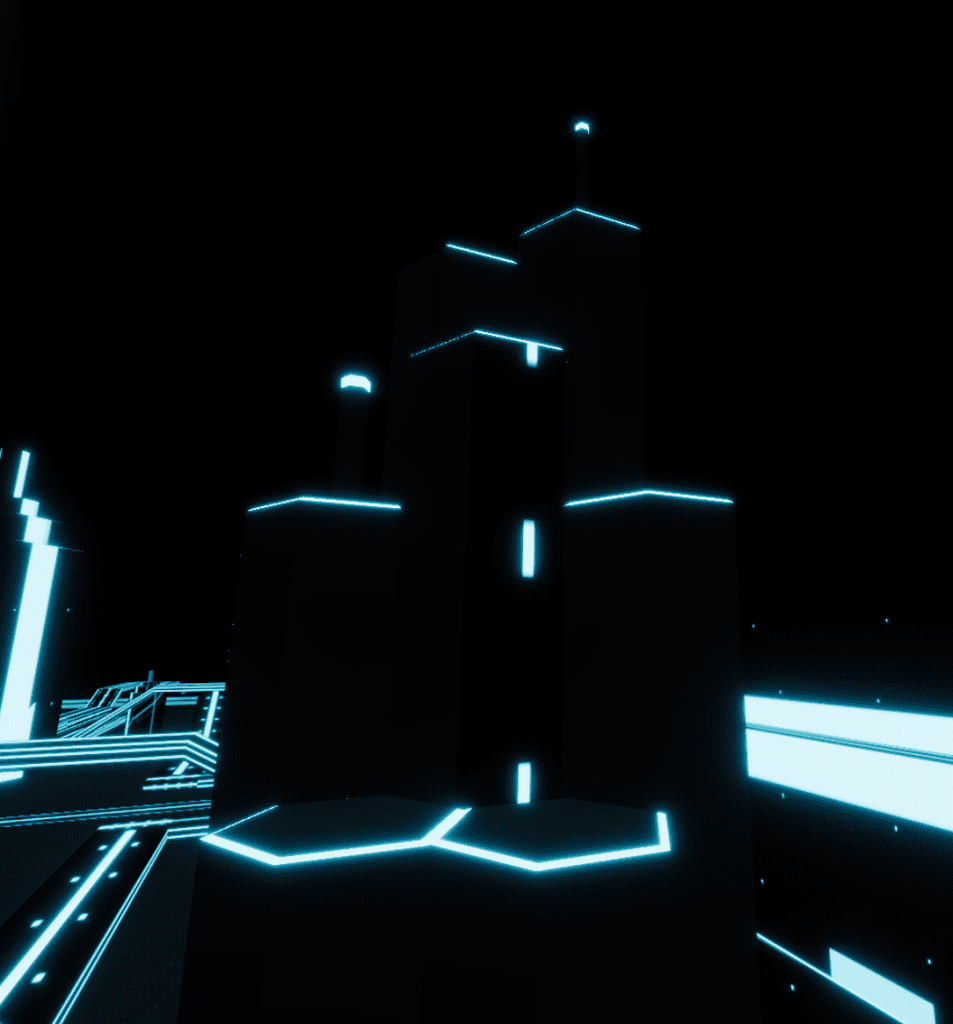
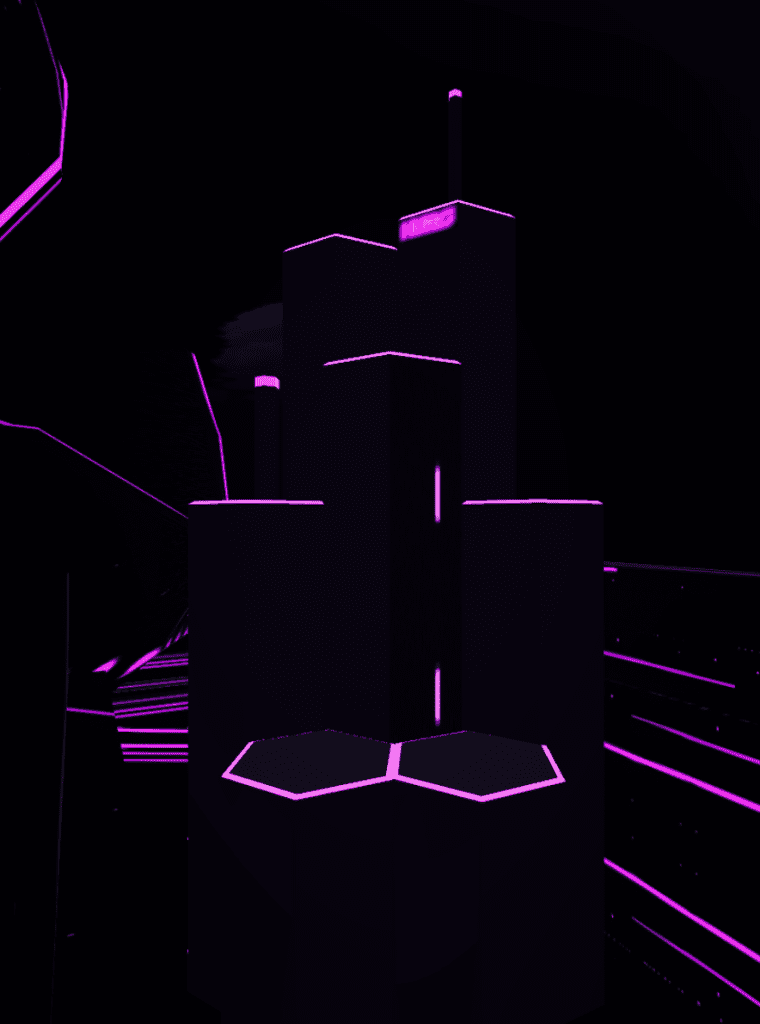
Notice how the purple just seems darker.
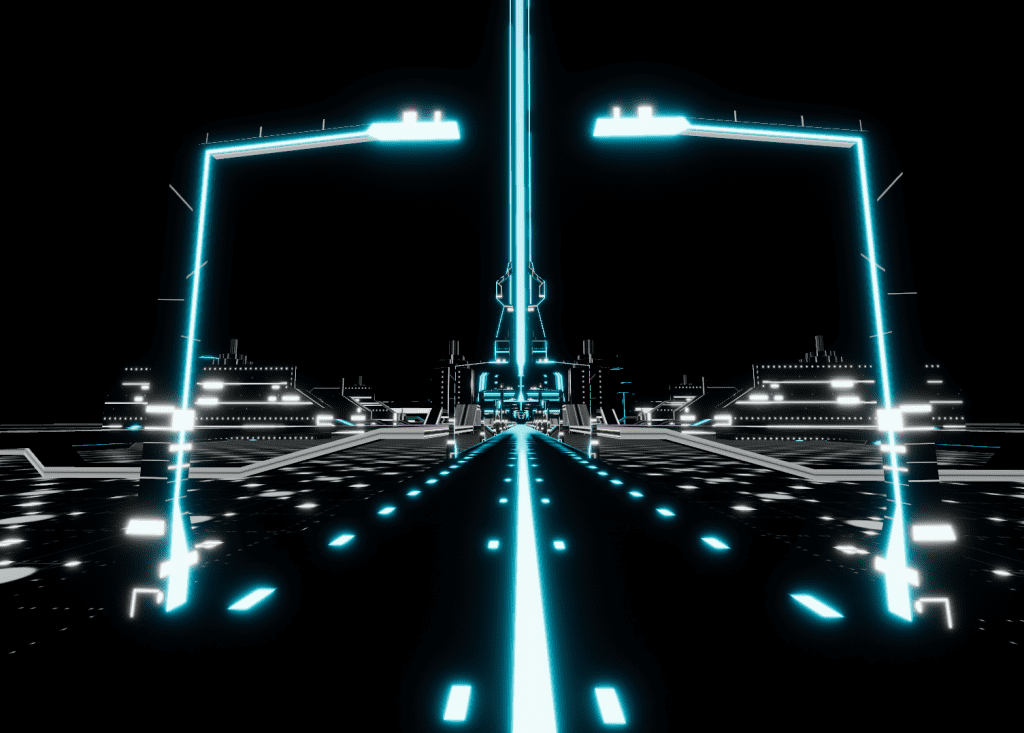
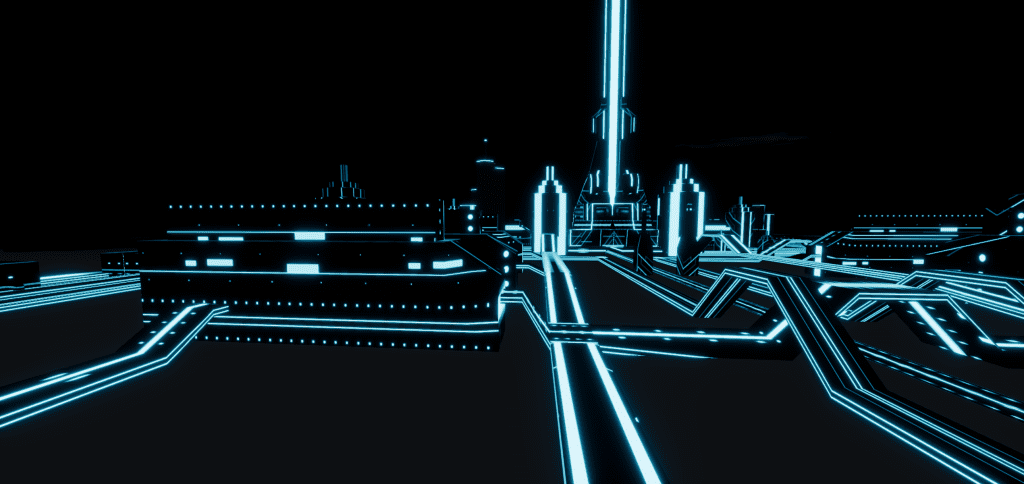
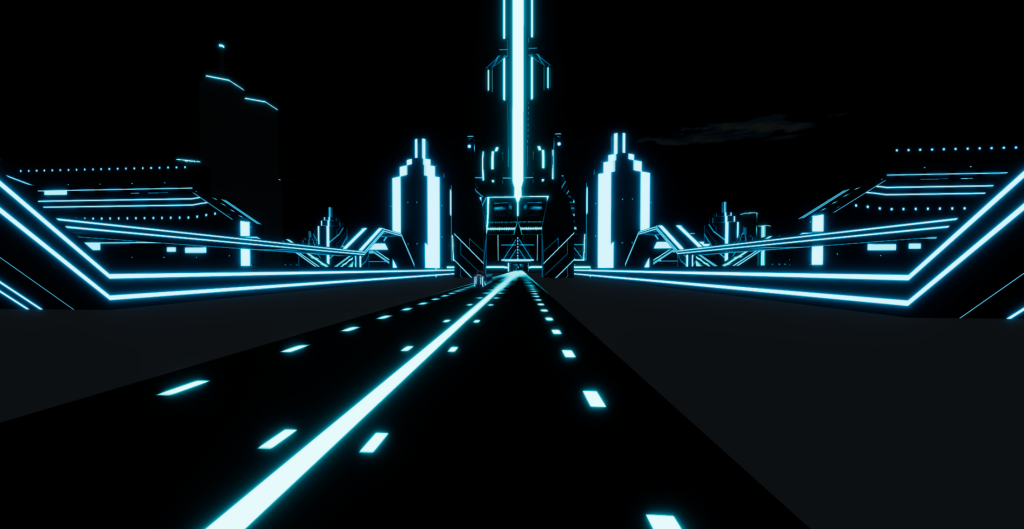
At this point I have one of the textures in blue (the road) but I’m still tweaking the bloom. Notice the white in most of the textures. The street lights are glowing from a blue material with emission, not a texture.
Only the blue is emissive at this point. I haven’t replaced all of the textures yet.
In addition to re-texturing, I was adding Flynn’s Hideout (aka apartment or safehouse) and heavily researching Tron lore to determine the purposes for things. I learned a LOT more about Tron that I ever wanted but it was cool to explore a world that was a computer simulation.
For example, there is a fireplace with a mantel in the hideout. I had to ask “what is fire in the Tron world?” and found that it appears to be blue transparent cubes (Tron Wiki, Flynn’s Safehouse, Trivia). Blue transparent cubes coming up! First, actually made in 3D in Blender. Then I picked a camera viewpoint and rendered one in 2D to be used with Hubs spawner. The result? Close enough. I’m still hesitant with transparency in Blender and Gimp. If I were to make these again, I would not have as many lines.
My Tron fire cube
Design Elements for Flynn’s Hideout
Should be spawn location
Can see Tron city (The Grid) from an outer deck
Includes water or meditation pool
Has angled black shiny walls (entire Tron world is black angled shiny rock)
There needs to be a book shelf in the back. Books appear to be significant in Tron lore. Books containing “text” might be the only part of the real world that computer programs can attempt to understand. The poorly done ‘do you know Jules Verne’ joke implies that programs struggle with fiction/nonfiction text.
No real food, but Flynn does eat. Note: humans are users. Users are self-powered in the Tron world. They are the only entity that is self-powered. That self-empowerment grants them somewhat of a god status in the Grid. It also allows Flynn to live separate, off the Grid, and beyond the reach of Clu.
There should be a bedroom to the side.
The fireplace has objects that seem to bemuse and simultaneously confuse Clu. I recreated this scene in my video. #CluDoesNotGetTchotchkes
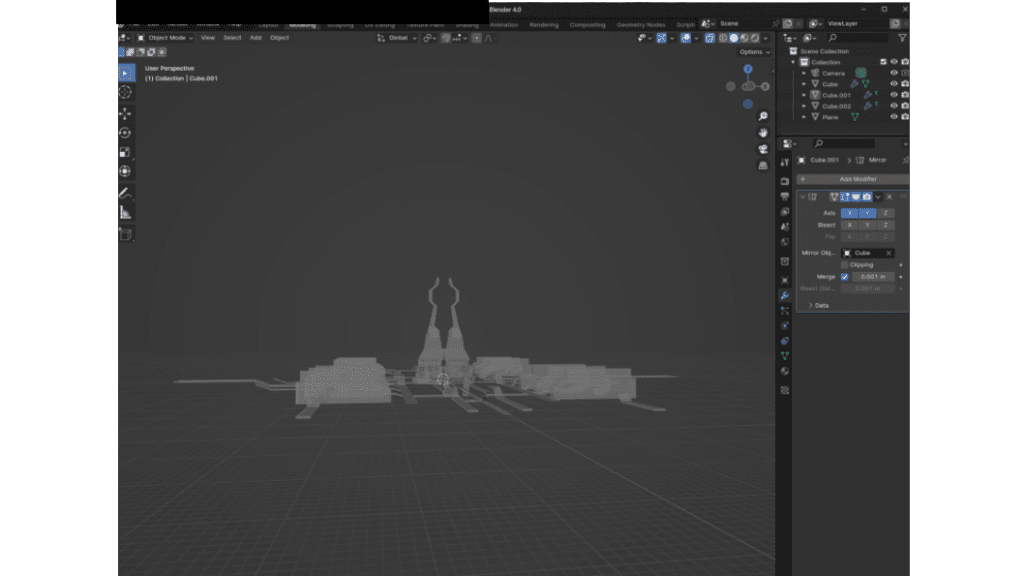
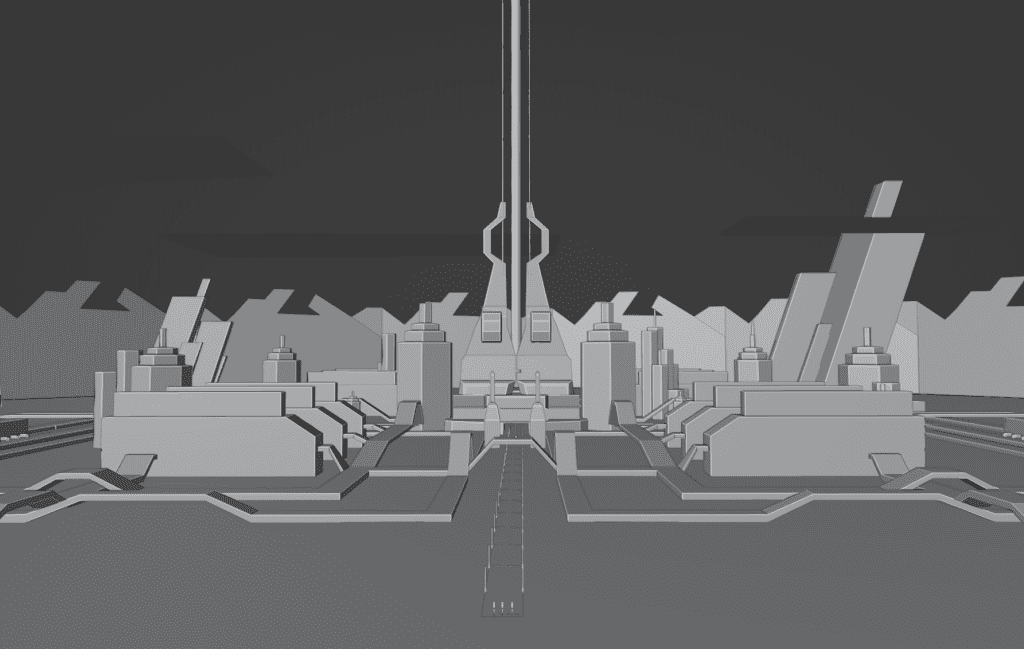
Work in progress: Blender screen showing that the basic city is only 3 cubes
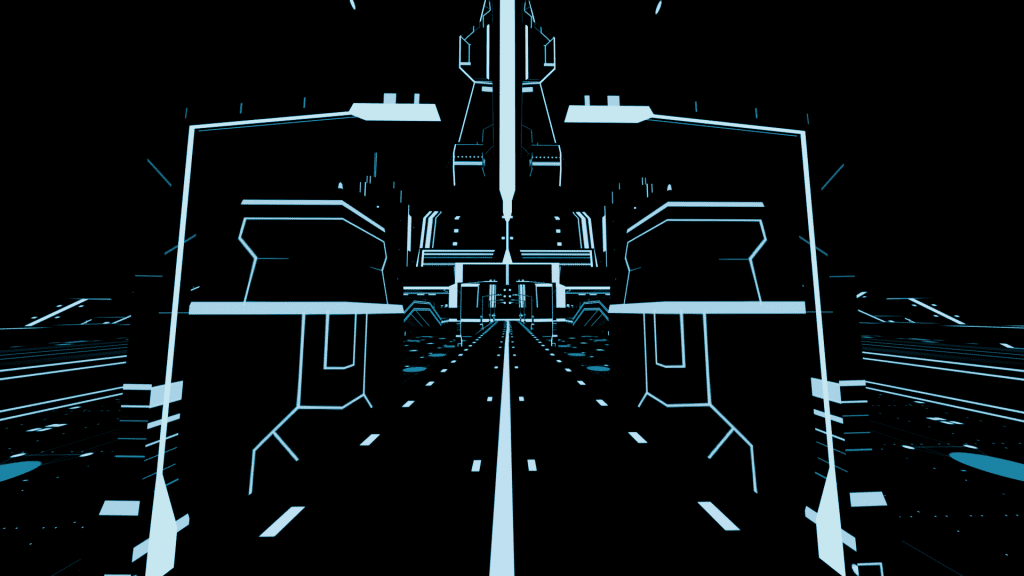
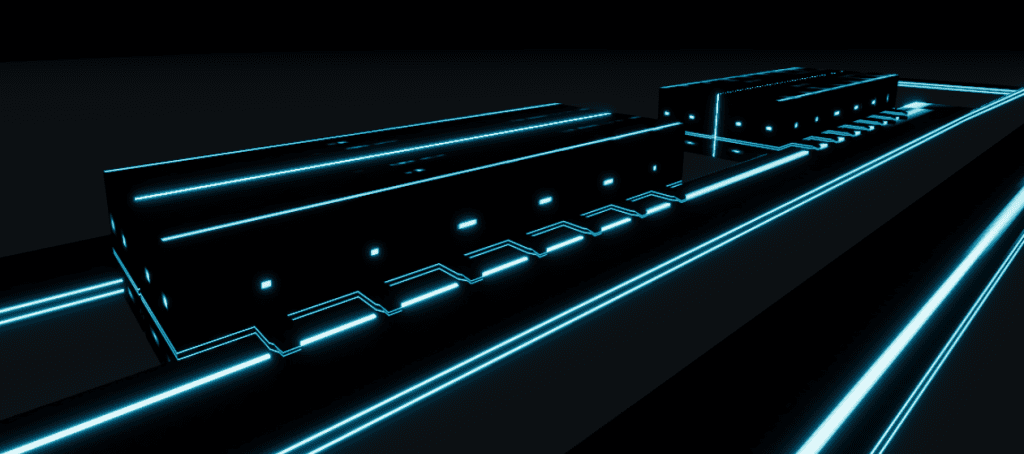
This series of images shows what I mean by “the textures carry the weight” and the use of negative space is compelling. The textures add what could be windows, doors, or programming through the scene. On the “roads” the textures give a sense of movement. It’s wild that all that busy city is from a few cubes, with the Mirror Modifier and some linear textures.
Tron City Elements
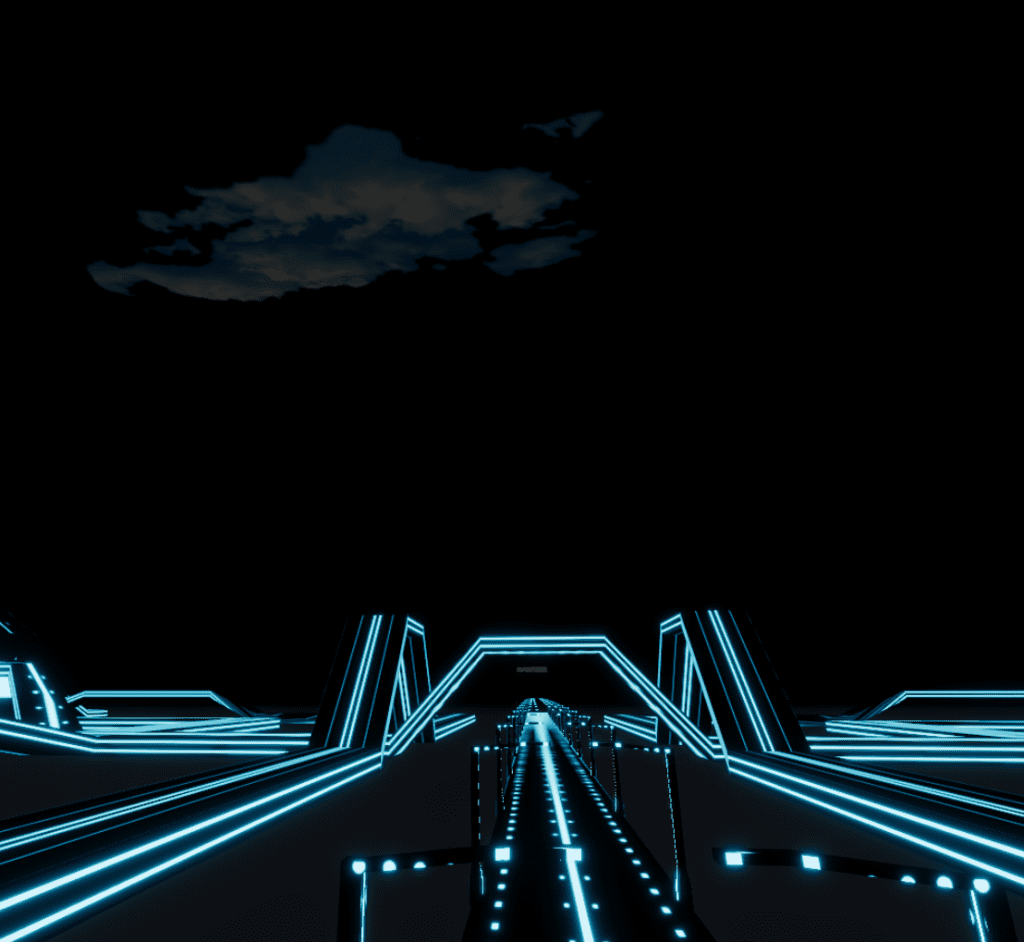
Apparently, it’s always dark and stormy in the Grid. Technically, it can rain and the Grid is rather proud that it can simulate rain. I did not make rain. I added some blue-tinted clouds that float across the scene via my animation. The black rock everywhere is shiny. Perhaps it is a break in the rain.
It’s always stormy in the Grid
I became much more comfortable with the Mirror Modifier in Blender in this build because the tutorial has you create the city with one mirror (i.e. X axis) but I simply added the other horizontal mirror (i.e. Y axis) for things like the roads and you quickly get a much larger symmetrical city!
The city is NOT fully symmetrical. I created some extra buildings that I manually placed into the scene.
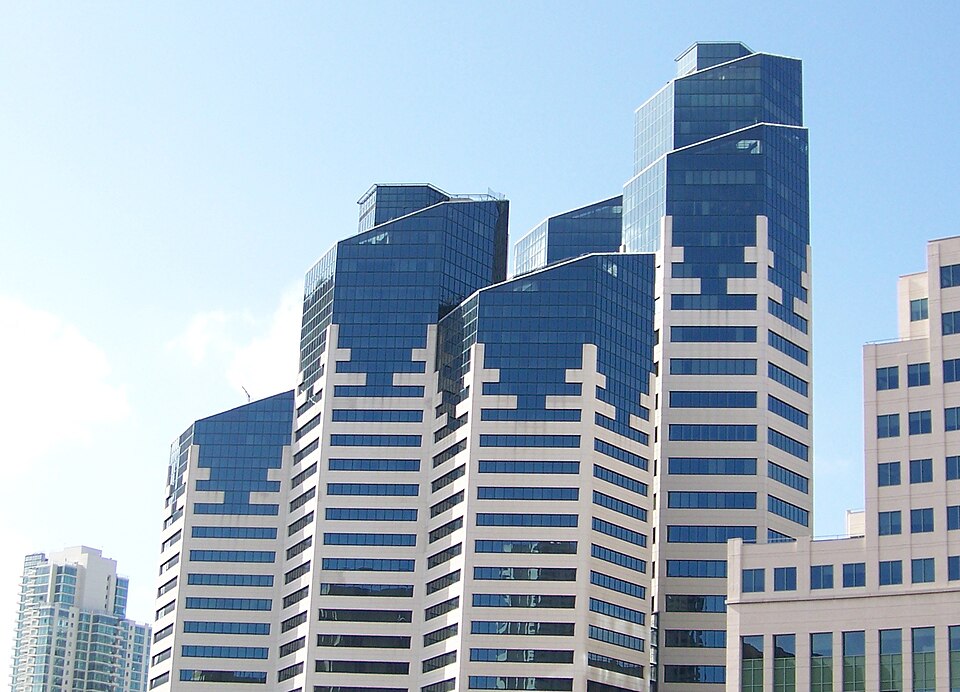
By Nehrams2020, CC BY-SA 3.0, https://commons.wikimedia.org/w/index.php?curid=6637555
My purple socket set with a neon Hubs sign
I chose not to make the Games stadium. It’s already a big build and I didn’t need another building complex for my story line.
I thought about having the Solar Sailer arrive at some sort of tethered location at an antennae. I built the building for it to arrive at (per the Tron plot). But I decided that I liked the look of it just sailing through and past better.
About that center power beam
The tutorial doesn’t care how high the beam goes up as you just get it going up out of the animation render camera shot. But since my city is immersive, I had to think about how high of a beam I wanted. The beam IS part of Tron lore and it represents communicating back with reality so I thought it should go up forever! I really thought I had a perfect application for Fading Assets Gracefully with Vertex Alpha. But with Blender 4.0 (or some version near there), alpha has changed and changed how it is done. Thus, I’m lost and could NOT get it to work. I’m sure the problem is with me and I just need to adjust to the new system, but still I’m floundering.
Still, a mantra that I keep repeating did work: There is more than one way to do things in Blender.
So I tried Hubs black fog instead. Plus, since I already knew by that time that that beam was about 500m from the spawn point, if I set the fog to 500m it should just about perfectly hide the beam until a visitor goes out to the cliff edge.
View of Tron city after just stepping outside of the HideoutView of Tron City further out on the cliff edgeWIP image: Note the elements: the cushion, the water pool, the bedroom, and the far off city.
By The Numbers
The final build of Tron City with Flynn’s Hideout: ~18MB. I’m very sure most of that were my textures. But all things considered, that’s a tiny number for a build 1 kilometer in size.
I’m hearing plenty of comments that the arts, specifically
performance art, is taking a huge hit due to COVID-19. On July 24, 2020
the Sacramento Business Journal reported
the loss in the United States alone at $9 billion. In some cases, art
events just shut down with no forward-looking plans to re-open. So the
loss is incalculable. We are in the middle of the summer concert and art scene. I get it. The arts might be down. But they are NOT out.
Actually instead of “Get out there and enjoy” for art experiences, it is a case of “Get in there and enjoy.”Modify your expectations and what the art community is already doing will amaze you. Here we begin our short tour through the virtual arts scene in a pandemic.
Art & Computers: Digital Playmates
First,
I want to remind you that video games are no stranger to the arts. The
release of Civilization IV in 2005 with title song “Baba Yetu”
(The Lord’s Prayer in Swahili) by Christopher Tin was the first piece
of video game music to win a Grammy. Personally, I still find this video
very moving and I use it as my introduction to my doctoral research
topic.
In
a metaplay on real world events, the organizers of this art show
challenged the contributors to make art posters to support the thoughts,
feelings, and issues of COVID-19 and social distancing.
I found
the posters to be a wonderful mental interplay of World War II American
propaganda and the COVID-19 Public Health efforts.
Sales have
ended on buying copies of the artwork, so let that be a lesson to you!
Just because it is virtual does not mean art is FREE.
You can still enter the art gallery here! [Update from 2026, it has closed.] It’s in Mozilla Hubs (WebXR) so you should just click and go. (Be
patient and nice just like you would at an art gallery, people!)
“The
project was made to mark 50 years of Earth Day, an annual event held in
support of environmental protection. All the works on display respond
to the theme of Earth and human relationships.”
Clubbing: The Music Scene
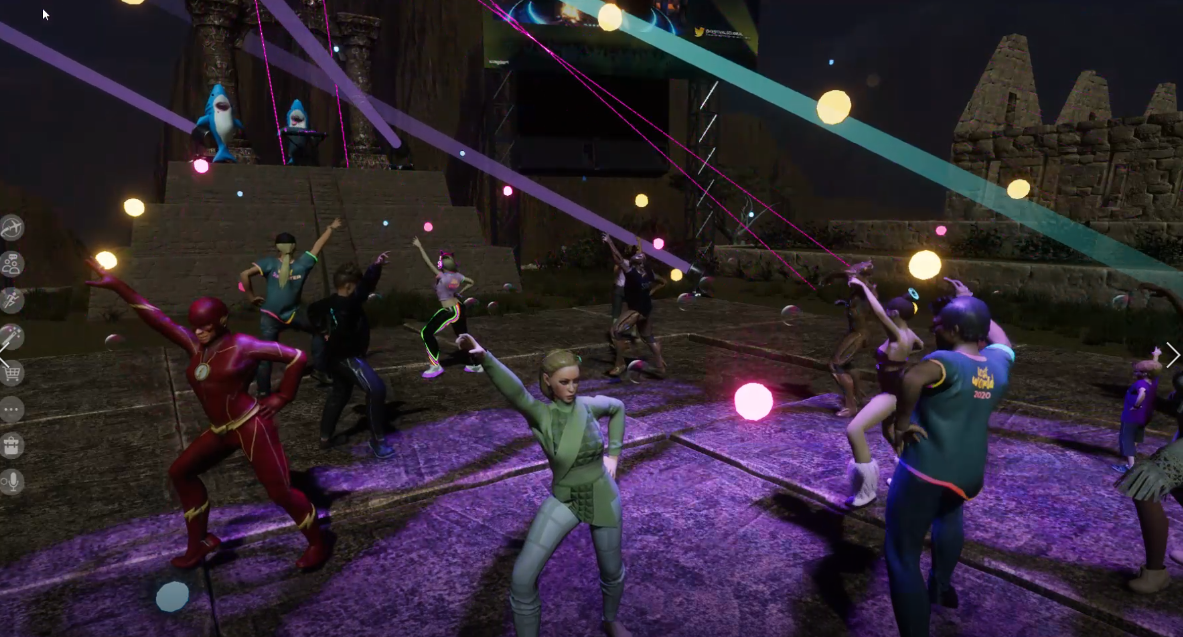
Did I mention that I went clubbing in Paris a few weeks ago? I just like the way that SOUNDS. In
all seriousness, I never left New York and I only found out about this
event a couple of hours before it started. And, she writes wincing, I
had to be late for the actual event but the DJ after some gentle nudging
played another hour just for my tribe! Yes! Do not be unnerved by all
the Santas. Remember, Santa is jolly?!?
This was the DJ who I’m not going to disclose here as a really cool VR day job.
The lesson here: Set your social media to *search* for art experiences.
Instead
of a shared Google doc for your next meeting, how about having an
artist live sketch your thoughts using Tilt-brush in a space that you
can re-enter? Talk about a Memory Palace.
Yes,
Sansar is a specific app download. But this was simulcast to Twitch,
Beatport, YouTube, and Facebook to 4.3 million possible attendees. So,
no excuses.
I love my tweet above, I’m writing EXACTLY like I’m in
a loud event and all I can get out is yelling “MUSIC IS FUN!” while
pointing to the stage.
“Starting
July 9 showings will be presented in Tender Claws’ groundbreaking
virtual theater. Tickets for The Under Presents: Tempest sell for $15
and that buys you a live performance from an actor who casts you in the
play for a show running approximately 40 minutes.”
Did you catch that? Pay your ticket price, show up at a time, and you are in the play!
“Participants
are tapped to dress up in costumes and pantomime parts of the
experience which play out as much in virtual reality as they do in the
imagination of the player. That’s a remarkable feat and exactly what makes this unlike anything else in VR right now. The Tempest is a fascinating evolution for both Tender Claws and The Under Presents.”
Suffered through all this art and really want team sports to play at home? Uhm, have you heard of paintball?
“For
too long art has been seen as an extra, an add-on, something
dispensable unless it can prove its worth by numbers and quotas. It may
be that we lost sight of art’s special value because prosperity obscured
its meaning, its profound questions, and its uncanny capacity for
transcendence.
It is in the face of death that art becomes most
powerful. It was said that during the time of the Black Death in Italy,
people carried paintings through the streets to confront the plague.
Some might say that it was not the paintings themselves that were seen
as death-fighting images, but the subjects of the paintings, the
Madonnas and the images of Christ, that were being used to confront a
scale of death the people could not understand. It hardly matters which
it was: art became a weapon against the plague.”