Tag: 2D VR

  • Seeking Integrity in VR Educational Research

    Seeking Integrity in VR Educational Research


    Banner image of a woman in a hooded cloak looks out from a dark scene
    Credit: Midjourney and me

    I’m starting a new article series today, calling out ‘bad research’ or research that is quoted badly in virtual reality for educational use. I thought I would start with a whopper – a really egregious example to start this series with a bang. Then I checked my notes and realized that this example is from LAST MONTH, June 2023. I’m not even going into the vault for this. I’m barely picking myself up off the ground from the shock wave.

    So, like Mario says “Here we go!”

    What Is Said About The Research Versus What The Research Says

    June 2023, LinkedIn Post:

    “According to a study from the University of Maryland in 2018, learners remember an astounding 90% of what they experience in VR compared to merely 10% of what they read and 20% of what they hear.”

    LinkedIn post with quote and photo. Details blurred.

    I believe this is the research referred to:

    Krokos, E., Plaisant, C., & Varshney, A. (2019). Virtual memory palaces: immersion aids recall. Virtual reality, 23, 1-15. https://obj.umiacs.umd.edu/virtual_reality_study/10.1007-s10055-018-0346-3.pdf

    Hey, I’ll give you the abstract because I know you don’t like to read long papers:

    “Virtual reality displays, such as head-mounted displays (HMD), affords us a superior spatial awareness by leveraging our vestibular and proprioceptive senses, as compared to traditional desktop displays. Since classical times, people have used memory palaces as a spatial mnemonic to help remember information by organizing it spatially and associating it with sali�ent features in that environment. In this paper, we explore whether using virtual memory palaces in a head-mounted display with head-tracking (HMD condition) would allow a user to better recall information than when using a traditional desktop display with a mouse-based interaction (desktop condition). [OK skip to here because this is the interesting part:] We found that virtual memory palaces in HMD condition provide a superior memory recall ability compared to the desktop condition. We believe this is a frst step in using virtual environments for creating more memorable experiences that enhance productivity through better recall of large amounts of information organized using the idea of virtual memory palaces.”

    Google Scholar tells me this study has been cited 461 times. That’s a low-medium citation number. Not bad, and remember that’s in ~3 years of time.

    Believe it or not, I’m walking RIGHT PAST that 90%, 10%, and 20% because it has already be debunked here and here. Also, to be fair to the research paper, it never quotes those 10 and 20% numbers.

    My Take on the Research

    Research found 90.48% recall in the headset condition, with a 78.57% score from the desktop display control group. So that’s ~10% higher with the headset. 

    From Section 4.1 “Using a paired t test with Bonferroni–Holm correction, we calculated p = 0.0017 < 0.05 which shows that our result was statistically significant.”

    Interesting. I’m not familiar with Bonferroni-Holm correction. Just looking at it, it appears to be a method of discarding some data. I wonder if NOT using it showed a not statistically significant difference between the 90 and 78. Their n was 40. Smaller group sizes means it can be harder to justify the data as fitting a normal bell curve.

    Figure 5 shows the data and just looking at it, you can see that the numbers landed in similar scores. The boxes overlap, so whatever the effect of VR is, it’s not that substantial in this study. Students were learning, regardless.

    But here comes the whopper. Check out this little detail in the Materials section:

    “For this study, we used a traditional desktop with a 30 inch (76.2) cm—diagonal monitor and an Oculus DK2 HMD. The rendering for the desktop was configured to match that of the Oculus with a resolution of 1920 × 1080 pixels (across the two eyes) with a rendering field of view (FOV) of 100◦. In order to give the desktop display the same field of view as the HMD, the participants were positioned with their heads 10 inches (25.4 cm) away from the monitor.”

    10 inches away

    The “control group” sat 10 inches from their desktop monitor to use the desktop condition.

    WHO DOES THAT?

    You know, I was curious. I grabbed my ruler. 

    How far away are you sitting from YOUR monitor?

    I’m currently sitting 24 inches from my monitor. I leaned in to feel what 10 inches is like.

    At that point, it became no wonder to me that the control group scored about 10 points lower. It was maddening. Remember, the learners had to look all around themselves so completing learning at 10″ from the monitor would be…uh…weird?

    This is a great example of not seeing the forest for the trees in VR in education design. In order to match the field of view, they forced learners to unusually use their desktop monitors.

    There is too much. Let me sum up.

    The quote is from a keynote speaker at a research conference. I can’t believe anyone in the audience did not flag the play on the quote, the percentages, or the design setup of the U. of Maryland study. At the industry.

    • The difference between 90 and 78 *might* be too close to call a difference caused by VR.
    • Setting up learners to use a monitor from 10 inches away is unusual, to say the least.
    • When research sets up unfair comparison conditions, the results should be questioned.

    As Hill Street Blues would say, “Let’s be careful out there.”


    What do you think?

    #VirtualReality #VR #XR #VRForLearning #Technology #Future #edtech #learning #education #UserExperience #InstructionalDesign #research #ComparisonResearch #Media #MediaForLearning #BonferroniHolm #ImmersiveExperience #Desktop #Design #MemoryPalace #ResearchIntegrity


    This article is co-published to my LinkedIn account here: https://www.linkedin.com/pulse/seeking-integrity-vr-educational-research-heather-dodds-ph-d-


    Attribution-NonCommercial-ShareAlike

    CC BY-NC-SA

  • IEEE VR 2021 Production Design

    IEEE VR 2021 Production Design


    I was recently asked if I have service design experience and I realized that I have more service design
    experience than product design experience in VR. Truly, my focus has
    been on bringing new clients into VR experiences, explaining the
    benefits and challenges, and customizing a solution for their own needs.
    I love doing this work!

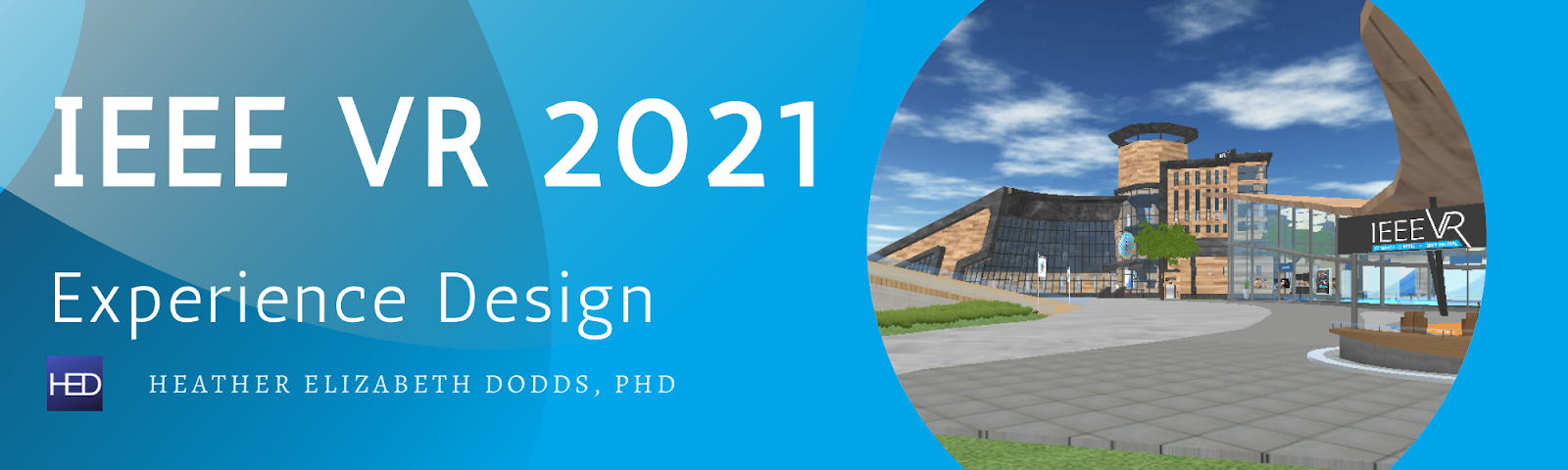
    So here is an example of service design experience that I did for the IEEE VR Conference in 2021.

    First, as I stated my remarks at the Opening Ceremony
    (held at 3:30 a.m. my time, 8:30 a.m. Lisbon, Portugal time), the
    institution that I worked for pursued getting this particular client
    because they were an ideal fit with similar mission and demographics.
    Additionally, both organizations had switched on online conferences in
    2020 (IEEE VR to Mozilla Hubs and iLRN to Virbela)
    and so we shared the common ground of bringing large amounts of users
    into new virtual spaces. We won the contract to host their posters,
    doctoral consortium, demo, 3DUI contest, and video presentations on the iLRN Virtual Campus
    powered by Virbela. (The rest of their program was handled on Zoom,
    YouTube, and Twitch.) We had approximately 2 months prep time and worked
    directly with organizers from Portugal, New Zealand, and the US –
    drawing together meetings, tours, and set up times across multiple time
    zones.

    My support was being online to help with registrations,
    account access with translation to virtual access, technical support
    inside the virtual reality spaces, and providing options when the
    organizers wanted to dream up something new on the spot.

    And did they dream! Out of this one 7 day event, 3 brand new in-VR conference events started and I was part of all of them.

    All
    of these events had a theme to them: they used the basic affordances of
    the platform and put those pieces together in a new way.

    Said another way, these events were not pushing the VR boundary. They used the VR platform in ways it could perfectly perform and thus the execution was great! Think: using basic legos, not a kit, to build something like the Millennium Falcon.

    Treasure Hunt Ready Player 21

    Just
    a few weeks before the conference opened, our island gained the ability
    to passcode spaces. This meant that users needed to enter a code into a
    pop-up box in order to teleport or arrive in a specific space (usually a
    meeting room). One of the conference organizers, Rob Lindeman,
    listened as we described the basic features of the passcode system and
    he realized that he could create a treasure hunt game. He called it Ready Player 21.

    http://www.lindeman.com/vr2021/live.shtml
    (This landing page has 1,211 hits as of October 13, 2021. Rob documents
    that it had over 900 hits just during the treasure hunt game.)

    “If you are seeing or reading this, it means I am dead…I mean I am an avatar, and so are you. My name is James HOLIDAY.

    I
    have created a set of puzzles for you to solve. Each puzzle results in a
    key that you can use to unlock a secret room within the campus, where
    you will find clues to finding the next key. There are four keys in all,
    and the first person to find all four of them and reach the final room
    will receive an extra special prize.

    Half a billion…No, wait…I mean an NVIDIA GeForce RTX 3090 graphics card!

    There
    are leader boards displayed around the campus, and each time someone
    finds a key, their name will be added to the leaderboard, along with the
    time of earning the key.

    If you would like to take part in this adventure, please use the QR code that you find below.

    Good luck!*”

    As
    I was part of the support crew, I could not participate to win the
    prize but I had fun visiting the first 2 rooms to check out their
    function and I actually solved the puzzles! (I’m good at lateral
    thinking.)

    When the treasure hunt game opened, there were QR
    codes placed around the Campus inside of images and participants ran
    around collecting them– mistakenly thinking that just collecting QR
    codes would win the game. The QR codes, however, were only the START of
    the game. The actual puzzles were inside the passcoded rooms.

    The hunt ran about 4 days.

    I was proud to witness that a woman, Xioadan Hu,
    won the game and this screenshot shows us in the winning puzzle room as
    we were taking her celebrating photo, with a research colleague. I
    asked her how she completed all of the puzzles and she said “you just
    have to be very detail-oriented!” I’m sure she’s going on to great
    things. There was great envy for the graphics card that she won because the COVID-19 pandemic had curtailed graphic card production.


    Speed Networking

    The next experience was dreamed up and put into action in just a few hours. One of the organizers, Francisco Simoes,
    had realized that we could make for them a large office space of 36
    offices that each had private sound (sound restricted to inside that
    space). So with some added Portugal theming and a few ground rules, we
    instituted “Scientific Speed Dating” when networkers could just show up
    and meet new people every few minutes. Everyone at the conference was
    invited so this was a great time for students to meet potential
    colleagues or new research contacts!


    The VR affordances that we used were:

    • Sound isolated rooms connected by open office spaces.
    • “Flat sound” or sound all of the same volume transmitted through the entire space
    • The ability to send a “room notification” to every avatar in the space notifying them of time remaining or time to switch rooms.

    So remember those spaces:

    An office is a sound isolated space with walls, ceiling, floors, and a door. You could see into the office from outside.

    A
    team suite is a group of offices bound together by a common floor.
    Sound is NOT spatial or isolated, sound is flat so therefore “traffic
    control” could be done by voice by being in one spot and describing or
    saying a number and you could be heard a hallway away.

    The ground rules were very easy and I was drafted to be the Master of Ceremonies so I kept repeating these rules all through the hour.

    Rule 1: Find an office.

    Rule 2:

    • If there is no one in it, go in it!
    • If there is one person in it, go in it!
    • If there are 2 people in, don’t go in it! (Find another office.)

    Networking was for 5 total minutes: 4 minutes to meet/greet, then a 1 minute warning to exchange contact info.

    At
    the 5 minute point, the person who was first into that office stayed
    and the person who arrived 2nd stood up and walked to a new office.

    Given that this was an international conference, instructions had to be as simple as possible.

    We had “Hall Monitors” of sorts, really just roving volunteers, who would call out
    if an office had only one person waiting to network. We discovered that
    numbered offices, therefore, were better than named offices because
    folks could navigate by looking for a increasing or decreasing number.

    In all, the event was a great success!
    We actually ran it twice with 36 available offices. That meant capacity
    of 72 attendees and we pulled in ~50 for the first session and ~35 for
    the second (including some repeat attendees!)

    Kent Bye commented that it was “One of the best virtual conf activities I’ve seen”

    Flash Mob

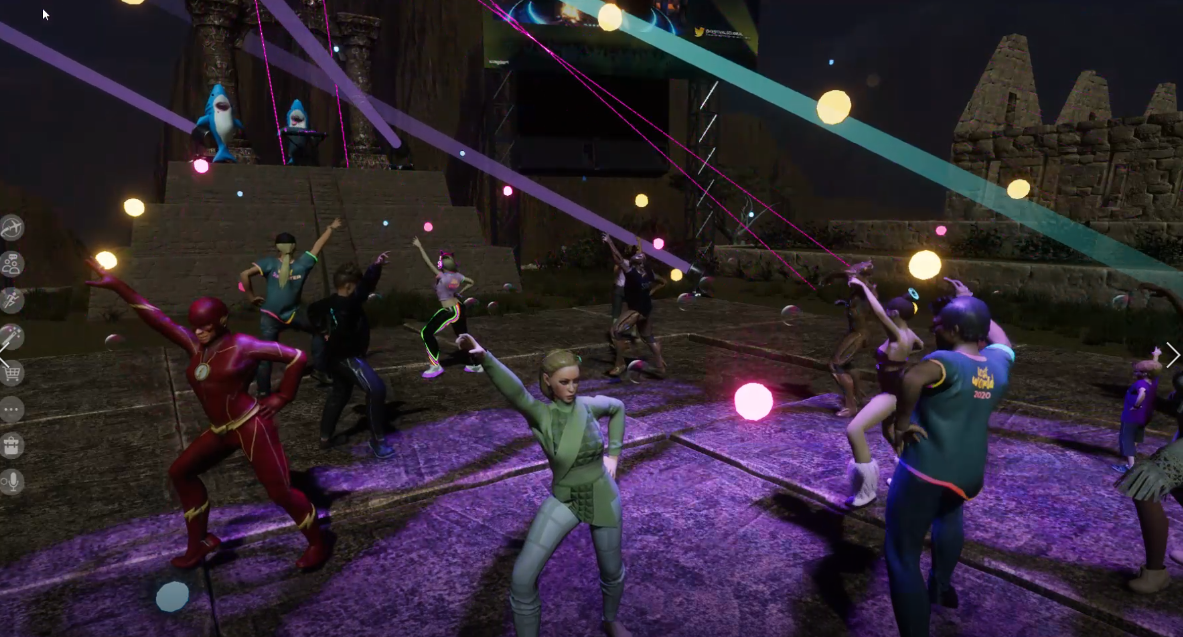
    The
    final event took advantage of the VR affordance that Virbela empowers
    every avatar to dance. From the F7 dance command to longer robot
    dancing, it didn’t take long for the IEEE VR organizers to realize that
    if everyone synchronized their dancing, it would look like a flash mob.

    We put a flash mob on the agenda and LOTS of folks showed up! I took a video and Kent Bye led the instructions.

    https://twitter.com/kentbye/status/1377718061231349760?s=20


    Conclusion

    Working
    with the volunteers and conference committee was great! We often worked
    simultaneously in multiple systems: Discord, Virbela, etc. In a classy
    maneuver, the conference chair, Joaquim Jorge, also made sure that he treated his volunteers with the utmost respect, dancing with them,
    inviting them to virtual drinks at the rooftop bar, and trusting them
    completely with projects like organizing volunteer coverage.

    The combined effort led to the LARGEST IEEE VR conference ever!

    In
    summary, the design experience used the basic affordances of the
    platform, passcoded rooms, sound-isolated rooms, and dancing avatars,
    and created unique and successful VR events. It was not the case that we
    imported unique objects or transported the users to phantasmagorical
    locations. The entire Virbela platform is a software download that looks
    very traditionally like conference and meeting rooms. But it was taking
    the basic building blocks and imagining them in new ways that was the
    key to this success.

    A good design lesson for me and I hope, for you!

    Check out IEEE VR 2022 set for Christchurch, New Zealand!

    #ServiceDesign
    #ExperienceDesign #VRExperienceDesign #VirtualEvents #VR #IEEE #IEEEVR
    #virbela  #ResearchConference #OnlineConferences #TreasureHunt #FlashMob
    #SpeedNetworking #VREvents #Lisbon #Virtual #2021#VRheadset #VRglove
    #PosterSession #SocialVR #Engaging #MarketGrowth #Meetups #SurgeInDemand
    #edtech #technology #StudentVolunteers #2DVR


    This article originally posted to LinkedIn on October 15, 2021

    https://www.linkedin.com/pulse/ieee-vr-2021-experience-design-heather-dodds

  • I taught one of Earth’s first courses with the Oculus Quest 2.

    I taught one of Earth’s first courses with the Oculus Quest 2.


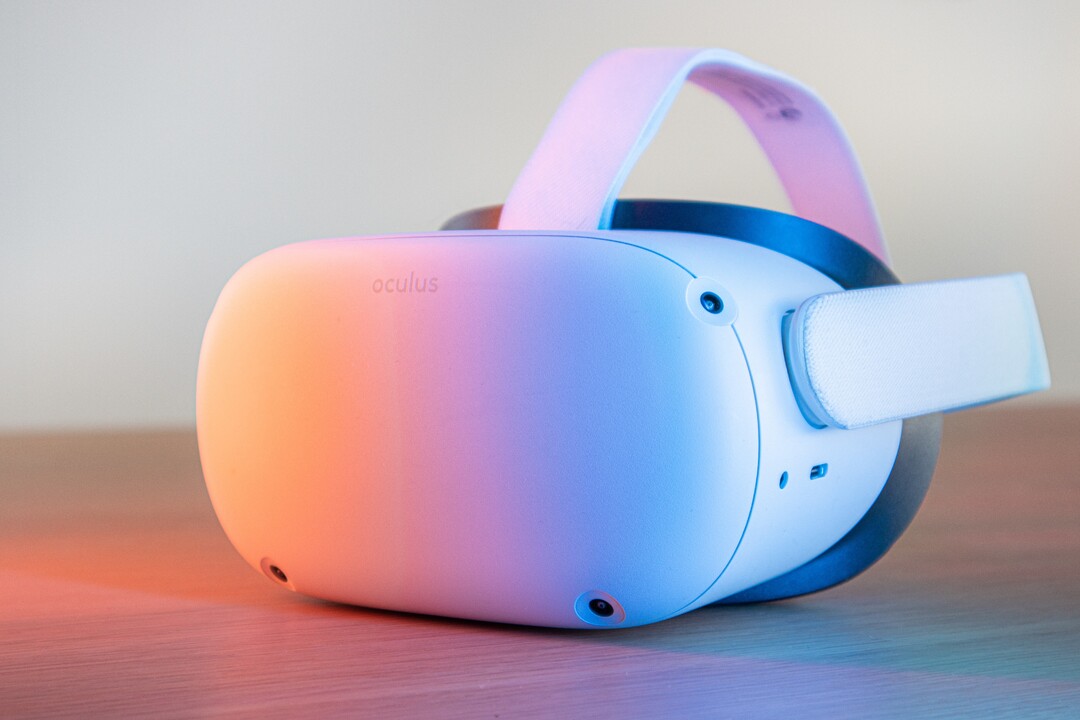
    Oculus Quest 2 VR headset, Photo by Remy Gieling on Unsplash


    Here’s how that went.


    First, I can’t provide a reference that this course, Introduction to Virtual Reality out of the Unity College XR Innovation Lab, was the first, but given:

    1. The timing: The Oculus Quest 2 was introduced on September 16 and shipped out on October 13, 2020.
      The Oculus Quest 2 is an upgrade of the original Oculus Quest. I used
      the original Quest during course development and had access to a Quest 2
      during the actual course run. As course development progressed, I did
      not know definitively that the Quest 2 would be the selected headset
      until late in the process. 
    2. The opportunity:
      College semesters tend to most often be trimesters (3 per year). The
      Quest 2 launched mid-autumn semester. The first opportunity to start a
      course, then, would be winter/spring semester starting January 2021. My
      5-week course squeaked in there between February 22 and March 28, 2021. Therefore, it is fair to say this course was one of the first because there really wasn’t much opportunity for other courses to launch and run before this one. 

    I
    do not write about the learners in any identifiable way. I write this
    article from the perspective of the designer and instructor and I write
    it for other potential virtual reality (VR) headset-using instructors.

    I’m going to call the VR experiences (games) apps since that term is current and understandable. 

    First,
    I will explain the course design and decisions. Next, I will name the
    apps used. Finally, I’ll explain the use of a device management (DM)
    system.

    Course Design

    In
    the design and development of this course, I played the role of the
    Subject Matter Expert (SME) and instructor introducing first and second
    year college learners to virtual reality. Interestingly, I am an
    Instructional Designer by degree and interest, so this was a bit meta
    for me; designing a course on design. However, I was assigned a Senior
    Instructional Designer and they had a process, timeline, and confidence
    in Canvas. We got along fabulously and we finished ~80 hours of development on time. 

    We did a backwards by design
    approach (don’t know what that is? Visit my honored friend Dr. Luke
    Hobson’s Instruction Design Institute course) to building these pieces:

    1. Designed the final project.
    2. Cut the project into chunks with an assignment due each week.
    3. Wrote the weekly lessons.
    4. Finalized the assignments and discussion prompts.
    5. Completed learning resources (intro videos, handouts, examples).

    I
    also worked with the person responsible for advocating for this new
    course to the college. They oversaw the place of this course within the
    college’s mission and programs. We worked on selecting the apps that
    would be preloaded on the headsets. Also, they played the role of
    teacher assistant in the course for tech support questions and they ran
    the entire DM process.

    We started gathering ideas of which apps we
    would include. Since we didn’t know which headset (or even if we would
    have a headset requirement) we started with the ‘free’, ‘easy-to-access’
    VR apps first. I came in with a good background in 2D VR choices and
    they had a few ideas from 3D VR choices. Both of us made sure to include
    a wide range of apps as we wanted the course to appeal to many
    different college majors. We scoped out apps ranging in feel (not too
    many first person shooters) and content (apps that were related to fun
    or work).

    Why teach VR design?

    Why is there value in teaching design?

    It’s
    the first step in an efficient and focused effort at getting to a goal.
    It is rare that organizations and individuals spend time on design (aka mission or purpose). People want to rush past it with the hand wave approach and say “yes, yes, I already know I want to include VR, let’s get down to exactly this VR! Let’s start!” 

    The
    point of a good design foundation is that it is like the rudder on a
    ship or the hypothesis to a scientific experiment; it guides you.

    A
    good design will provide guidance later when decisions arise. If you
    are clear on your purpose, then making later decisions becomes easier
    because you just evaluate which choice leads you along the path towards
    your mission or purpose. 

    For example, I worked on a VR project
    that had accessibility and “hold up to 1,000 simultaneous avatars” as
    its top design specifications. Those elements were key. So as I
    evaluated VR choices, we found VR choices that were:

    • Gamified
    • Popular
    • Supported by great tech 
    • Creative
    • Cheap
    • Gender-neutral

    But
    notice…none of these choices were the design elements we valued in the
    project. So these would have been the wrong choices; possibly fun
    choices, but wrong and regrettable. By staying focused on our mission,
    we maximized the chance of meeting our user experience expectations. 

    So teaching design for the purpose of valuing design ends up creating better products with more user satisfaction and better prices. Win-win.

    But what to teach in design?

    One of the first problems to pop up for me was content overload. These are some initial topics considered:

    • Objective/Purpose — what does the experience claim to do/what does it really do
    • Accessibility — tech/platform, modification ability, sounds, text, screen
    • User Control/Avatar Creation — privacy/controls/independence
    • Presence/Immersion — feeling of being there? Feeling of being inside the avatar?
    • Deep Play/Flow — does the experience fully engage the user?
    • Narrative — Does the experience appear to bring the user along?
    • Tech factors — platform/latency/updates
    • Navigation/Menus — 1st 30 seconds, how to exit, how to move
    • Manipulation/Change — how does the user impact the experience
    • Motivation/Gamification — why would a user use this past 30 seconds?
    • Social sharing — how do users use this together?

    Each one of those topics could be a whole course.

    The
    next problem that we were running into was selecting which apps to
    incorporate and keep the costs down. We aimed for less than $50 of apps
    per learner.

    We also had to keep one eye on accessibility. Because
    the learners were going to get a headset shipped to them, the college
    sent early strong advice that the learners were opting in to this experience, it was not being done to them.
    We constantly kept in mind the concern that a learner might have a bad
    case of vertigo and be unable to don the headset after Week 1.

    The
    solution of what to cover in the course versus what apps to pick (and
    how to plan for emergencies)was my favorite part of the course design. 

    You can view the design in the Course design: Introduction to virtual reality, Spring 2021 diagram below. Time progresses from the bottom up each week.

    Diagram showing five layers to the course design explained in the text. Shows that each week, a series of design thinking steps took place. The apps used in the course could be moved in and out with no harm to the overall course.
    Copyright Heather Dodds 2021. All rights retained.

    You should spy:

    Bottom Row: The Design Thinking Model :
    Empathize, Design, Ideate, Prototype, and Evaluation— the week by week
    design of the course followed these steps (5 steps in 5 weeks)

    Second Row: The Pixar Narrative Plot model (simplified): Introduction, Set the Scene, Dilemma, Crisis, Change, and Resolution 

    Third Row: The Course Final Project cut into chunks

    Fourth Row: The Four VR Design Elements that we decided to focus on — Function, Narrative Plot, Immersion, and Interface.

    Fifth Row: The Apps selected to align with a Design Element.

    As such, students worked through a design plan while learning about design planning. The apps worked independently of the course, then. It is easier to think of it in two main layers:

    1. The
      project — all parts of the assignments lead up to the completion of a
      3–minute video mock of the planned VR experience (Make an “ad”, Persona
      and Plot, Ideate, Storyboard, Video).
    2. The apps — all of the experiences were tested for appropriateness towards a specific design element.

    The
    in-between layers are all commonly recognized design elements. They
    become the grease that slips the main layers past each other. 

    Does one app fail or go offline? 

    No worries, slip in another one that addresses the same design element.

    Does a learner not finish their Week 2 assignment on time?

    No worries, the course is modular, they can proceed to the Week 3 apps while they catch up on the project.

    Aren’t these apps just for fun?

    No,
    I picked specific apps for specific design elements and prompted the
    learners to evaluate that element and discuss it within the course. Just
    saying an app was “fun” was asking to fail the course discussion.

    By
    using these layers, any problems with app cost, procurement, running of
    the app, or learner problems would not stop the entire success of the
    course.

    To explain the diagram, I’ll give one example from Week 1.

    We
    set up the course as a design cycle. Learners were going to make
    portfolios describing a future VR experience. The first step they needed
    to take was to empathize with their future VR app users. 

    Before they defined their users, they had to first be a user

    So, after safely unboxing and setting up their Oculus Quest 2, it was time for headset on and into some VR!

    They
    were asked to do three of these apps (below), talking out loud to
    themselves throughout the experience and then reporting back in a
    discussion prompt. Every observation is valid. They were tasked with
    evaluating function; how well did the app actually utilize the virtual
    reality medium? Could the experience have been done any other way
    equally as well? What stood out as amazing? (There were many more
    prompts to help them understand how to evaluate the VR design element of
    function.)

    One
    of the items that learners could have noted is that it is not easy to
    go to Antarctica. It is expensive and dangerous. Once there, learners
    may never have kayaked or used an expensive camera. It is unlikely
    they’ve ice-climbed. All of these are affordances that
    virtual reality gives that no other current experience can replicate.
    The closest is a 360 degree video, but those often come with little
    interaction, you can’t actually paddle your kayak, or pick up a camera
    and take photos. Therefore, the function of this VR app is high; it is
    appropriately using VR to offer an experience.


    Capture from inside of National Geographic Antarctica VR Experience, with the user in a kayak looking at whales in the water.
    Taken inside of National Geographic Antarctica VR Experience.

    After
    this, students had to create an advertisement of their own planned VR
    experience. So they had to already have some of the feelings of their
    users to get ready to market their idea to other users.

    Additionally,
    week by week, learners would get exposed to increasingly more
    sophisticated evaluations so that they would be able to begin to
    discriminate between what was good and what was bad about any VR
    experience. The point was not to finish the course with learners that
    love VR. The point was to make learners who can pick and choose and know
    how to find VR that works for themselves and their ideas.

    Which apps?

    We selected and planned for ~4–5 VR apps per week. 

    Week 1 — Function

    Week 2 — Narrative Plot

    Week 3 — Immersion

    Week 4 — Interface

    I want to strongly emphasize that we chose and included these apps for the design element per week.
    So as fun as Beat Saber can be, learners must report on the design
    elements of the interface (The menus, buttons, and music- what worked,
    what did not?) and the feeling of immersion (Were they really on a
    platform? Could they fall off? Was it light or dark? Do they have hands?
    Do they have a stomach?

    In
    hindsight, I’d add more apps all through the five weeks because the
    learners really loved this part of the course. In week one, they were
    delighted. But by week five, they’d lost their zest and were just
    looking to finish up. The device management process allows you to add
    more apps to the headset or switch them out, remember that. Just because
    a learner has an app in week one does not mean that you need to
    maintain access.

    Device management and privacy

    The key problem that many instructors worry about is the fact that the Quest 2s, when released, required the use of a Facebook account.
    I see this policy is changing and for the better. However, since we
    were at the front of using the Quest 2s right after they were launched,
    what were we going to do? Many instructors felt that learners using
    their own Facebook accounts for classroom activities was a violation of
    privacy in general. Personally, I will point out two thoughts:

    1.
    Many researchers and educators rightly point out that use of VR headsets
    for children under the age of 13 is pretty much not allowed by any
    Terms of Service of any of the major VR providers. Providing adequate
    protection in VR is something that these companies cannot assure.
    Therefore, bringing in school-age children into VR is something that
    requires more research and safeguards. 

    2. As someone who has been
    sexually harassed and bullied in real life situations, social media,
    and virtual reality, personally identifiable VR accounts is a good
    thing. Social media has played too fast and loose with privacy settings
    and many perpetrators know that. I don’t mind thinking that I’m playing
    against a specific real person on Beat Saber and vice versa. However,
    I’m an adult capable of taking responsibility for my own decisions and I
    also realize that as an adult, I am a consumer of my educational
    choices. I can simply put the headset down and walk away. Personally,
    I’ve only ever designed VR for adults. This policy was a protection
    maneuver for the long game and I support it.

    I know educators
    hated this requirement and rose up on arms about it. But it was not a
    battle that they were going to win immediately. They need to keep
    pushing for educational use in other ways within these platforms.

    The Unity College XR Innovation Lab
    used a device management service and the learners rented their Quest
    2s. The DM created the accounts and we monitored what was going on with
    the headsets through the course (what apps were on the headset and last
    used, battery charge, last time activated, etc.) In short, it worked for
    this time period. In the future, it’s probably better advice for an
    institution to buy their own headsets.

    Teaching narrative plot in design

    Final
    thoughts about teaching narrative plot (introduction, set the scene,
    dilemma, crisis, change, resolution) so centrally to VR design — do I
    regret that decision? 

    No, but I’ve thought about it a lot. Given
    the huge range of experiences possible in VR, was I correct in
    emphasizing that my learners should be able to deduce out and design in a narrative plot
    in VR? I could have taught the course more technically (resolution,
    degrees of freedom, refresh rates) or from other perspectives like app
    popularity or headset features. I’ve really kicked this idea around with
    my VR research colleagues and we’ve found that any VR experience ‘worth
    its salt’ will have these narrative plot features. Humans are pre-wired
    to understand and love stories. We seem destined to always look for
    cause and effect. We want to know why. Why does something happen? What
    caused it? What happens if I touch this?

    In VR headsets, the
    learner/user is the ultimate cause of effects. From the first moment (I
    taught that the Introduction is basically the Oculus Store ad…it is the
    moment when the learner previews what they are about to experience), the
    learner is beginning to move through the story.

    Just donning a headset means that the learner is willing to be changed by the experience at hand.

    When the headset powers up from dark to light, set the scene has begun.

    Even
    if the change and resolution happens far AFTER the headset comes off
    (this is very true of workplace VR training or meditation apps), a
    change does happen to the learner. So the elements of narrative plot are
    there. 

    After all, if virtual reality does not change you, why did you engage in it?

    Now…consider yourself introduced to teaching virtual reality.


    Got
    questions? Ask me! I have many more details like “what did we plan if
    students could NOT use the Quest 2?” or “how did you teach narrative
    plot in VR since VR is so new?”

    Please visit the Unity College XR Innovation Lab for more information and first-of-their-kind courses.

    Best wishes on your own course!

    #OculusQuest
    #VR #EdTech #TeachingInVR #CourseDesign #InstructionalDesign #Apps
    #VRApps #VRGames #VRCurriculum #DeviceManagement #Privacy #Design
    #Course #Experience #Learners #NarrativePlot #Elements #Reality #College
    #Development #Process #Function #Immersion #Interface #Menus #Buttons
    #VRSound #CreatingVR #DesigningVR #Layer #Storyboard #Persona #Pixar
    #Storytelling #Accessibility

    Updated images, mostly deleted stock photos, on February 18, 2026

     

  • Virtual Art, Real Feels

    Virtual Art, Real Feels


    I’m hearing plenty of comments that the arts, specifically
    performance art, is taking a huge hit due to COVID-19. On July 24, 2020
    the Sacramento Business Journal reported
    the loss in the United States alone at $9 billion. In some cases, art
    events just shut down with no forward-looking plans to re-open. So the
    loss is incalculable. We are in the middle of the summer concert and art scene. I get it. The arts might be down. But they are NOT out.

    Actually instead of “Get out there and enjoy” for art experiences, it is a case of “Get in there and enjoy.” Modify your expectations and what the art community is already doing will amaze you. Here we begin our short tour through the virtual arts scene in a pandemic.

    Art & Computers: Digital Playmates

    First,
    I want to remind you that video games are no stranger to the arts. The
    release of Civilization IV in 2005 with title song “Baba Yetu
    (The Lord’s Prayer in Swahili) by Christopher Tin was the first piece
    of video game music to win a Grammy. Personally, I still find this video
    very moving and I use it as my introduction to my doctoral research
    topic.

    Virtual art show: Apart: posters from a social distance

    The Apart gallery had some static posters on the XR walls but also had some kinetic displays like a bunch of paper airplanes flying around.


    In
    a metaplay on real world events, the organizers of this art show
    challenged the contributors to make art posters to support the thoughts,
    feelings, and issues of COVID-19 and social distancing.

    I found
    the posters to be a wonderful mental interplay of World War II American
    propaganda and the COVID-19 Public Health efforts.

    Sales have
    ended on buying copies of the artwork, so let that be a lesson to you!
    Just because it is virtual does not mean art is FREE.

    You can still enter the art gallery here! [Update from 2026, it has closed.] It’s in Mozilla Hubs (WebXR) so you should just click and go. (Be
    patient and nice just like you would at an art gallery, people!)

    Hat tip: https://paradowski.com/

    Art show: AA Earth Gallery


    Hosted in Mozilla Hubs too and still open!  [Update from 2026, it is closed]

    “The
    project was made to mark 50 years of Earth Day, an annual event held in
    support of environmental protection. All the works on display respond
    to the theme of Earth and human relationships.”

    Clubbing: The Music Scene

    Did I mention that I went clubbing in Paris a few weeks ago? I just like the way that SOUNDS. In
    all seriousness, I never left New York and I only found out about this
    event a couple of hours before it started. And, she writes wincing, I
    had to be late for the actual event but the DJ after some gentle nudging
    played another hour just for my tribe! Yes! Do not be unnerved by all
    the Santas. Remember, Santa is jolly?!?  

    This was the DJ who I’m not going to disclose here as a really cool VR day job.

    The lesson here: Set your social media to *search* for art experiences.

    Live art: SketchGroup (Use Chrome for the link)

    Instead
    of a shared Google doc for your next meeting, how about having an
    artist live sketch your thoughts using Tilt-brush in a space that you
    can re-enter? Talk about a Memory Palace.

    VR Concert: Glastonbury Shangri-La music festival in Sansar

    Yes,
    Sansar is a specific app download. But this was simulcast to Twitch,
    Beatport, YouTube, and Facebook to 4.3 million possible attendees. So,
    no excuses.

    I love my tweet above, I’m writing EXACTLY like I’m in
    a loud event and all I can get out is yelling “MUSIC IS FUN!” while
    pointing to the stage.

    VR Theater: The Tempest by Shakespeare

    “Starting
    July 9 showings will be presented in Tender Claws’ groundbreaking
    virtual theater. Tickets for The Under Presents: Tempest sell for $15
    and that buys you a live performance from an actor who casts you in the
    play for a show running approximately 40 minutes.”

    Did you catch that? Pay your ticket price, show up at a time, and you are in the play!

    The actor and 3 spirits from The Tempest from The Under Presents


    “Participants
    are tapped to dress up in costumes and pantomime parts of the
    experience which play out as much in virtual reality as they do in the
    imagination of the player. That’s a remarkable feat and exactly what makes this unlike anything else in VR right now. The Tempest is a fascinating evolution for both Tender Claws and The Under Presents.”

    Suffered through all this art and really want team sports to play at home? Uhm, have you heard of paintball?

    What did I miss or is still coming up?

    SIMULACRA (still running!)

    Virtual Arcade @Cannes XR 

    ComicCon at Home (running now)

    Museum of Other Realities (Hosts new and running shows)

    Virtual Fashion Show – July 29, 2020

    VR Events

    There
    really are NO excuses not to support the art scene right now in
    virtual, online, and computer-mediated senses. It’s safe and it’s
    important.

    I conclude with these words from Ben Okri in his article, We Need Art More Than Ever:

    “For
    too long art has been seen as an extra, an add-on, something
    dispensable unless it can prove its worth by numbers and quotas. It may
    be that we lost sight of art’s special value because prosperity obscured
    its meaning, its profound questions, and its uncanny capacity for
    transcendence.

    It is in the face of death that art becomes most
    powerful. It was said that during the time of the Black Death in Italy,
    people carried paintings through the streets to confront the plague.
    Some might say that it was not the paintings themselves that were seen
    as death-fighting images, but the subjects of the paintings, the
    Madonnas and the images of Christ, that were being used to confront a
    scale of death the people could not understand. It hardly matters which
    it was: art became a weapon against the plague.”

    Stay safe.

    #VirtualArt
    #VirtualMusic #VirtualMusicFestival #VR #VirtualReality #Sansar
    #Glastonbury #LostHorizon #Civilization4 #BabaYetu #ChristopherTin
    #GrammyAward #ApartPostersFromASocialDistance #AAEarthGallery
    #MozillaHubs #TiltBrush #Oculus #Tempest #CannesXR #ComicCon
    #MuseumOfOtherRealities #WeNeedArt #VirtualArtRealFeels

    Updated images, font, and indicated a few dead links (but try Internet Archive!) on February 21, 2026.